Hello everyone,
I trust you are all well.
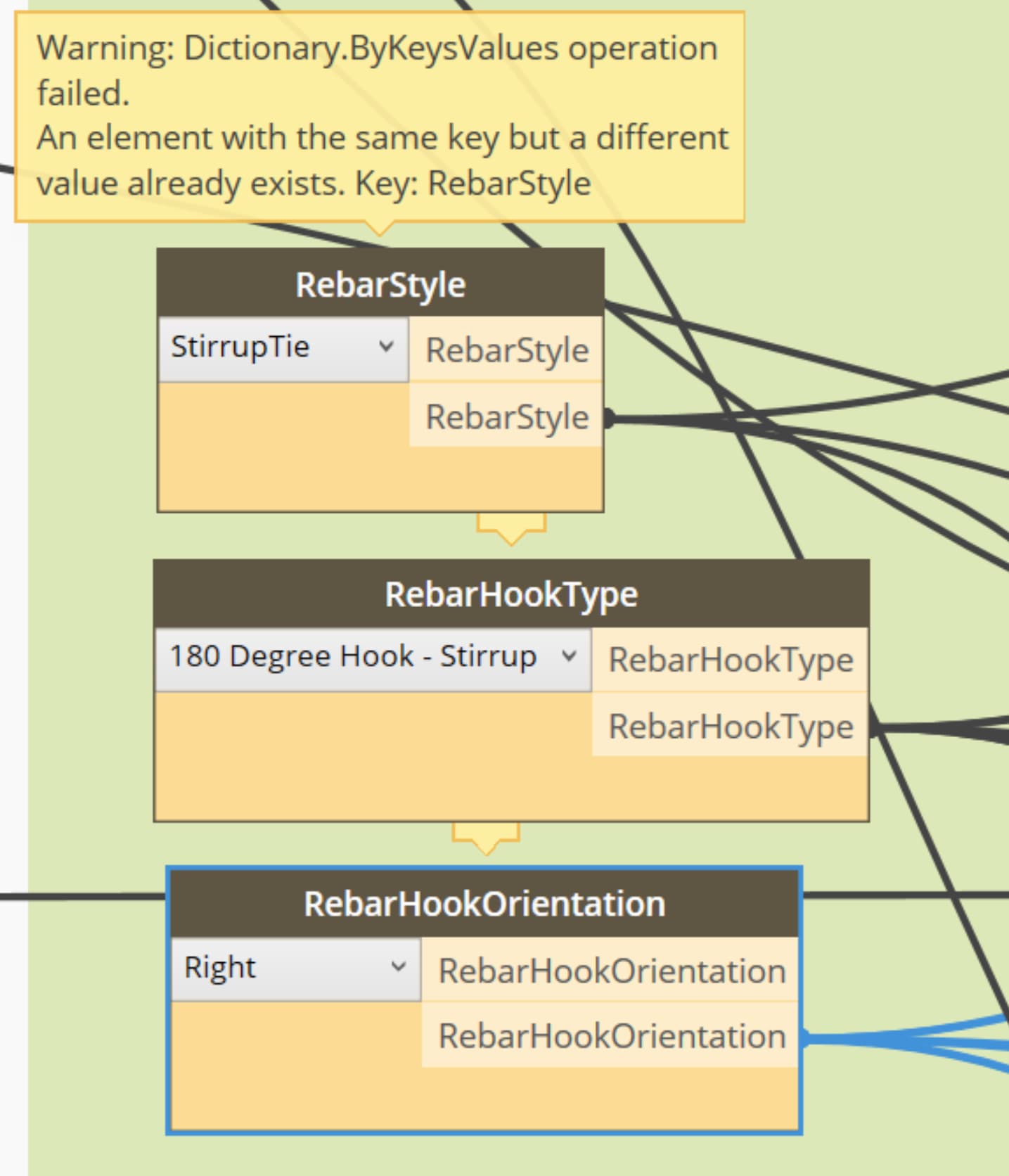
Could anyone please help me understand how to solve this issue where everytime I save my Dynamo script, it creates the same key which causes an issue the next time I open the script and run it.
What I did so far, which I read somewhere is, was to turn off the Autodesk analytics from Dynamo Menu options, but to no avail.
Any help would be highly appreciated.
This is a sign of a conflicting Revit add-in or Dynamo package. Disable all Revit add-ins and remove dynamo packages and see if that resolves the issue. If so, add all your Dynamo packages back to confirm things are still working. If so, enable your Revit add-ins in batches until you identify the culpret.
I usually see this happen when using
a wrong Package version for the specific
Revit version.
I was expecting this but before I uninstall some packages, I want to see what other experts has to say first. I tried to use the latest version (i.e. 2024) of the packages I needed but, you’re right, for some reason, this Dynamo script I’ve been tropubleshooting was inherited from someone and used the old package version (i.e. 2021). Uninstalling the latest package version and installing the package version used in the script solves the problem.
@Structural Design Dynamo package - why is this error happening when upgrading the package version to V2024.10.1 from V2021.9.23? Nevertheless, still thankful here for having this Dynamo package available for us to use.