Sample file.rvt (1.8 MB)
SCHEDULES2.dyn (63.2 KB)
Hello All,
sorry, I don’t understand from previous topics.
I’m trying to apply multiple filters to schedule but I’m getting this error,
Please explain why?

Sample file.rvt (1.8 MB)
SCHEDULES2.dyn (63.2 KB)
Hello All,
sorry, I don’t understand from previous topics.
I’m trying to apply multiple filters to schedule but I’m getting this error,
Please explain why?
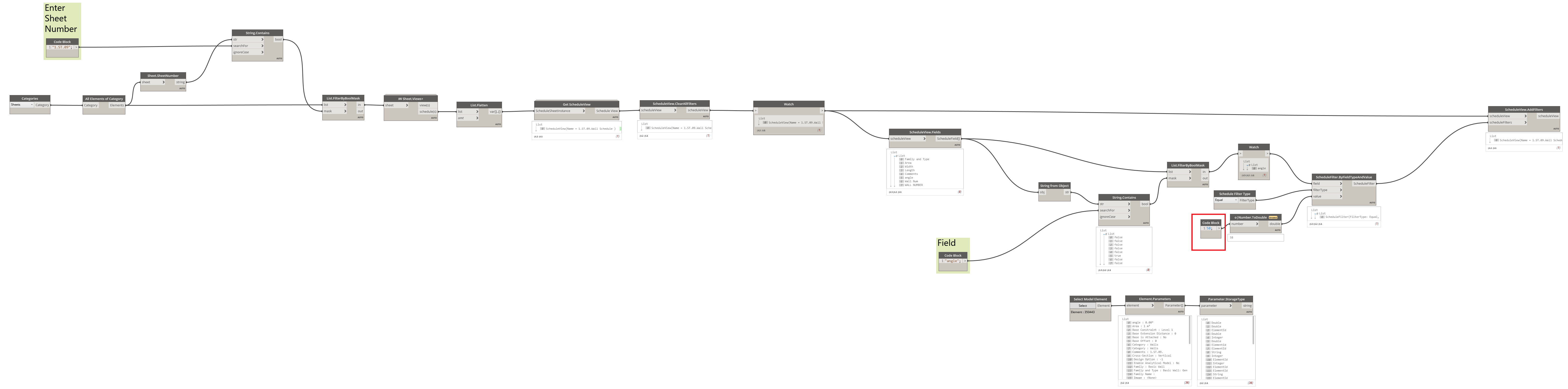
Make sure you’re zoomed in enough so that nodes are completely legible and then use the Export as Image button in the top right corner of the Dynamo window. Right now your graph is illegible.
Can you confirm that these filters work manually? Are you providing the right object type?
@Nick_Boyts please check now
and yes all filters are working manually
Is the value supposed to be a string for Item Num? If it’s using inequalities it should probably be a number right?
The value input should be a string. Just curious question, have you tried manually adding those filters to the schedule to make sure you can filter that field like that?
@staylor
yes
Can you try with just a single schedule and a single filter so we can narrow this down a little bit?
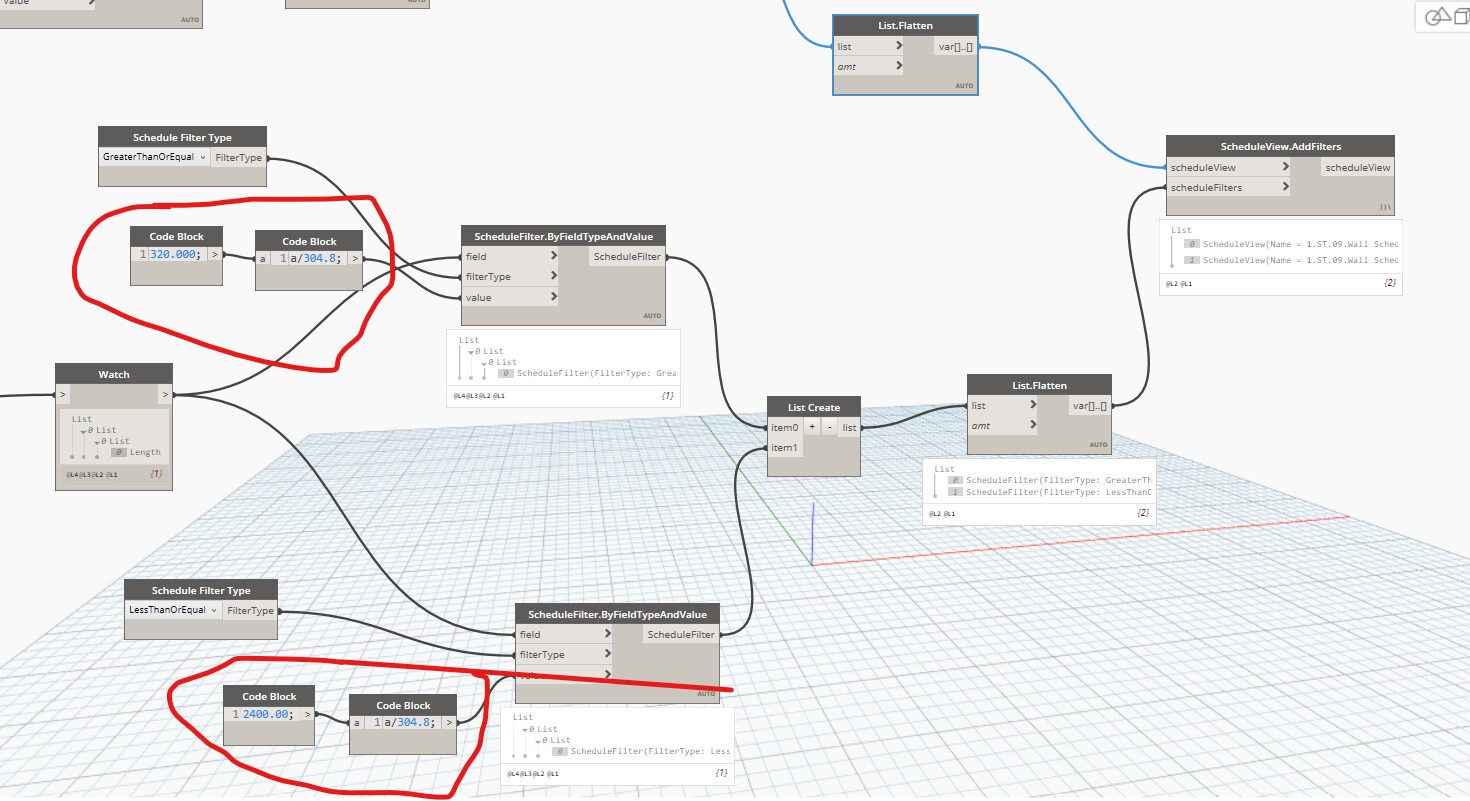
Hi @vishalghuge2500 length is not s a string or integer its a double, try as here…
@sovitek
Yes it worked
But Sorry i don’t understand this concept.
Why we need to do this?
What about if parameter is Angle value?
What If project units are different?
Please explain this
If you have any reference to watch/read please share
@sovitek
For Angle value, do we need to convert it also
Like length (a/304.8)
angle should be a double as well, but try it
Try degree to radians
Hi Vishal,
I just made few changes in your script.
There was a data type issue, you were using string instead of double.
Also the node you are using for creating, by default takes imperial input, so I changed the input value from millimeter to feet and then feed that to that node.
Please find the below snap for your reference.