I have two families that I use constantly in my projects but that I need to be able to modify there type properties separately (that’s why the can’t be a nested family). In a nutshell, the main family is a rack and the second family is a mass that I use to represent the different properties of the position in the rack.
I’m new to Dynamo, and I’m triying to find out if there is a way that I can put my racks families in my project and then automate the positioning of the mass along the different nooks of the racks.
Both families are fully parametric with shared parameters betwen them and the project.
A family containing both of the families with the nested family’s instance parameters being driven by the parent family would work here.
But if you want to go a Dynamo route you could. The only issue is that edits to the rack won’t mirror in the mass; you’ll need to synchronize the edits manually.
What have you tried so far in an attempt to build this? It’s a lot of work for someone to build everything (the project and two families wi the matching parametric constraints all built from nothing but the description you gave here), so some degree of effort is likely required to help the community help you.
The thing is that in the same family I’ll need to be able to edit the properties of some of the masses positioned in the rack.
That’s why I cant use a nested family.
Normaly I’ve beeing doing this the manual route, I put the rack familly and then I put the mass family, make a group, copy or array as many times I need and then ungroup them so I can edit the masses one by one depending on the needs I have.
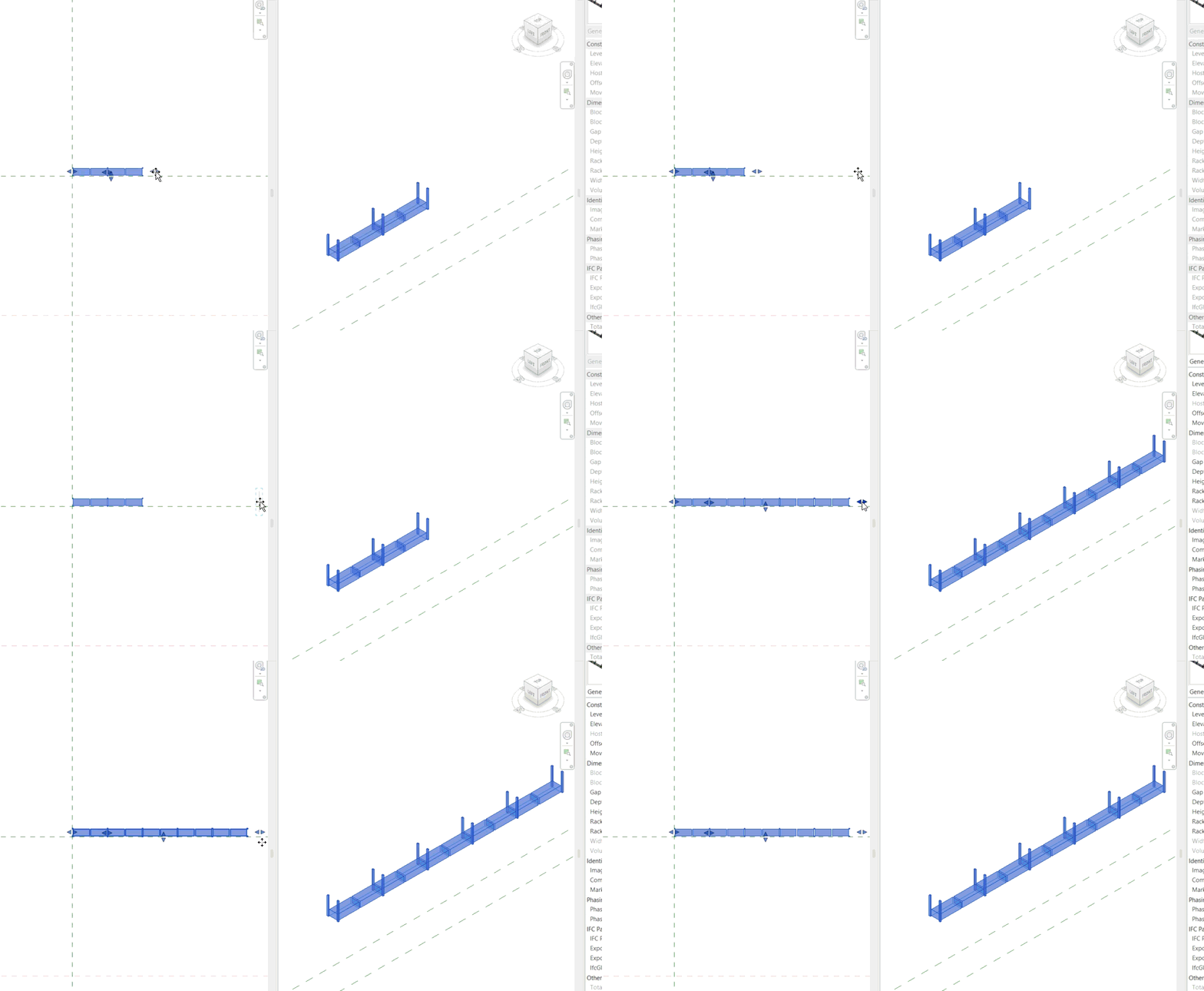
What I need to acheive is what is shown in the rack nº1.
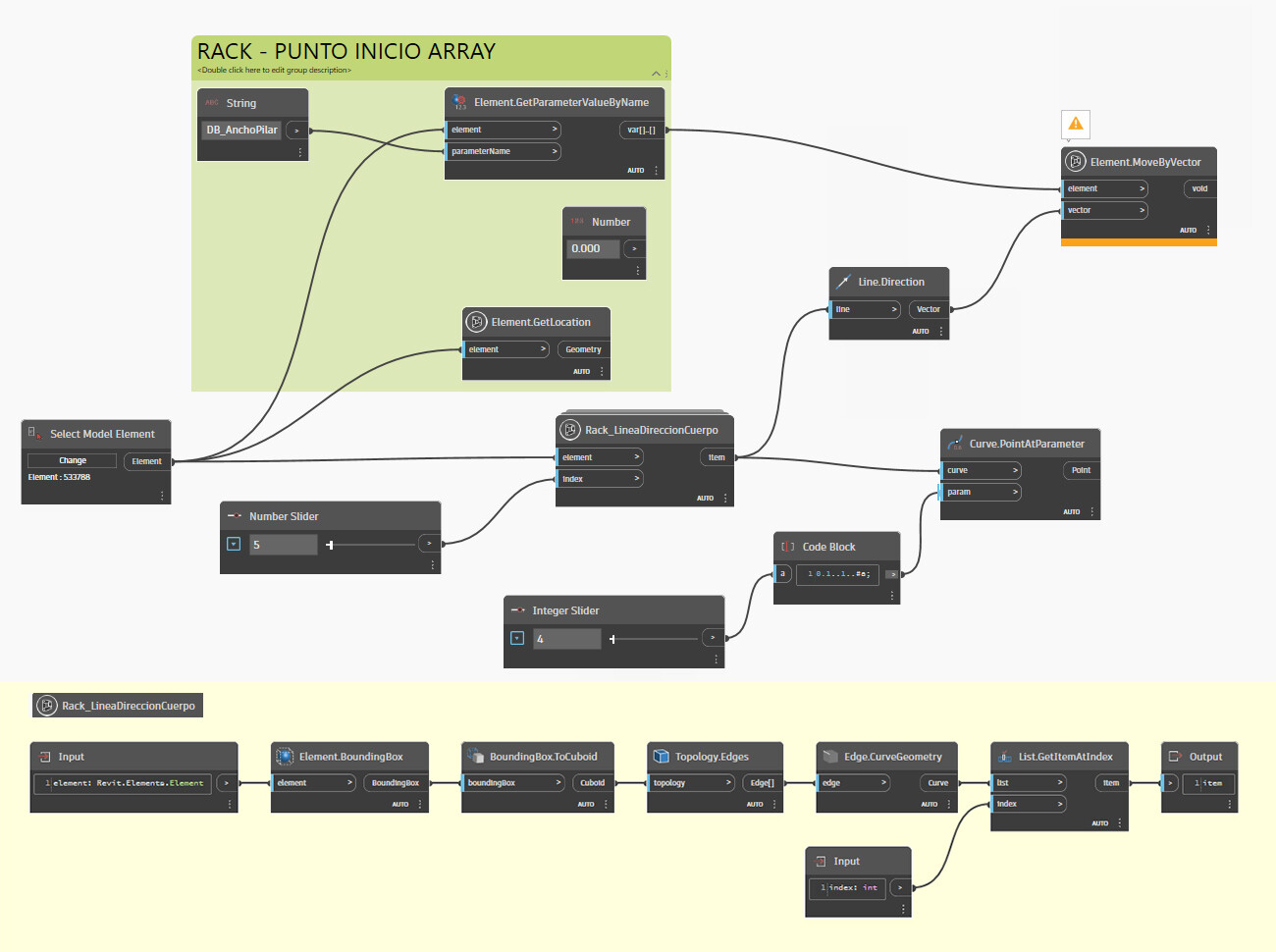
What I have so far in dynamo is shown in the rack nº2. In dynamo, I select the rack, find a face that I can transform into an edge that I then subdivide to generate the points where I put the mass. I have many problems with this such as not all the racks will be in the same direction (that’s why I was asociating the direcction of the “array” of the mass on a face of the rack), and the subdivition is not regular per se becuase of the racks’s structure.
I’m used to do this process by hand directly in Revit but I was trying to automate-it to make it more easy because I work alone and every minute saved counts.
I still don’t see why that couldn’t be done via nested family and that is the most ‘direct’ path forward. Look into shared nested families to start with.
But instead of beating around that bush, let’s redirect the Dynamo direction. Instead of finding an edge/face of the rack programmatically or via manual selection, why not read the rack’s transform, place a line based on that, generate coordinate systems along that curve, and populate the mass instances by that?
So you can do something similar. If you make your nested families shared, you can extract the amount of boxes for instance. You can go as smart as you want, but you really won’t need Dynamo for this.
Now let’s say you don’t control / design the racks themselves. Then it becomes even easier. Just make a double Array family of just the boxes. That way you can quickly adapt to each rack
It’s a nested family with simple parameters. I didn’t even array vertically. It’s just a proof of concept. Making the nested family shared would help with with it further
In deed a nested family here is not an option because in the next step I will need to edit the masses as individual elements. Is there a way to explode the nested family in the project?
Why do you need that? No need when using the Shared Nested approach.
PS
I think that only if the Shared Nested element (the box) has the same Parameter Values for each shelf and or / rack the Shared Nested Element approach works.
If the box has different values for each shelf and / or rack then i am not sure about that approach. Just my 2 cents.
The box has different values and/or properties for every shelf and even every position in the shelf that I need to account for. That’s why a nested family is not an option here.
Note that to date I still don’t see any reason making nested shared families won’t work right now, run faster, maintain longer, and provide a better end result. If five really good Revit users are telling you ‘try this first’ then I think it might be a good idea to do so.
The thing is I’m exploring using my warehouse Revit models as a base to import information into a WMS (warehouse management system) called Infor, and so I need to give all the positions in the racks the different properties they have (higth, depth, width, position type, operation type, position number, if it is multy sku or mono sku, volume, restrictions, maximum load permited, etc) and they can vary from position to position. So, I’m triying to see if I can automate the first part of the process, the put the masses in the racks part of the process, so it can go quicker than doing it “by hand”. Once I put the masses in the racks I can begging to edit the different instance parameters of all the masses to achieve the information that I need to provide when I export to Infor.
That’s why using nested families doesn’t work in my case.
If I’m missing something, like if with nested families you can then edit all the masses individually, please tell me.
Finally, sorry for the crappy english, it’s not my first language.
 Parameter also work?