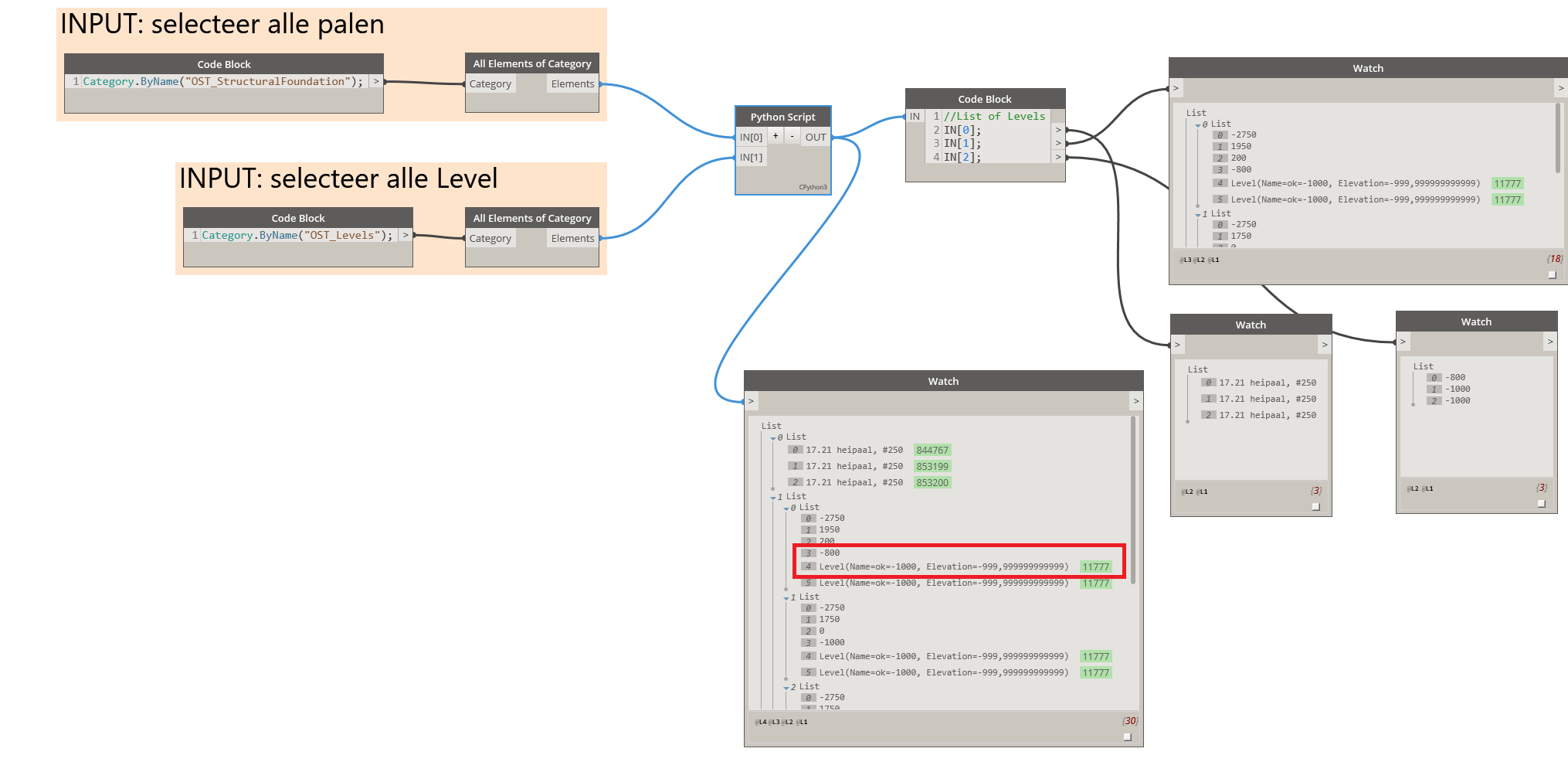
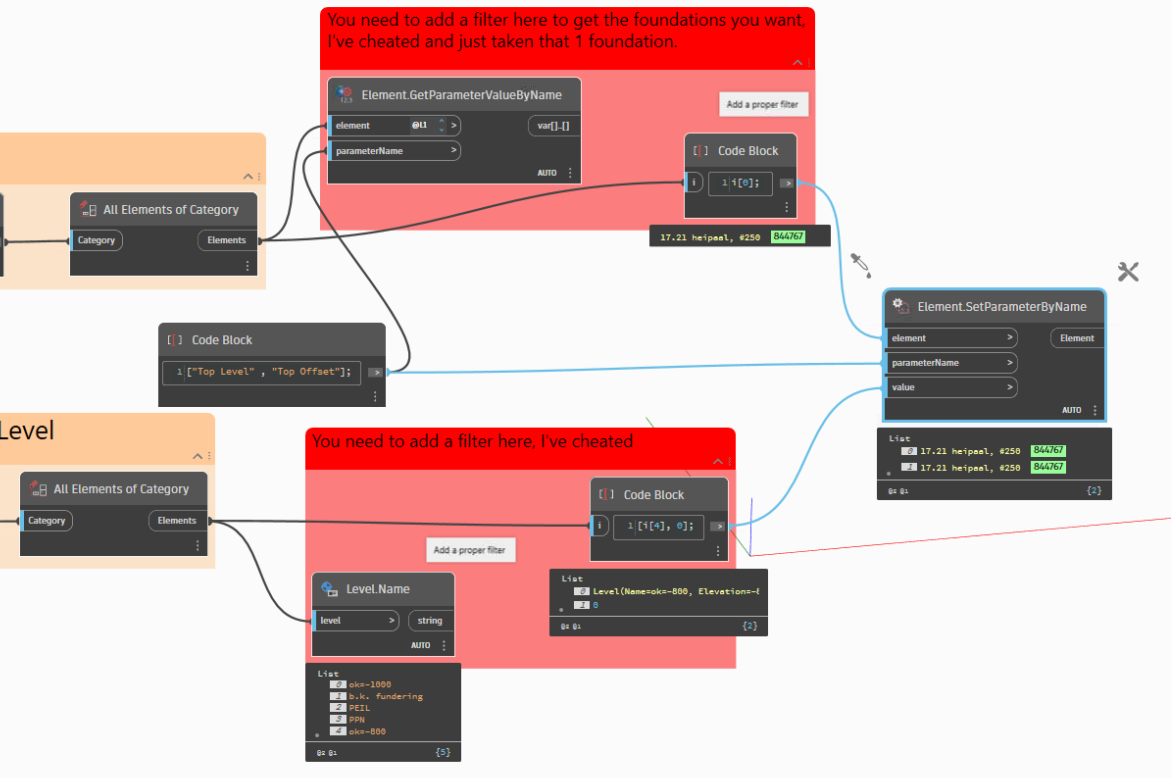
I have 3 piles (two-level based) in my model and i have a Levels placed at the bottom at each Structural Foundation. (no duplicates)
I want to find the correct Level and change parameter Top Level of each pile (= equal to bottom Structural Foundation), with Top Offset=0
I’m trying for days to get this working but I can’t.
I’m talking about the first item in the list. It can’t find the correct Level(elementId). Top Level must be changed from Level “ok=-1000”, Top Offset=200 to Top Level “ok=-800”, Top Offset=0
My problem is that my script does work 100%.
beneath are my screenshots to explain what I have/got/want.
All the neccesary files (python code included) are in the first post to test it for yourself.
Thank you. But you’ve given the answer (= correct Level) to set parameter Top Level.
I can do that also with python, but the trick is how to find this correct Level belonging to Top Level with Top Offset=0
The problem is not how to set parameter. My problem is how to find the correct Level.
Important: Elevation Top Level pile (Structural Foundation) must be equal with Elevation at Bottom beam (Structural Framing) = Level
Yes, that is what I want.
I thought everything was clear with the screenshots and red rectangles, but it was clearly not enough.
My Python-script should be the same as your script, but mine doesn’t work 100%.
If you want to get help, please post your code in the future. It is good to add a .dyn file but the code should be available in your post, a screenshot of the code is not so good.
Your code is really hard to read, there is so much unnecessary stuff in there, please clean it up a little next time.
You can set your levels like this:
elements = IN[0]
levels = IN[1]
outlist = []

TransactionManager.Instance.EnsureInTransaction(doc)

for element in elements:
    parameter_value = element.GetParameterValueByName('Elevation at Top')
    for level in levels:
        if abs(parameter_value - level.Elevation) < 0.1:
            element.SetParameterByName('Top Level', level)
            element.SetParameterByName('Top Offset', 0)
            outlist.append(element)

TransactionManager.Instance.TransactionTaskDone()

OUT = outlist
Sorry for that. The python-code (with unneccecary stuff) was available inside the Dynamo-script (see First Post). The next time I will add it seperate from the script.
Better to add a line to only set the level if it is not correct already:
elements = IN[0]
levels = IN[1]
outlist = []

TransactionManager.Instance.EnsureInTransaction(doc)

for element in elements:
    parameter_value = element.GetParameterValueByName('Elevation at Top')
    for level in levels:
        if abs(parameter_value - level.Elevation) < 0.1: # do something only if a level is found
            if element.GetParameterValueByName('Top Level') != level: # do something only if level is not set already
                element.SetParameterByName('Top Level', level)
                element.SetParameterByName('Top Offset', 0)
                outlist.append(element)

TransactionManager.Instance.TransactionTaskDone()

OUT = outlist