I have a list (see picture) and i want to split all these sublist in one node lists. What i mean with that is that every single string on these sublist are not in one node anymore, but split in (in this example) 22 single lists.
Does anyone know if there is a node for this. The other way around with list combine we can add multiple node lists to one node list, but i cant find anything that has a output for multiple list outputs.
I don’t know of any built in node that can dynamically create outputs like you mean. But you can access any level of a list with x[n] or x[m][n] in a code block where highest level is left and the lower level is to the right (kind of Big Endian).
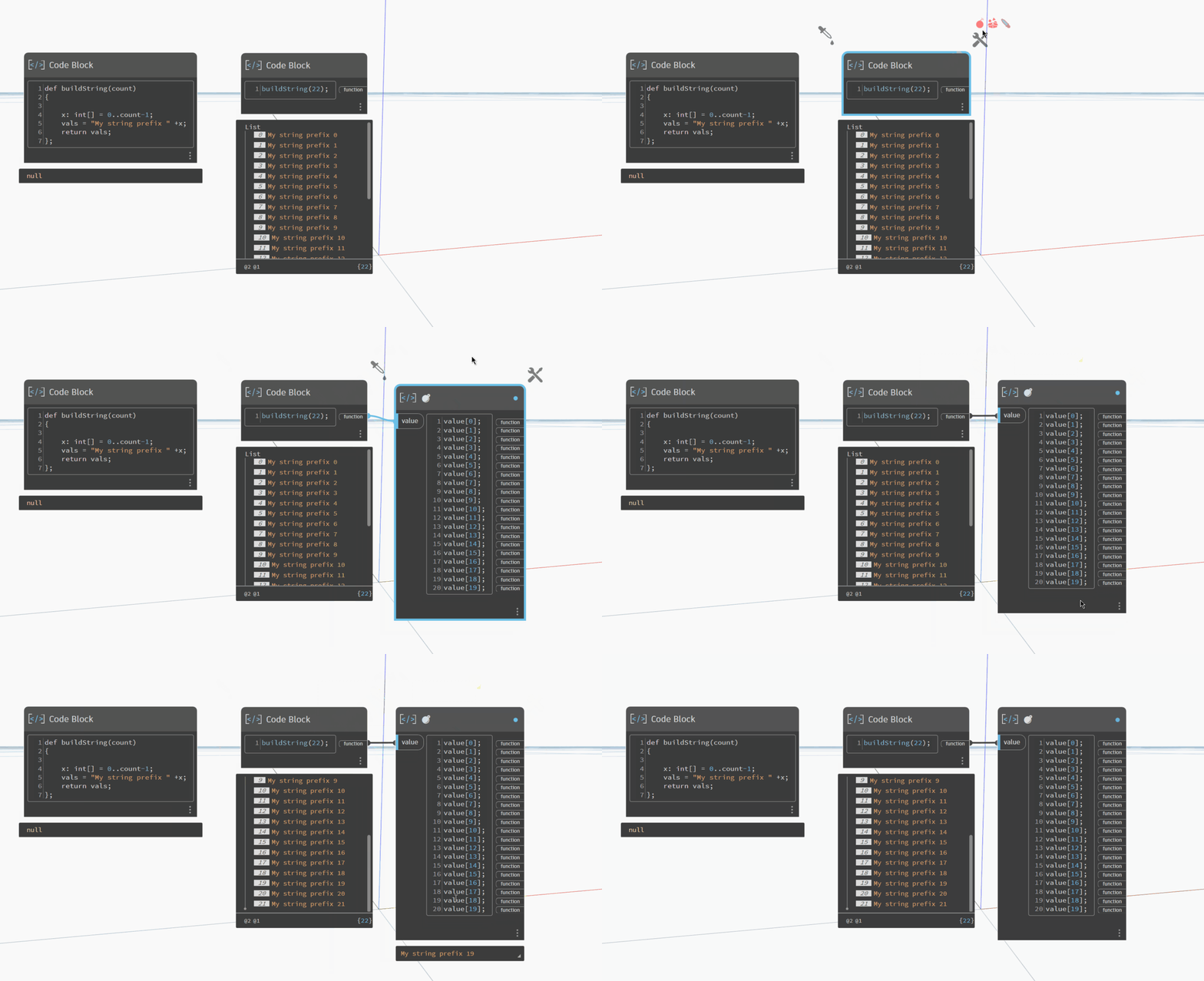
The amazing Monocle package from @john_pierson has a feature for this - I recommend everyone install it as it’s amazing. I forget the name he gave the feature, but I just call it “da bomb” as that matches the icon and it’s a fun name. I also like “shopping” (the cart icon) which allows combining a selection of nodes into a list, and “selectinator” which generates a custom selection for a collection of elements. Again, John likely has better and names for each of those features.
Quick animation showing it in action:
However as you can see it seems to be limited to 20 outputs (at least in Dynamo 4.0), which might make it hard for @C.N.van.der.Zwaag since he’s expanded past that limit already.
Generally speaking this type of action isn’t recommended though as you drasically increase computation time and memory consumption by branching similar things (which usally get the same funtions on them). My gut tells me that List.Flatten is the actual need here, but the exact desired output (and reason for that) isn’t clear.
To put it simply, we need more context as to why you want to do this. There’s almost certainly a solution that doesn’t require you to split up all your individual lists and it’s likely a simpler and better solution too.
Yeah i now did it with the node List.Deconstruct and then place them after each other. I need it seperate for a bigger script im building. I was hoping there was a node, or a node in a package that i was missing for this. But @jacob.small tool seems pretty decent as well, ill see what i can do with that thanks for all the help nonetheless!


 thanks for all the help nonetheless!