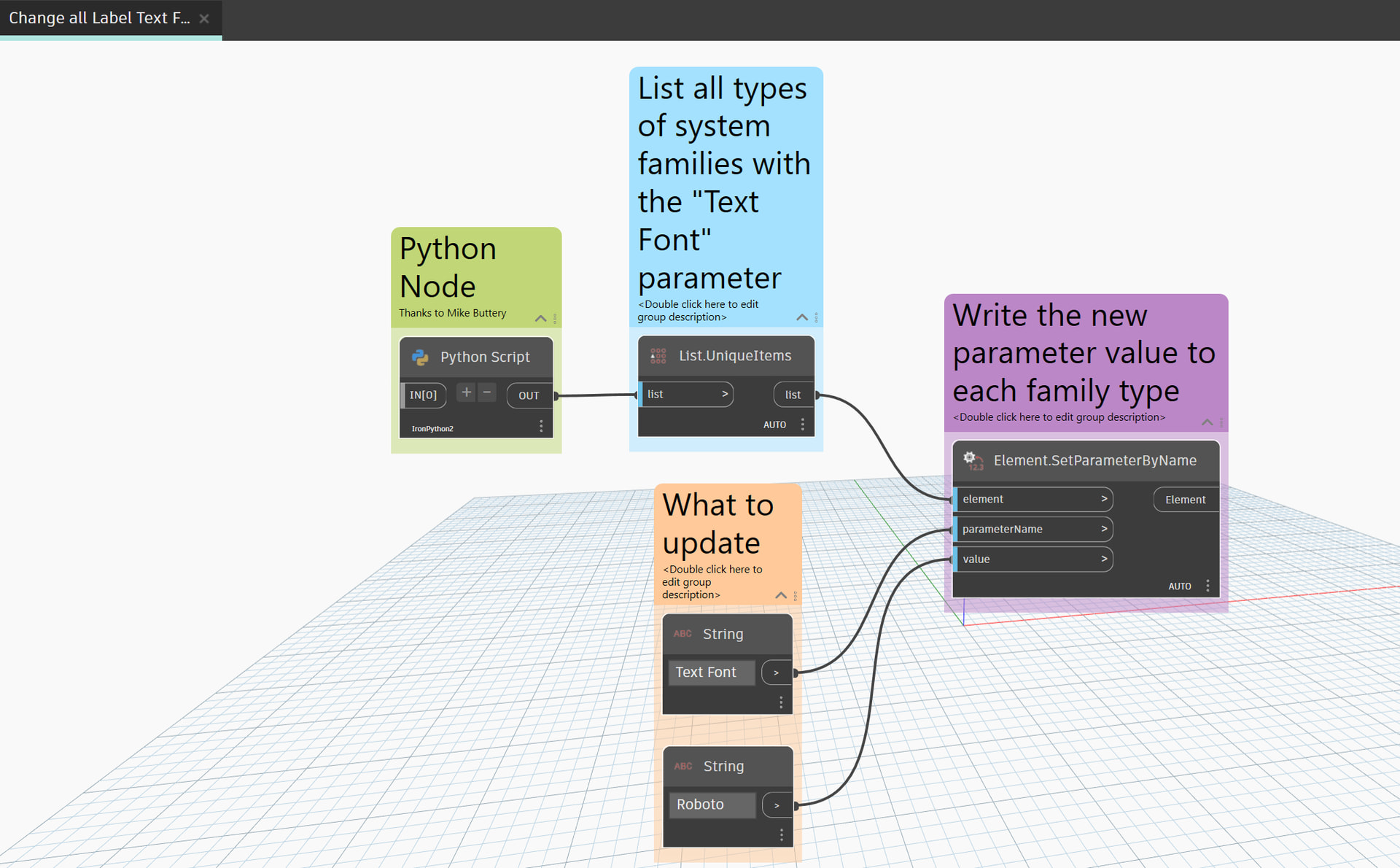
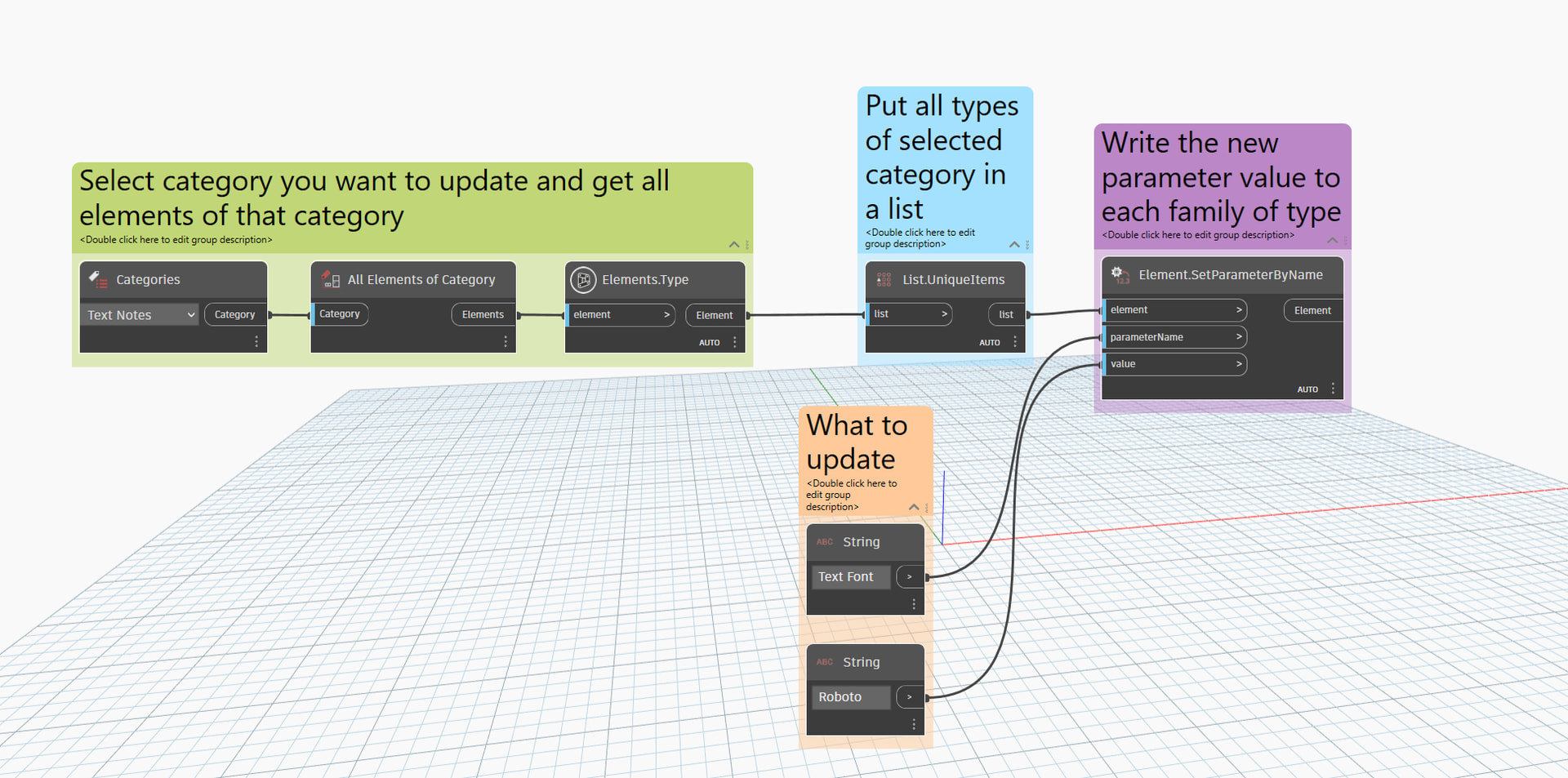
Fonts: update all project fonts to a different font (attempt at aggregating old posts)

So its almost 2026 and I finally have the need to update all of my fonts in my template, tags and text notes. While researching the topic on the Google I have not found a lot of up to date information. I am hoping to aggregate the information I have found all into a new 2026 ready post. So here goes….

First of all, @john_pierson , who is a totally awesome guy who has helped me over the years several times over, made a suggestion to create a new post and reference the original post in link 4 below. I appreciate that suggestion John and I hope this makes your 2015/2020 self happy to some degree. =)

These are the links to the previous posts I have found on the topic on DynamoBIM forums and elsewhere (You can see, not a ton of them):

  1. Font Type in Revit using Dynamo - #20 by kim.candelario

  2. Changing "Text Font" In Families

  3. Project wide font change - Autodesk Community

  4. Font Type in Revit using Dynamo

I apologize for any repeat links within those links. I do want to focus on the number 4 link. I am curious if there is any updates to a process by which I can change all of my fonts in my template project from Century Gothic to Roboto. Maybe Rhythm supports labels now for families? Maybe there is a better way to also change these fonts automatically.

I understand that whatever process that may exist now in 2025 more than likely entails opening each family, changing the font type in the label, saving the family and then reloading it into the project(s).

Is this still easiest to achieve in Dynamo either with nodes or python? Someone mentioned an addin in the earlier post somewhere. IS this the preferred approach nowadays?

I am not super proficient in creating my own dynamo scripts without the help of copilot and chatgpt so I am hoping to get a little bit of hand holding if possible here.

I welcome any and all helpful solutions and/or assistance.

1 Like

Dynamo Multiplayer from bird tools will let you run a dynamo graph on a whole directory of files (families).

So you could make the graph to where it works on one family, then batch it:

There is also a chance someone can make a node that is something along the lines of

”Change All Fonts in This project” and it will go through everything, but that is quite ambitious too.

2 Likes

I prefer processing the files one by one via multiplayer, as it builds so much easier and allows handling errors at the individual file level.

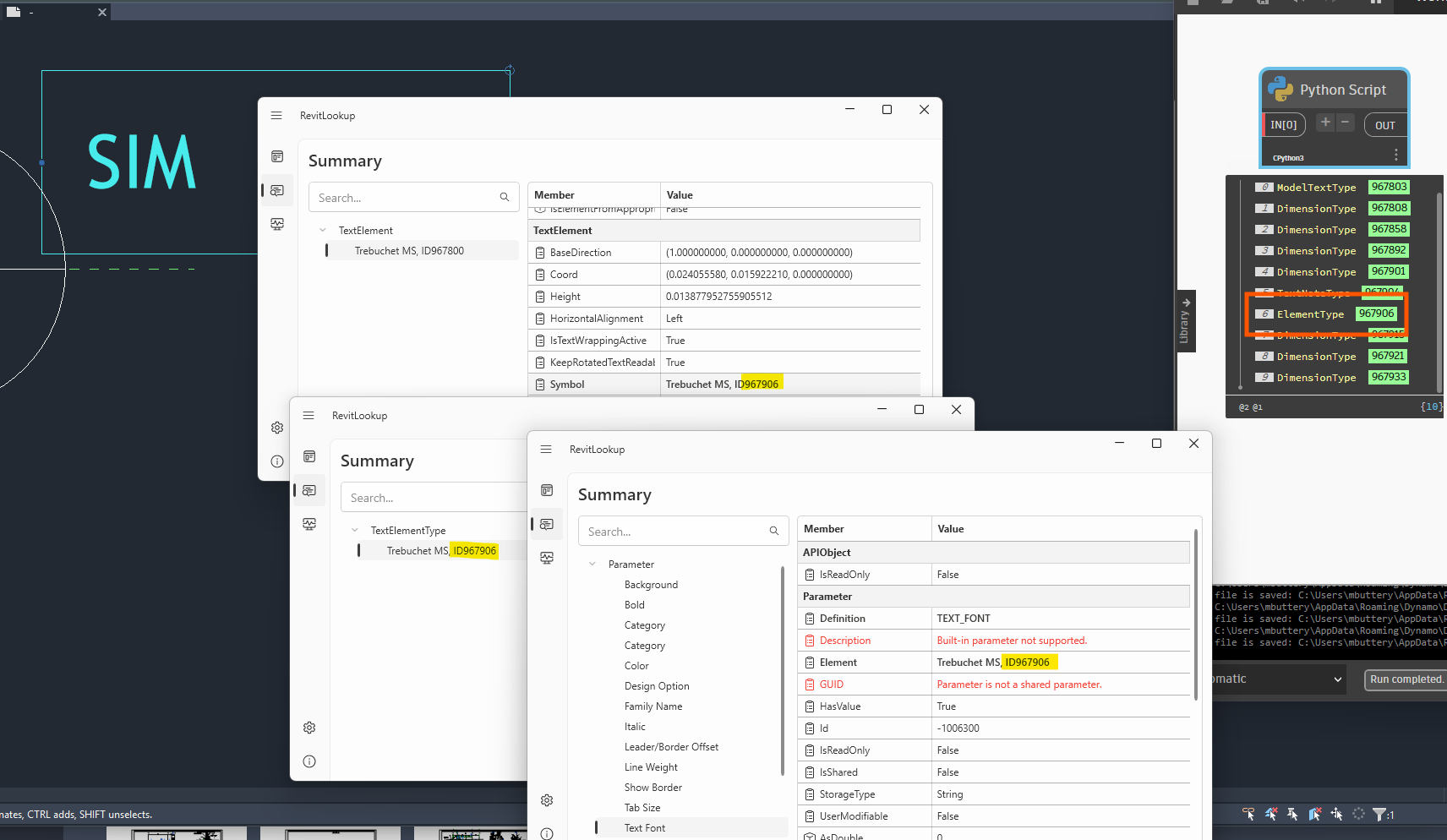
Use BuiltInParameter.TEXT_FONT and a filtered element collector to scrape all the types that have a ‘Text Font’ parameter, go from there

Edit: Also RAMP_ATTR_TEXT_FONT, STAIRS_ATTR_TEXT_FONT, TEXT_STYLE_FONT and TITLE_FONT if you are being thorough

Edit2: This collects anything with the parameter and will capture model text, text notes and labels in families

import clr

clr.AddReference("RevitServices")
from RevitServices.Persistence import DocumentManager

clr.AddReference("RevitAPI")
from Autodesk.Revit.DB import BuiltInParameter, ElementId, ElementParameterFilter, FilteredElementCollector, ParameterFilterRuleFactory

doc = DocumentManager.Instance.CurrentDBDocument

bic = BuiltInParameter.TEXT_FONT
pfrp = ParameterFilterRuleFactory.CreateHasValueParameterRule(ElementId(bic))
epf = ElementParameterFilter(pfrp)

OUT = FilteredElementCollector(doc).WherePasses(epf).ToElements()
3 Likes

For families, it will probably be necessary to edit Generic Annotation type families nested within the families.

It all depends on the number of families to be edited, but to avoid editing all families, it would be better to detect families with text.

Some ideas :

  • For each type:

    • take an instance and check the dimensions of the bounding box (2D view) at different scales.

    • or, take an instance, export it as an image, and detect whether there is text using OpenCV, machine learning, or AI Agent.

Callout Head Family Example

So I have a simple Dynamo script that changes the Text Font parameter to Roboto for Dimensions and Text Notes. Pretty easy.

Labels are the tough one. I had hoped I could just change the category to Generic Annotations or Title Blocks (as that is what category lable seem to be by default) but it doesn’t work so far. There is no error or warnings in Dynamo so thats good, but none of the Labels change Fonts.

I will keep trying and update the post when/if I find the solution.

Thanks to everyone.

1 Like

I will post my Dynamo scripts here for all future visitors to see.

Thanks to Mike Buttery above for the python code. Works like a charm.

I should mention that I think this is good for a small project or family file. For my project template I actually did categories one at a time using this Dynamo script:

2 Likes

Hi for labels/tag and if in project something here could work, another could be birdtool multiplayer as i like :wink:
Revit_WOjTsrELlX