Hey all,
I have a weird problem.@Alban_de_Chasteigner to print multiple sheets to DWG.
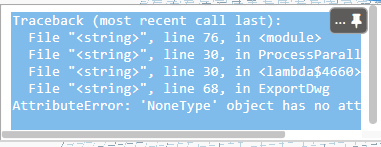
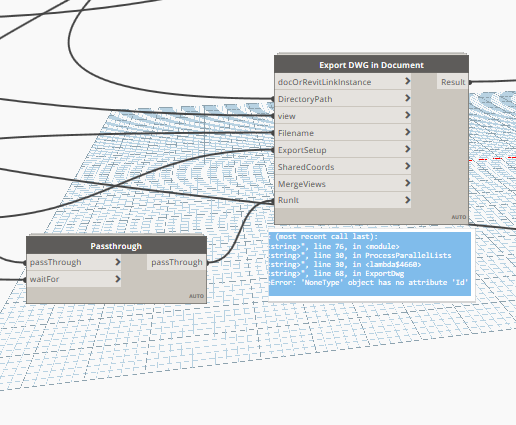
It makes the DWGs with the correct name and saves them in the correct folder but there is a traceback error.(No yellow color though)
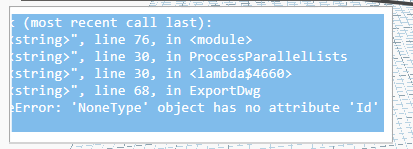
For some reason i am unable to copy the text message but here it is:
I dont understand the error as the DWGs are named and saved as they are supposed to…
<Workspace Version="1.3.4.6666" X="-176.028182239761" Y="-162.331491776084" zoom="0.620250220907471" ScaleFactor="1" Name="Export DWG in Document" Description="Export views to DWG with export setup in the active or given document.
Based on a script by Konrad K Sobon." ID="ed797c61-4f58-4b52-92c5-d8279f0e1b82" Category="GeniusLoci.CAD Export">
<NamespaceResolutionMap />
<Elements>
<PythonNodeModels.PythonNode guid="f6054804-ffcd-46d1-992a-67ede8500c2c" type="PythonNodeModels.PythonNode" nickname="Export DWG from directory" x="795.75511775548" y="549.937564360912" isVisible="true" isUpstreamVisible="true" lacing="Disabled" isSelectedInput="False" IsFrozen="false" isPinned="false" inputcount="8">
<PortInfo index="0" default="False" />
<PortInfo index="1" default="False" />
<PortInfo index="2" default="False" />
<PortInfo index="3" default="False" />
<PortInfo index="4" default="False" />
<PortInfo index="5" default="False" />
<PortInfo index="6" default="False" />
<PortInfo index="7" default="False" />
<Script>#Based on a script by Konrad K Sobon, @arch_laboratory, http://archi-lab.net
# Import Element wrapper extension methods
import clr
clr.AddReference("RevitNodes")
import Revit
clr.ImportExtensions(Revit.Elements)
show original
Hi @Garbage_Collector ,
You’re maybe using nested lists or one of your views is a Null value.
Hi Alban,
Thank you for your quick reply!
The problem was that one sheet was being sent twice (because of a sheet size filter sending it via two different A3 size filters)
2 Likes