For some additional context: you can do more than boolean outputs within an if statement (and you really should), however, you must have a functional output for both true and false conditions. Unlike some other environments, you can’t have an if true without an if false. This means you can’t filter out objects with just the if statement itself - you can still do it all in a single line (like both examples above), but you do have to include a separate function for filtering.
The if node itself also reflects this. You have to provide a boolean list test (from a previous condition) and the output you expect based on whether the result was true or false for each item in that conditional. Both output conditions are required, so you can’t do any filtering here.

This also means you don’t need to use true and false outputs in a DesignScript if statement (that’s the entire purpose of the conditional). You just need to determine what output you want under those conditions. If you just want to compare values, you would use a direct comparison, which is essentially a conditional statement without the conditions.
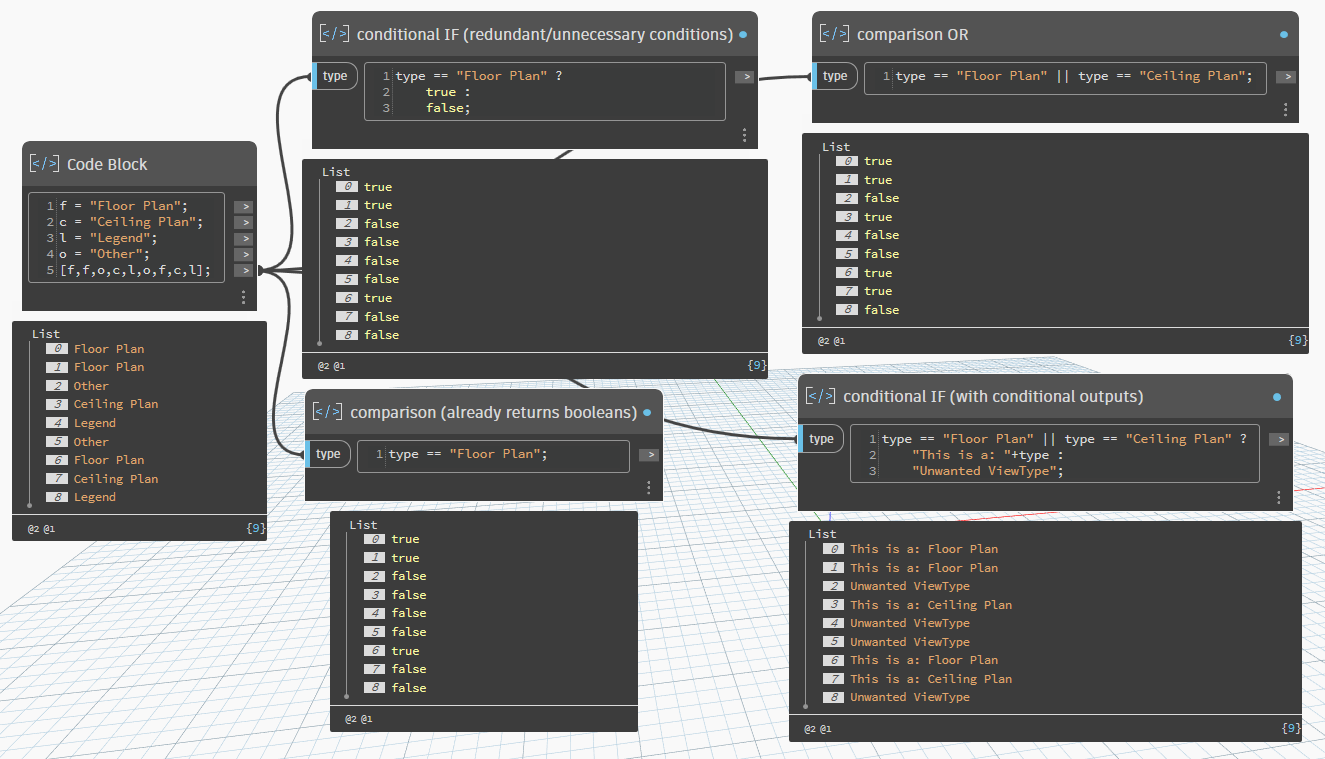
Hopefully this helps explain how DesignScript handles
if statements, how you would typically use one, and why you would need to include a filtering function on top of one to remove values.