Hi everyone,
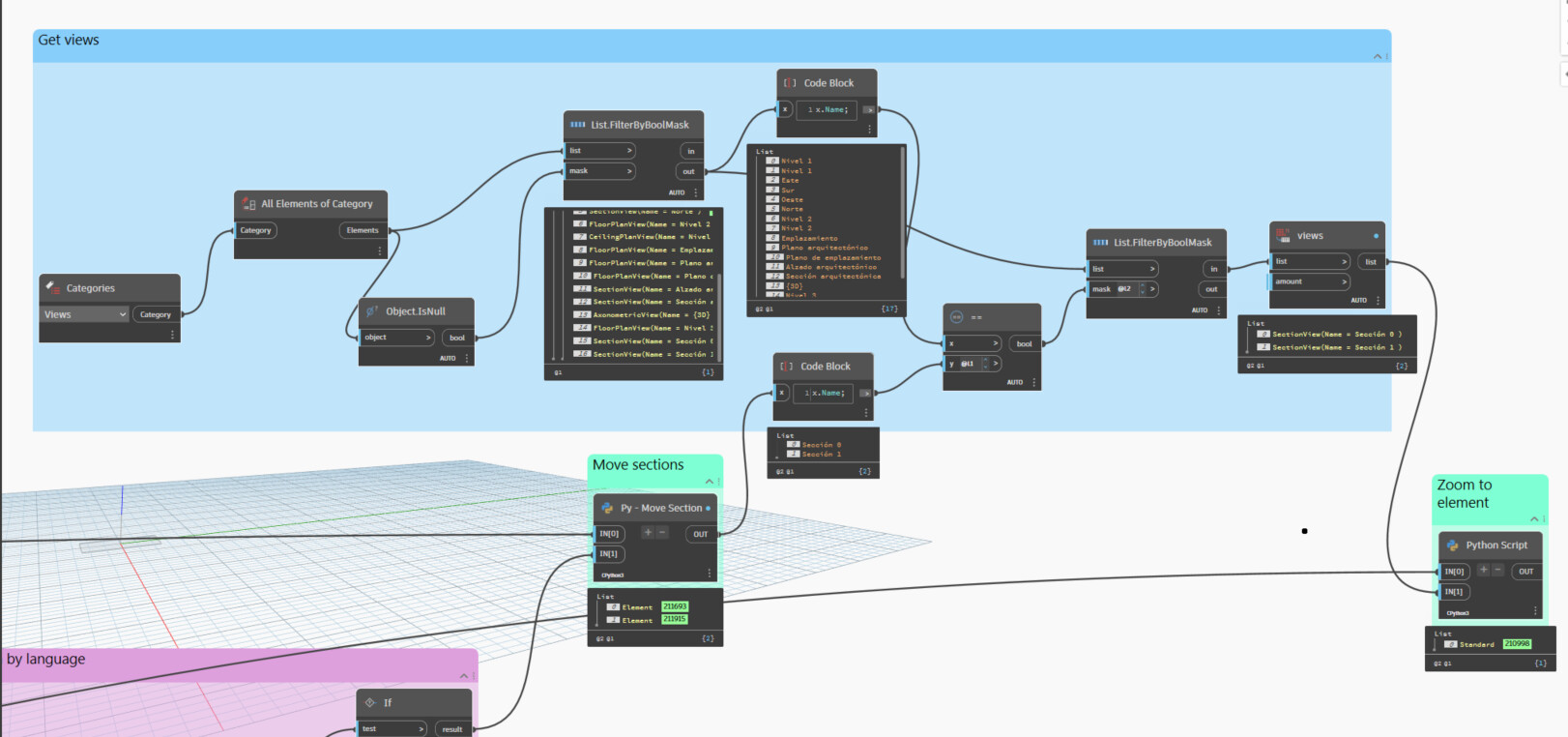
I developed a script that moves the visible section views in a floor plan closer to a selected element. To improve it, I was wondering if there’s a way — using a node, script, or method — to automatically zoom into the selected element within those moved section views.
I know the Genius Loci “Show Element” node can zoom to the element, but it only works in the active view (in this case, the floor plan).
In the image below, you can see the idea:
The final Python node doesn’t contain any logic — it’s just to illustrate the concept.
Has anyone found a solution or workaround for this? Thanks in advance!
Hello @lmateolopezr and welcome to the community, maybe something here could work for you

zoom-Home.dyn (10.6 KB)
Hi,
here is a small variation of the script

import sys
import clr
import System
from System.Collections.Generic import List, IList, Dictionary
#import Revit API
clr.AddReference('RevitAPI')
import Autodesk
from Autodesk.Revit.DB import *
import Autodesk.Revit.DB as DB

clr.AddReference('RevitAPIUI')
import Autodesk.Revit.UI as RUI
from Autodesk.Revit.UI import *

#import transactionManager and DocumentManager (RevitServices is specific to Dynamo)
clr.AddReference('RevitServices')
import RevitServices
from RevitServices.Persistence import DocumentManager
from RevitServices.Transactions import TransactionManager
doc = DocumentManager.Instance.CurrentDBDocument
uiapp = DocumentManager.Instance.CurrentUIApplication
uidoc = uiapp.ActiveUIDocument
app = uiapp.Application

elem = UnwrapElement(IN[0])
bbx = elem.get_BoundingBox(None)

lstUIView = uidoc.GetOpenUIViews()
lstOpenView = [[doc.GetElement(uiv.ViewId), uiv] for uiv in lstUIView]
for view, uiview in lstOpenView:
    if view.Id != doc.ActiveView.Id:
        idRule = ParameterFilterRuleFactory.CreateEqualsRule(ElementId(BuiltInParameter.ID_PARAM), elem.Id )
        idFilter = ElementParameterFilter(idRule)
        #
        vivFilter = VisibleInViewFilter(doc, view.Id)
        #
        elemIdInView = FilteredElementCollector(doc).WherePasses(vivFilter).WherePasses(idFilter).ToElementIds()
        if elem.Id in elemIdInView:
            uiview.ZoomAndCenterRectangle(bbx.Min, bbx.Max)
uidoc.Selection.SetElementIds(List[ElementId]([elem.Id]))
Thanks sovitek for your response. It worked! This intelligent zoom upgrade my original script.
When I use my script for moving sections I have the sections as elements so I have to transform them in Section Views. Is there a better way than this? I dont know what is the difference haha. Best regards.
Thanks c.poupin. I believe this is another approach for all the open views. It’s really useful.