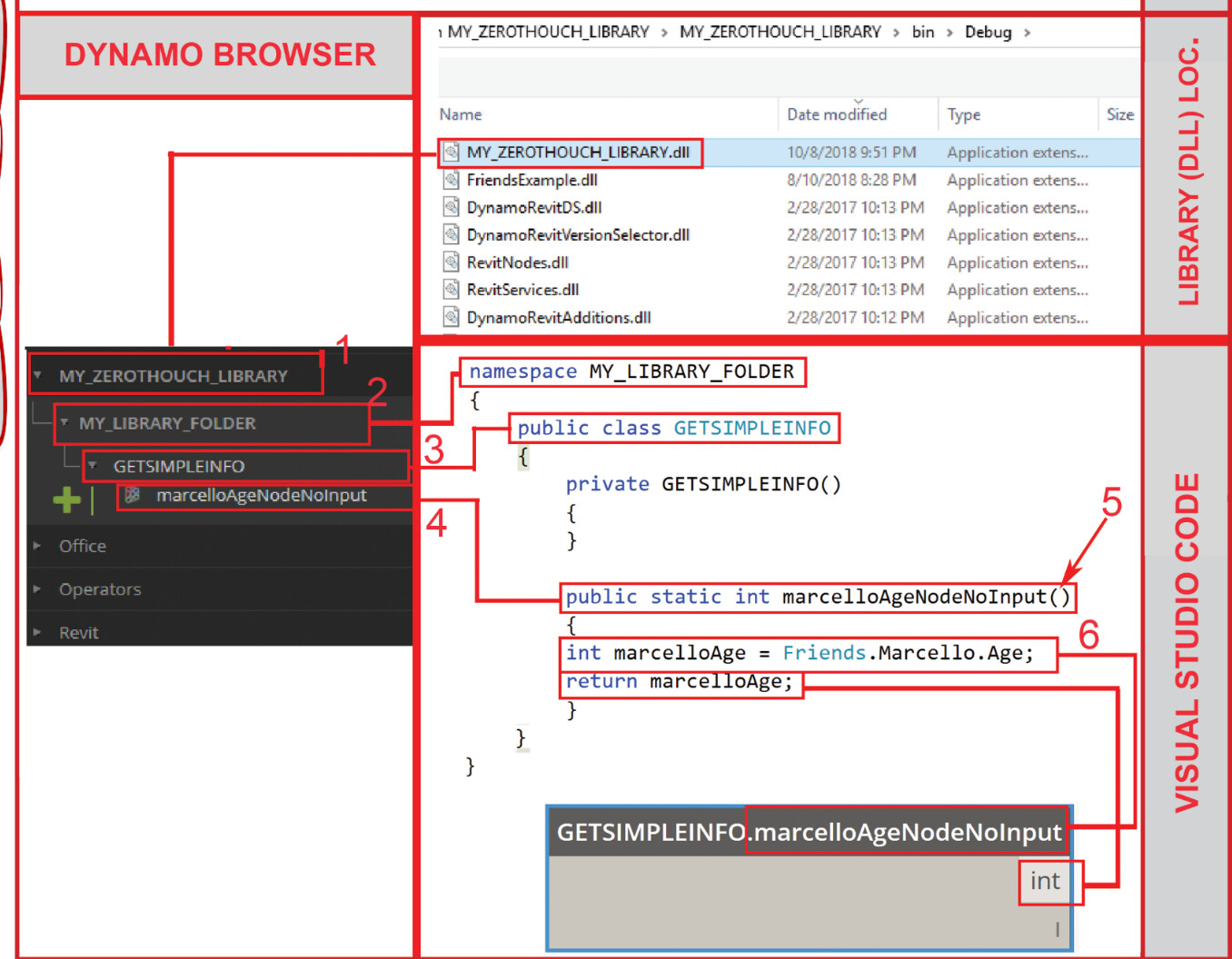
This is my first time making a zero touch node and I am trying to follow an example from Marcello making zero touch nodes.
I have the following simple example from his presentation in my command.cs file:
namespace Lab1PlaceGroup
{
    public class GETSIMPLEINFO
    {
        private GETSIMPLEINFO()
        {
        }
        public static int MarcelloAgeNodeNoInput()
        {
            int marcelloAge = 1;
            return marcelloAge;
        }

        public static int MarcelloAgeNodeInput(int fudgefactor = 0)
        {
            int marcelloAge = 1 - fudgefactor;
            return marcelloAge;
        }

    }
}
Clicking run, the build succeeds and a .dll file pops out at the location I:\RAM API STUFF\RAM API Dynamo\Lab1PlaceGroup\bin\Debug\Lab1PlaceGroup.dll.
Adding this reference into dynamo only yields a command.command node and not the simple nodes I was trying to recreate from his example.
Any ideas on what has gone wrong?
Thanks!
Hi @austin.guter,
Is that all the code you have? It seems like there should be another class called ‘command’ in the same namespace.
Also, how are you adding the DLL to Dynamo? Did you import it once and then update the code and rebuild? Or is that screenshot the result after importing for the first time?
Yep, this is the all code, only using statements above. I have posted all the related code on github if you would like to review.
I thought this might be the problem as well, but I tried reimporting after a successful build and I get the same results, command.command.
Thanks for your help!
I’m not at my PC right now so I can’t test, but does it still do that if you completely remove it from the package paths?
Yep, removing the path and re-pathing the the new .dll has the same problem.
Perhaps try removing the App class that implements IExternalApplication. I don’t think there’s a need for that since you’re not building a Revit addin, and it might be messing with the assembly loading process.
@zachri.jensen , still no dice. I deleted both the app.cs file and the addin file. Recompiling led to the same issue.
I cloned the repo, built the library, and added it to Dynamo Revit without issue.
I would strip the project down to just the bare bones (i.e., no dependencies) and progressively add from there until you isolate the issue.
Thanks @zachri.jensen @erfajo , I got this to work by stripping it down to bear bones as you had suggested.