old issue, any solution or workaround?
They’re unrelated. View.Filters returns the filters assigned to the view. A selection filter is not view specific. Both are FilterElements though and can be found via the Element Classes > All Elements of Class nodes.
thanks Nick, so how do you add selection filter to view? i didn’t look at API side yet, assume it’s doable via API
What do you mean by that? How would you add a selection filter to a view through the Revit interface? Are you wanting to isolate that selection in a view? Are you wanting those elements selected to annotate in a certain view? A selection filter probably be more appropriately named a filtered selection. It just selects elements. Once you have them selected, what do you want to do with them?
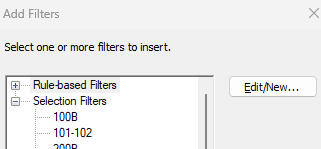

I see. So you’ve already used the selection filter to create the corresponding view filter and now you want to select it so you can copy it to other views. Is that correct?
You’ll have to use the API for this. It’s fairly straight forward with GetFilters and AddFilter. Here’s an example of adding a filter, which I’ve confirmed does work for SelectionFilterElements.
import sys
import clr
clr.AddReference('ProtoGeometry')
from Autodesk.DesignScript.Geometry import *
clr.AddReference('RevitAPI')
from Autodesk.Revit.DB import *
clr.AddReference('RevitServices')
from RevitServices.Persistence import DocumentManager
from RevitServices.Transactions import TransactionManager

doc = DocumentManager.Instance.CurrentDBDocument

view = UnwrapElement(IN[0])
filter = UnwrapElement(IN[1])

TransactionManager.Instance.EnsureInTransaction(doc)
view.AddFilter(filter.Id)
TransactionManager.Instance.TransactionTaskDone()

OUT = view
great! i assume OOTB Dynamo node yet to be updated, thanks and have a great weekend Nick.