Hi all!
I have been using ‘Schedule keys’ with telephone devices as the category for my sheet drawing lists. Works great, unless you need to rearrange or make changes to all dates at once, ect.., all things easily done in excel. I was using DiRoots sheetlink, but they now want +$100/month so I want to make dynamo do the sheet link and not get burned by another free add in going expensive.
Exporting to excel was fairly easy, importing excel also not too bad. (Except the XML version of the import excel node was quirky, so I got the older node) Even found a python node which updates the list in dynamo, but that doesn’t update in my revit schedule. Any help on what I am doing wrong is very much appreciated.
Most excel related posts on here show how to push data to families placed in the model, (doors, rooms, whatever) and not how to update a cell in a schedule key with all data rows.
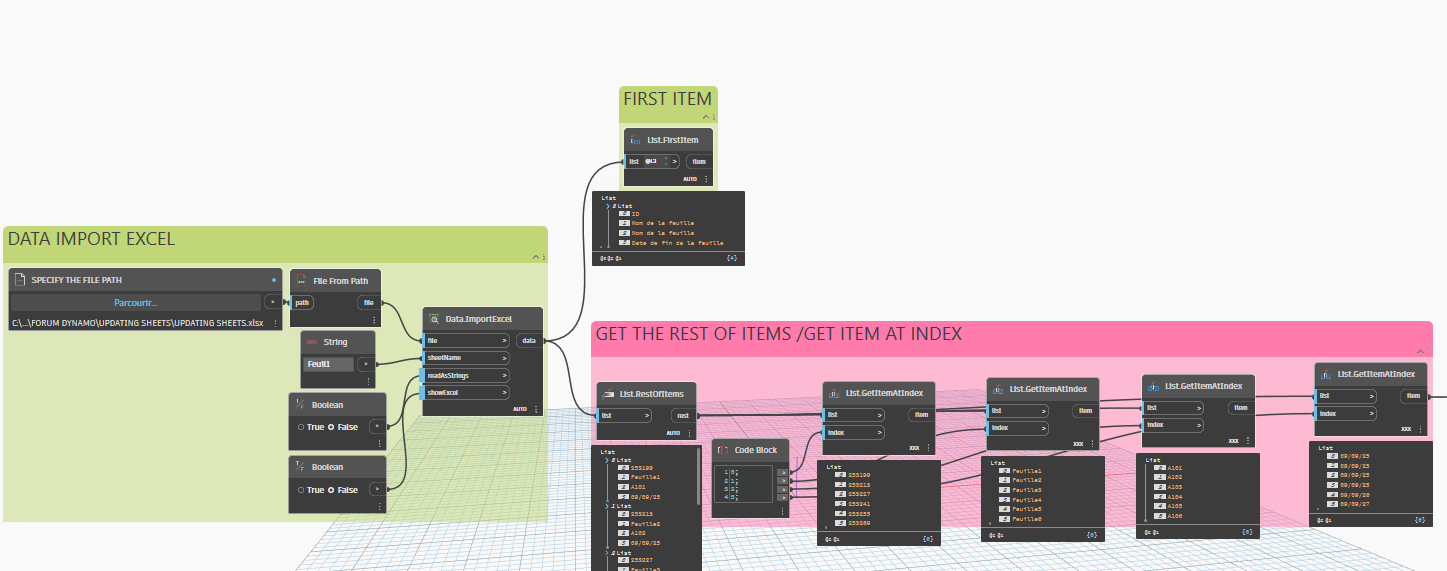
Oh yes, after importing data from Excel, you should extract it using the first item for the titles and the remaining items for the values. Then, use ‘Group By’ to ensure that Dynamo sets the values in the correct order
Thank you, but it unfortunately I am still getting stuck in essentially the same spot.
The schedule is for telephone devices, but none are placed in the revit model so there is no instance of a family with an element id to replace the parameter value of. All just “data row” info…
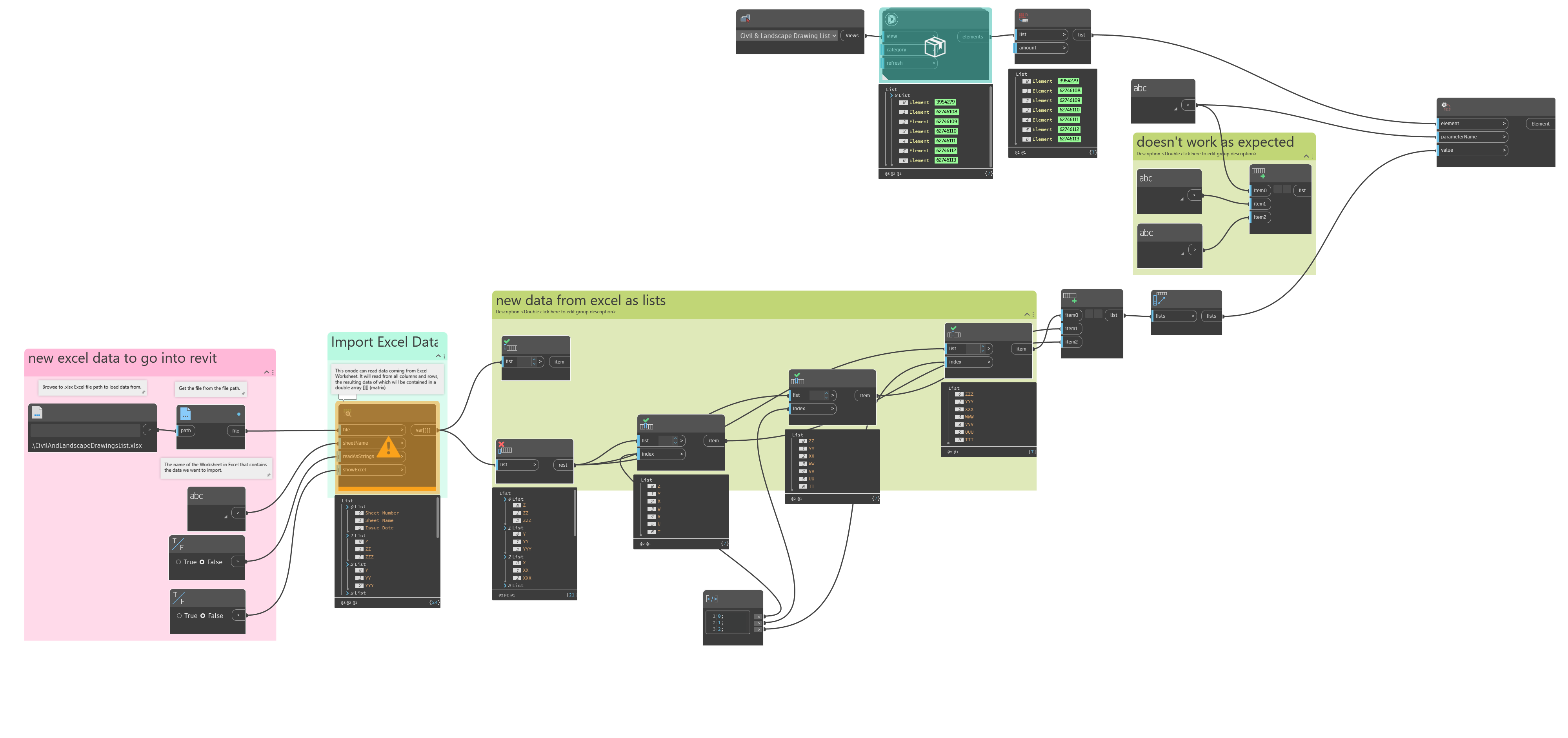
In the image below, you will see the all elements of category list is empty.
What do you suggest as a next step?
I came across this post while solving something similar and found a solution that works on a technical level, though it’s not the way I would recommend you solve your specific problem. I think you could save a lot of time and pain by just making Data Rows in the sheet index manually or with Dynamo based on the Excel file and update the sheet issue dates so you don’t have to create new shared parameters. A lot of list manipulation from the Excel data lists is required in general, but I think the mechanical things wrong with your script come down to how ‘Element.SetParameterByName’ expects to receive those arrays for each parameter. My script for something similar is below as an example. The selected ‘element’s need to be a single list. ‘parameterName’ expects to have a list for at least each of those elements in the ‘element’ list, meaning the list of the parameter names repeated for each one. The ‘value’ field expects to similarly receive a list of lists that matches the ‘parameterName’ list in total lists. All 3 fields in this example have a base list of 9 elements so the array math is what the ‘Element.SetParameterByName’ node expects. I’m a new user on the forum so I can’t upload the actual .dyn file for reference so the picture below will have to do.