hello, how do I split a conduit at a provided point with the union of that conduit system or by a selected union family? there used to be like a MEP.curve.split node for this but now I cant seem to find one? please advise.
You’d better share your script with support. It will help us continue according to your workflow.
i like something here for cabletrays and conduits,
and i do it here in 2 steps first split then insert union,could probably just be a single node…

Home.dyn (18.2 KB)
@sovitek is there a way to do this so that the input list will don any numbers of points located on any number of conduits? right now it breaks down if i try to use it on multiple conduit runs
i already extracted all the locations on the conduit runs as points where I want all the conduits split, and I have all the conduit elements as well. It just breaks when trying it on multiple runs at once
allright guess its some lacing list control, could probably work if you create a dyf so you can control that, havent tried…anyway here is another way and should keep the run

Home (1).dyn (40.3 KB)
@sovitek thank you I will try later. Does this workin on multiple conduit runs? your video only has one conduit run
yes should work on multiple…give it a try 
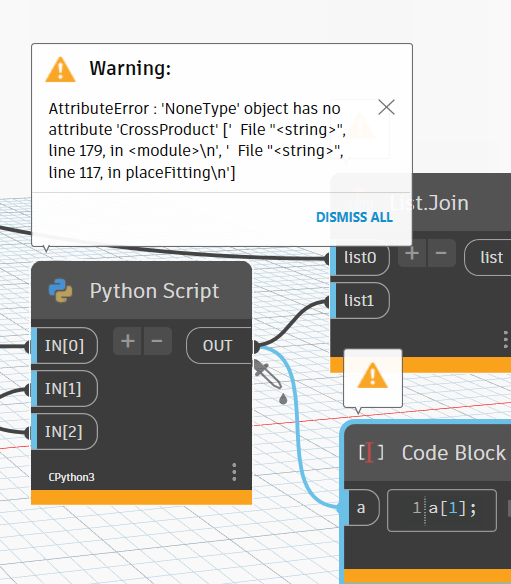

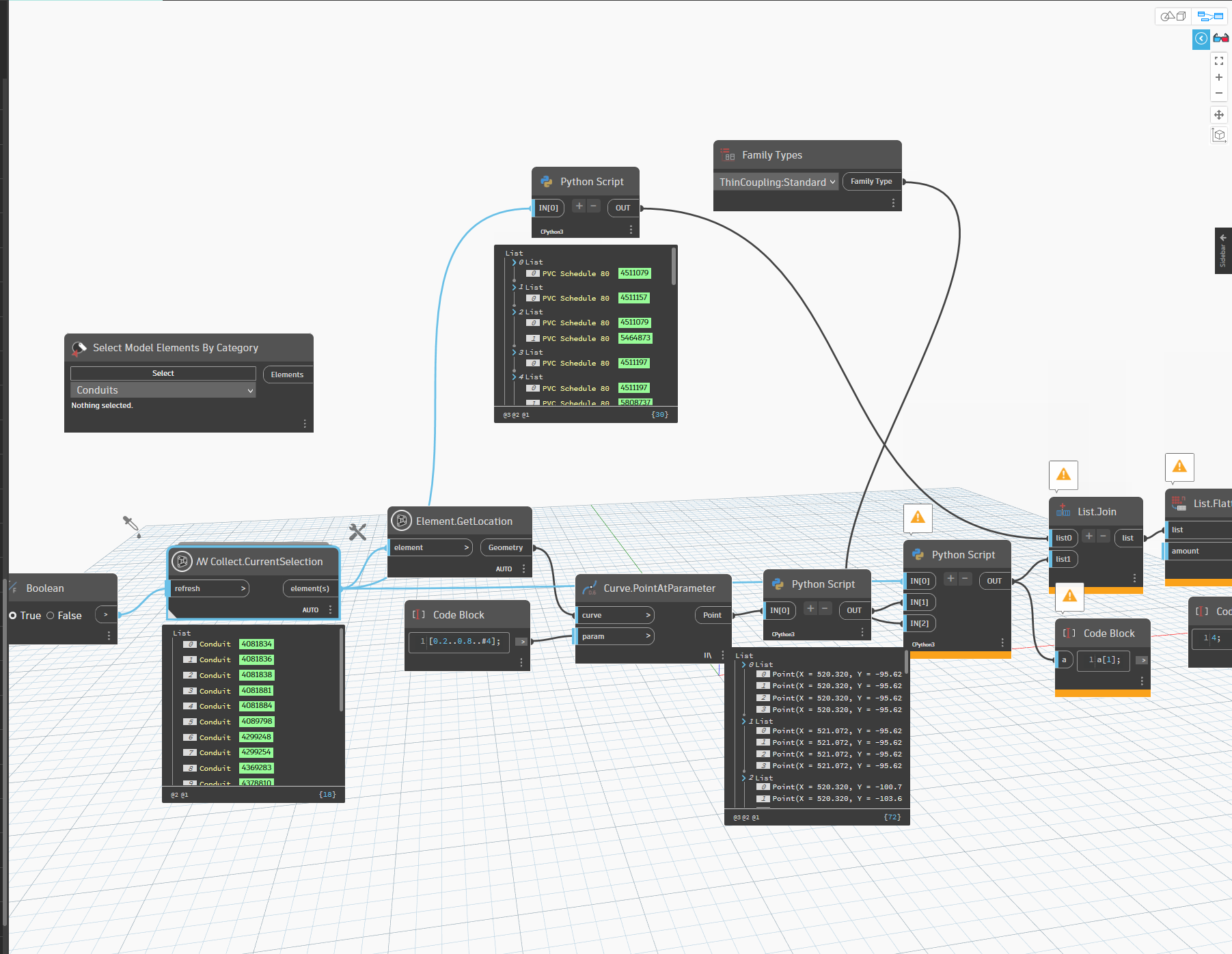
can you share a small sample rvt where it doesnt work, i have just tried again and work from my side
try as here then it should work vertical as well, as i guess thats was wrong

forum_union.dyn (41.9 KB)
@sovitek Is this custom node necessary? Is there a reason I cant just use the built in wait for node? also the concept is to split these conduits anywhere tthey cross into a new space. i tried copying some runs and some spaces to the attached project. can you try it there please @sovitek ? I still cant get yours to run on mine. well it wont let me upload because its too big but the concept is these conduits run in underground spaces separated in different areas till they get to overhead which is a different series of spaces separated by level 0 and the conduits wind up down all around through these spaces and im just trying to put a splice coupling in these spaces. should be pretty simple to create from scratch too. Doesnt need to be complicated.

allright dont think i can come it closer without a sample so, where it doesnt work for you …for that node just paste this one here into a codeblock…[input,waitfor][0];
but try only on few and when it works scale it up…
if you send me a DM with your email address
i can send you a link to a test project. much appreciated!
no you can upload to filetransfer,webtransfer etc…and share the link here or send the link in a dm to me here …btw i dont have time probably first i the weekend..as im on vacition in this week here…but you dont need send a whole large file, just a small one where it doesnt work,and i only give a princip for split, how it can work and if there something other wrong it will be a new topic, as i dont do your whole project…cheers
@sovitek when i run your script in isolation i get several error messages. like this:
where it is deleting stuff like this, also not running at all on certain conduits like these:


And when I try to ‘tab select the entire conduit run, it doesnt work.
When I try to incorporate my points into your script i get similar issues but I am just trying to get yours to work first.
I have all of the points I need. I just need a script or a cod that places a union on the conduit run wherever the point falls on the conduit run, regardless of its orientation ie: up, down, sideways, slanted. etc. Is tthere really no node for that? can I some how use the node that is draw conduit from point to point and then “stick” a coupling on the end some how, and then do another “conduit by point to point” ?
allright then share these 6 runs you show, just copy them to a new clean, light file, so should it be possibele share here
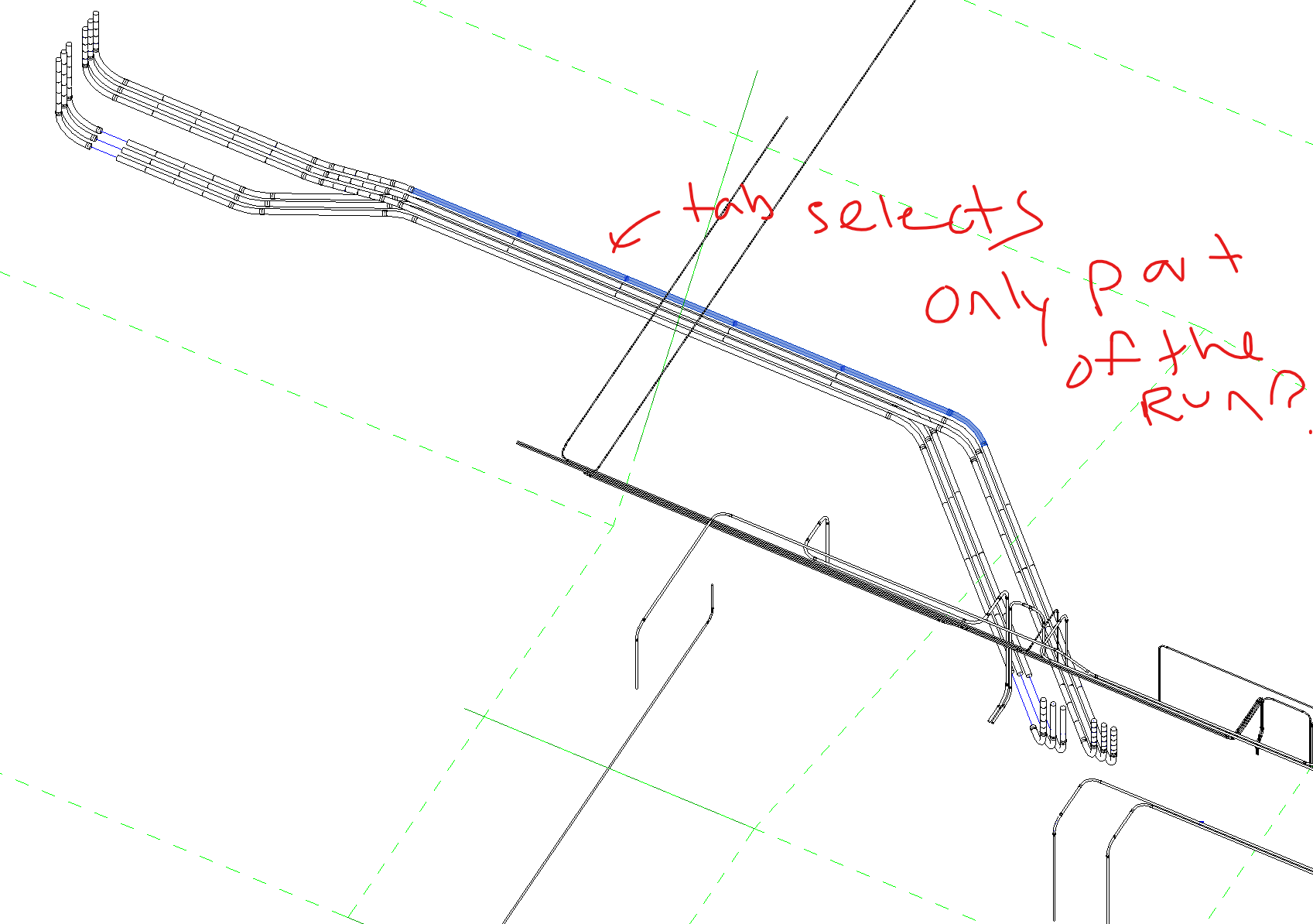
yeas sound these are not right connected, go analyze tab in UI and go to show disconnect option and set to conduit, so you can see whats not right connected, i actuelly always recommend that when work with mep routing
ok try this please
thx…have you fixed these connection ? if not i will probably get same result as you show, and probably also becaurse you use the same distance between couplings on these short conduit, there are not enough space