Simple Select from Link and Copy to Active Document

Hi All, i managed to create this script for copying elements from a linked model into the active document. The problem I have is when I create a new project and link the document in and run the script it works, however the moment I use it on an existing project with the same link and multiple other links on the model hosted in ACC then I get the “Object Reference not set to an instance error”. Why would it work on a new project that is fresh but not an existing one?

The image below is on an existing project with multiple links and on acc.
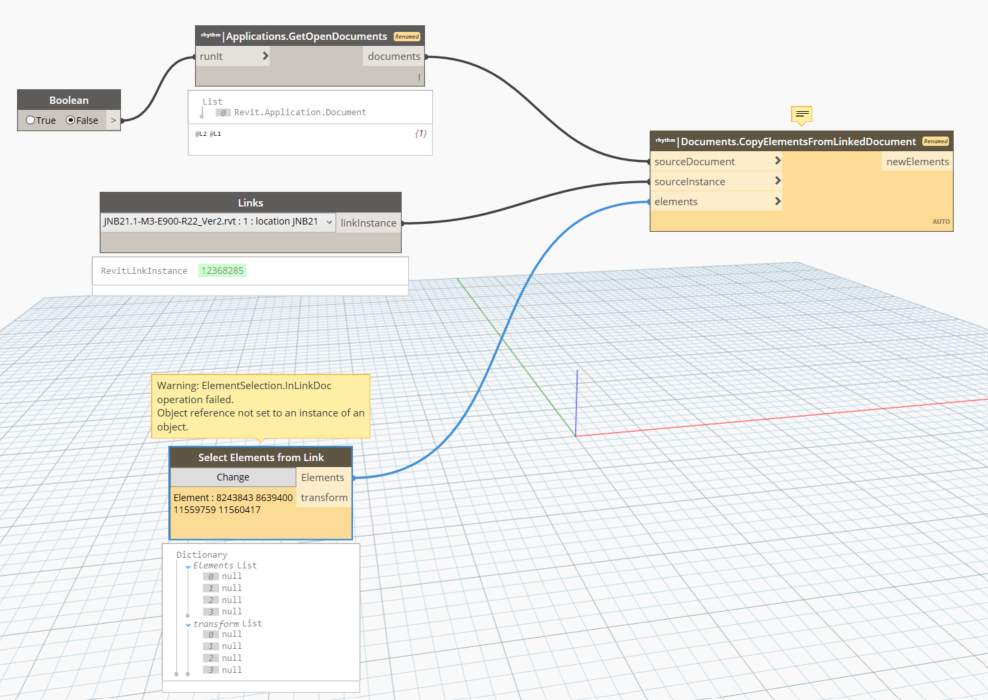
The image below is on a new project with a link I want to copy from.

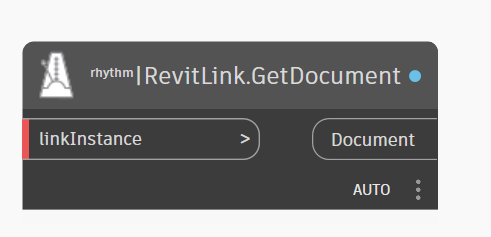
use this to get the actual link document. It may be a mismatch:
image

Update node as shown and it’s still reading null values from the selection made.

Well dang. Are you on the latest version of Rhythm?

Also, can you share minimal sample files to reproduce?

I am currently using Revit 2022 (latest version) and installed the first update for 2023 Rhythm, but when I installed the latest, I could not pick up the Select Elements from Link node.

Make sure you’ve selected the elements from the linked model first—your graph is showing null!

Try something like this