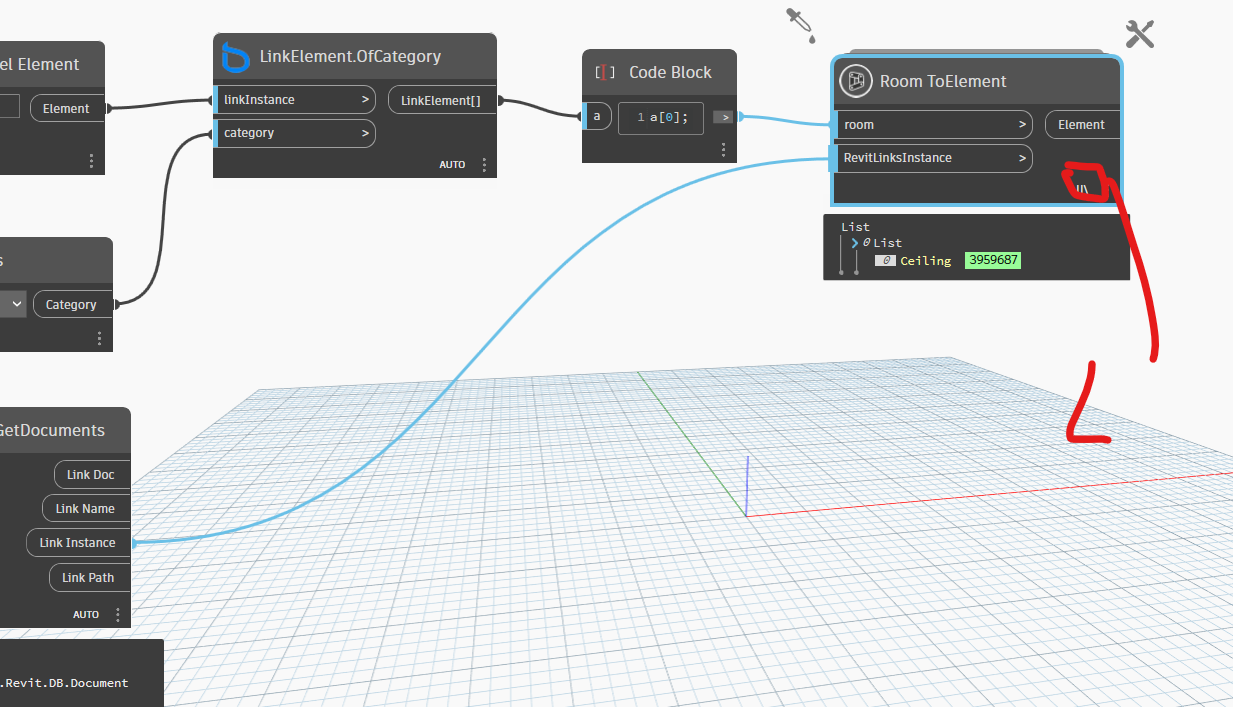
i need to get the linked elements (such as the lighting fixtures) inside a certain room, the room and lighting fixture are from different linkes (not similar to attached script).
however, “room toelements” node from Genius Loci give “null” when a linked revit instance is added!
“Warning: IronPythonEvaluator.EvaluateIronPythonScript operation failed.
Traceback (most recent call last):
File “”, line 26, in
NameError: name ‘doc’ is not defined”
if inputdoc is None:
doc = DocumentManager.Instance.CurrentDBDocument
transform = Transform.Identity
elif isinstance (inputdoc, RevitLinkInstance):
doc = inputdoc.GetLinkDocument()
transform = inputdoc.GetTotalTransform()
for room in rooms:
elem=
fec = FilteredElementCollector(doc).WhereElementIsNotElementType().WhereElementIsViewIndependent().ToElements().FindAll(lambda x : type(x.Location) == LocationPoint and x.Category.Id != ElementId(BuiltInCategory.OST_Rooms) or type(x.Location) == LocationCurve or isinstance(x, CeilingAndFloor) or isinstance(x,RoofBase))
for e in fec:
loc = e.Location
if type(loc) == LocationPoint:
pt=loc.Point
elif type(loc) == LocationCurve:
pt=loc.Curve.Evaluate(0.5, False)
# sketch-based elements (ceiling, floor and roof)
elif isinstance(e, CeilingAndFloor) or isinstance(e,RoofBase) :
for ref in HostObjectUtils.GetTopFaces(e):
geomFace=e.GetGeometryObjectFromReference(ref) #Get UV BoundingBox
bbox = geomFace.GetBoundingBox()
uv=(bbox.Min+bbox.Max)/2
pt=geomFace.Evaluate(uv)
locationPoint = transform.OfPoint(pt)
if room.IsPointInRoom(locationPoint):
elem.append(e)
result.append(elem)
if isinstance(IN[0], list): OUT = result
else: OUT = result[0]