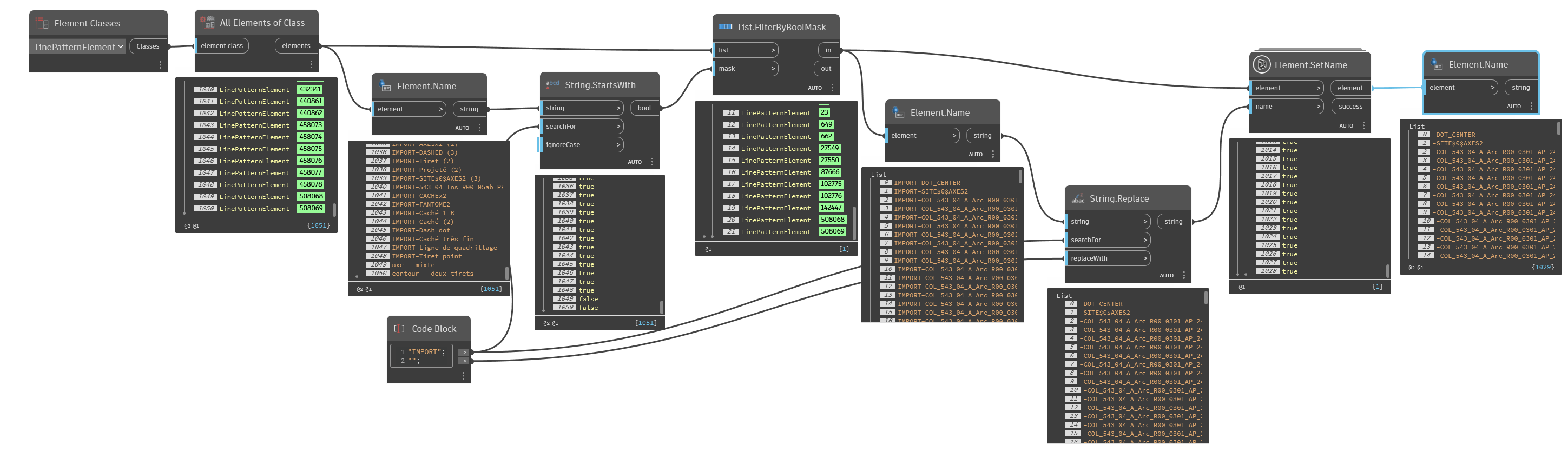
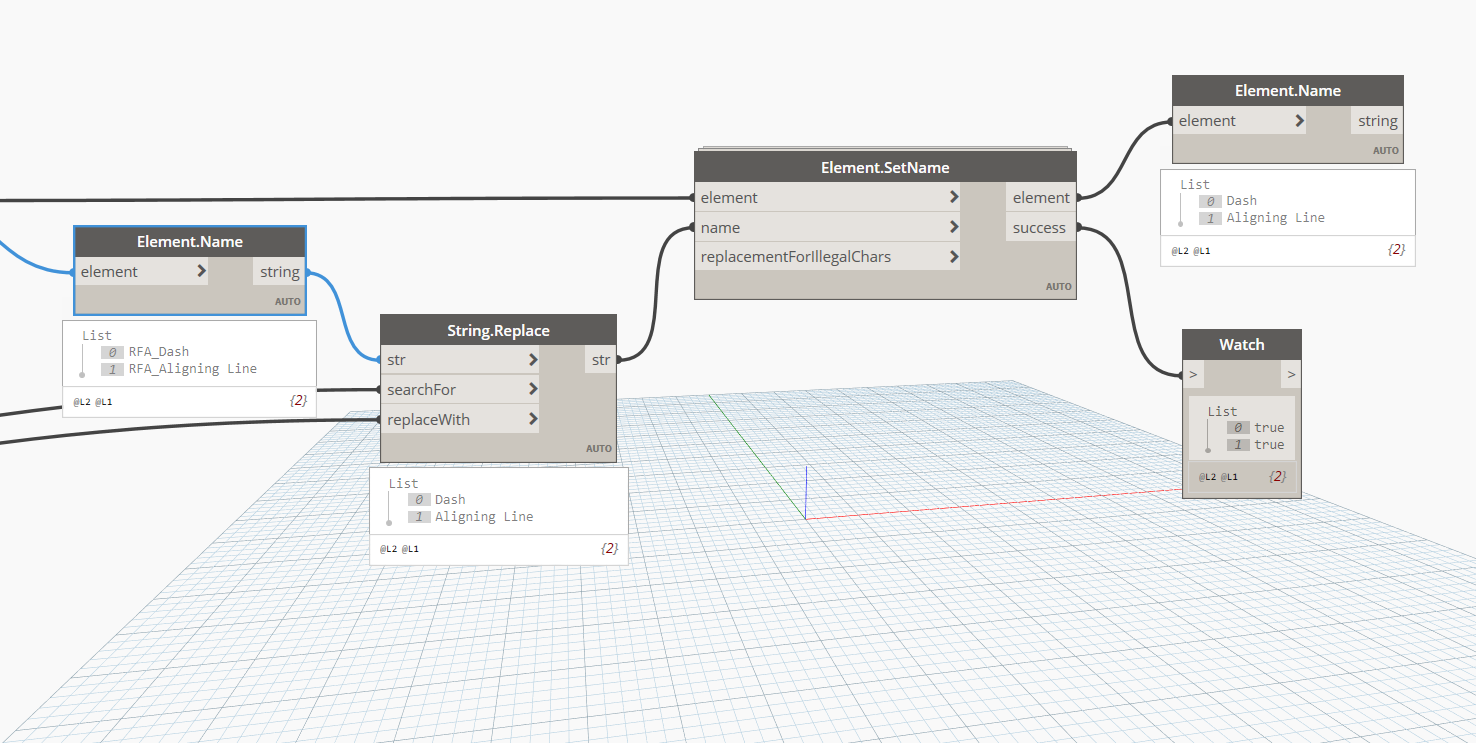
I am new to this forum, and I appreciate your guidance in fixing a Dynamo script that was created to remove the prefix of Revit line patterns.
However, it is not working. I have attached the image of the script I tried to create for this.
As a new user, I am unable to attach rvt or dyn files here.
Revit version using : 2019.2.6
Dynamo version using: 2.0.4.12685
The script worked in Revit 2020 but not in Revit 2019. I am marking your reply as the solution for versions above 2019. I will revert if I find a solution for the 2019 version