Reading a CSV text file

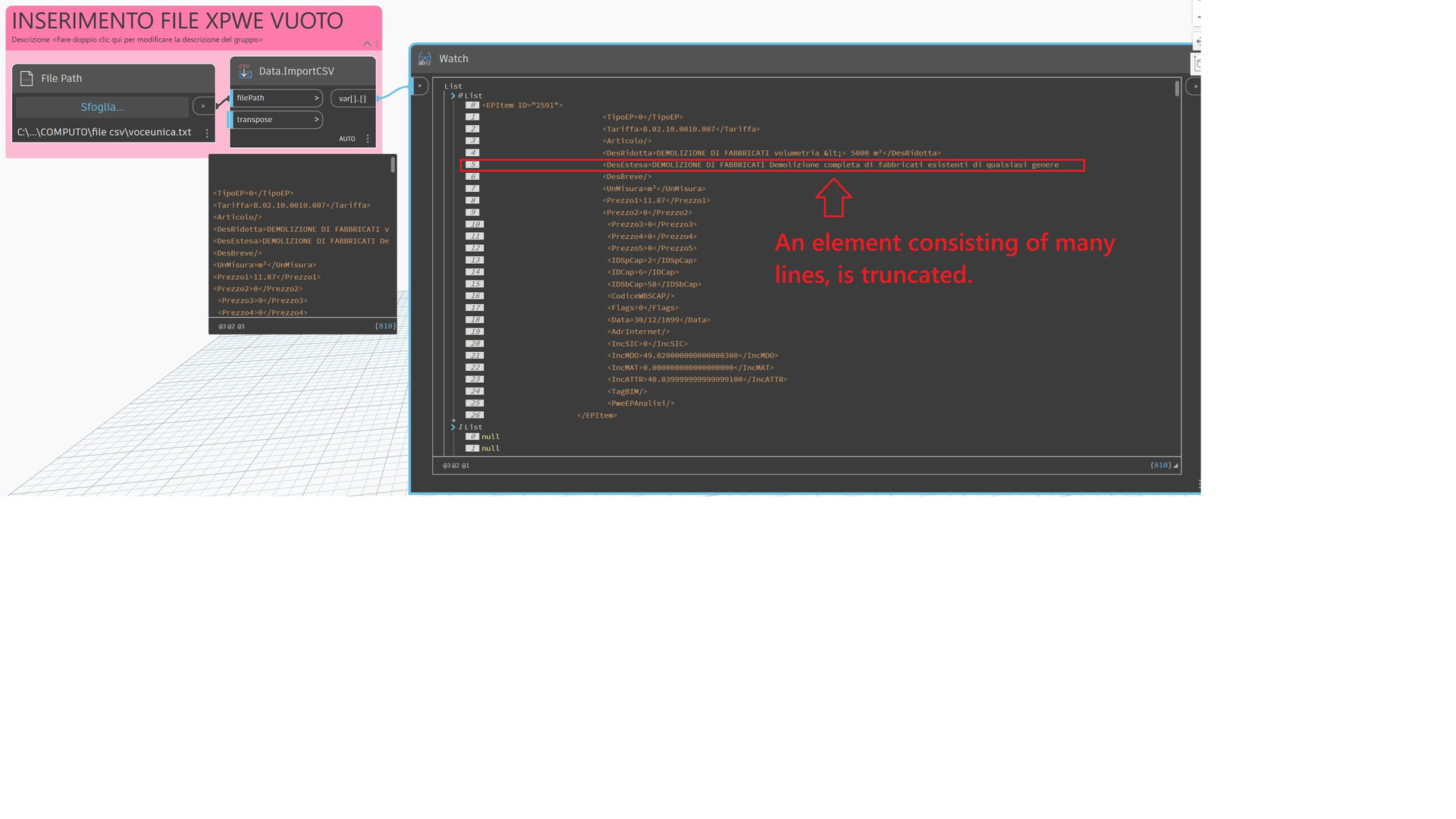
An element consisting of many lines

is truncated.

Is there a way to read the entire file?

See images.
Thanks
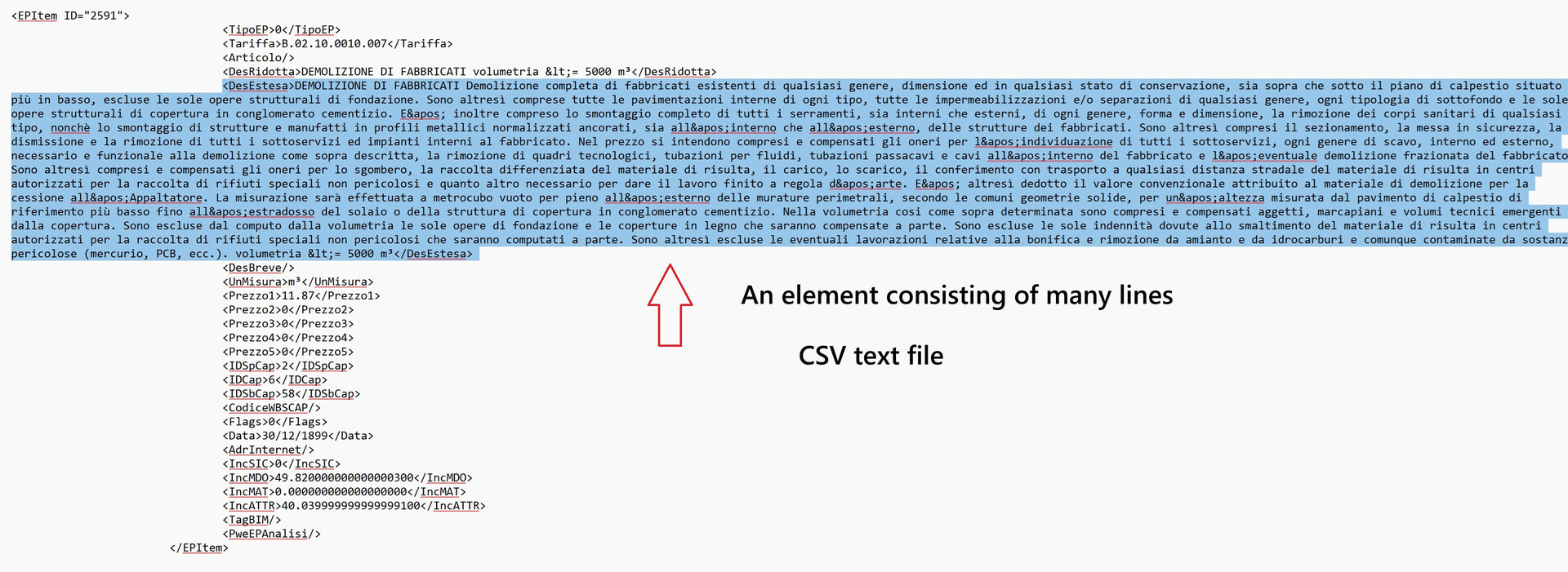
First up: That isn’t a CSV. It’s almost an XML, but not quite as it appears to have been edited (a real XML should have a valid header and indentation would align). You’re setting yourself up for LOTS of issues by using the wrong format for your reading method.
If you want to avoid the XML and just read the text, try File.ReadText and then String.Split where you use the new line character ("\r", "\n", or "\r\n" depending on how your file is formatted).
Just a thought, you could try importing the data into Excel as xml and then use the saved .xlsx file to import the data as a list?
Thanks for the reply.

The

File.ReadText

command works well, but the problem is the file reading time... even an hour...

The CSV command skips long elements, but reads the file in a minute.

I don't know how to do this.

Regards
Thanks for your reply.

I wouldn't use Excel for this problem.

Regards
better still- use the XML specific Dynamo nodes
Thanks for the reply.

If I switch to Excel, I lose the formatting; the spaces are deleted.
Thanks for the reply.

If I switch to Excel, I lose the formatting; the spaces are deleted.
Hi,
a solution with xml.etree

import sys
import clr
import System

import xml.etree.ElementTree as ET

out = []
path_xml = IN[0]

with open(path_xml, 'r', encoding='utf-8') as f:
    txt = f.read()

root = ET.fromstring(txt)
#xmlBefore = ET.tostring(root)
item = root.find('DesEstesa')
if item is not None:
    OUT = item.text,
Grazie ….. lo provo….. Ma il prezzo è del prezziario PAT …. trentino?
can you post the unedited data file (or a sample with the same structure)
It looks like some kind of estimating data?
As @jacob.small comments- it should include header etc
Thanks for your reply.

The data file is very long and contains entries with many lines... it has a size of...

If I reduce it significantly, the file reads correctly.

But if I keep it in its entirety, the reading takes a very long time and never finishes.

I attach a voice that repeats itself many times

This is the last entry....the entire file has 468500 lines

The number of lines isn’t a problem. The method you’re using to access it is.
A XML (not Excel) based methods would be best here, but as you aren’t sharing a dataset or the complex context of what you want to do after you read in the data, and as such no one can help you any more than repeating what has already been said.