This function is intended to write new parameter values. It works for some parameters, but not for others, even though the type parameters are in the same group (data) and are defined the same way (as text). A mystery? The parameter texts are definitely typed correctly. Does anyone have any idea what might be wrong? Where am I going wrong, what else can I try?

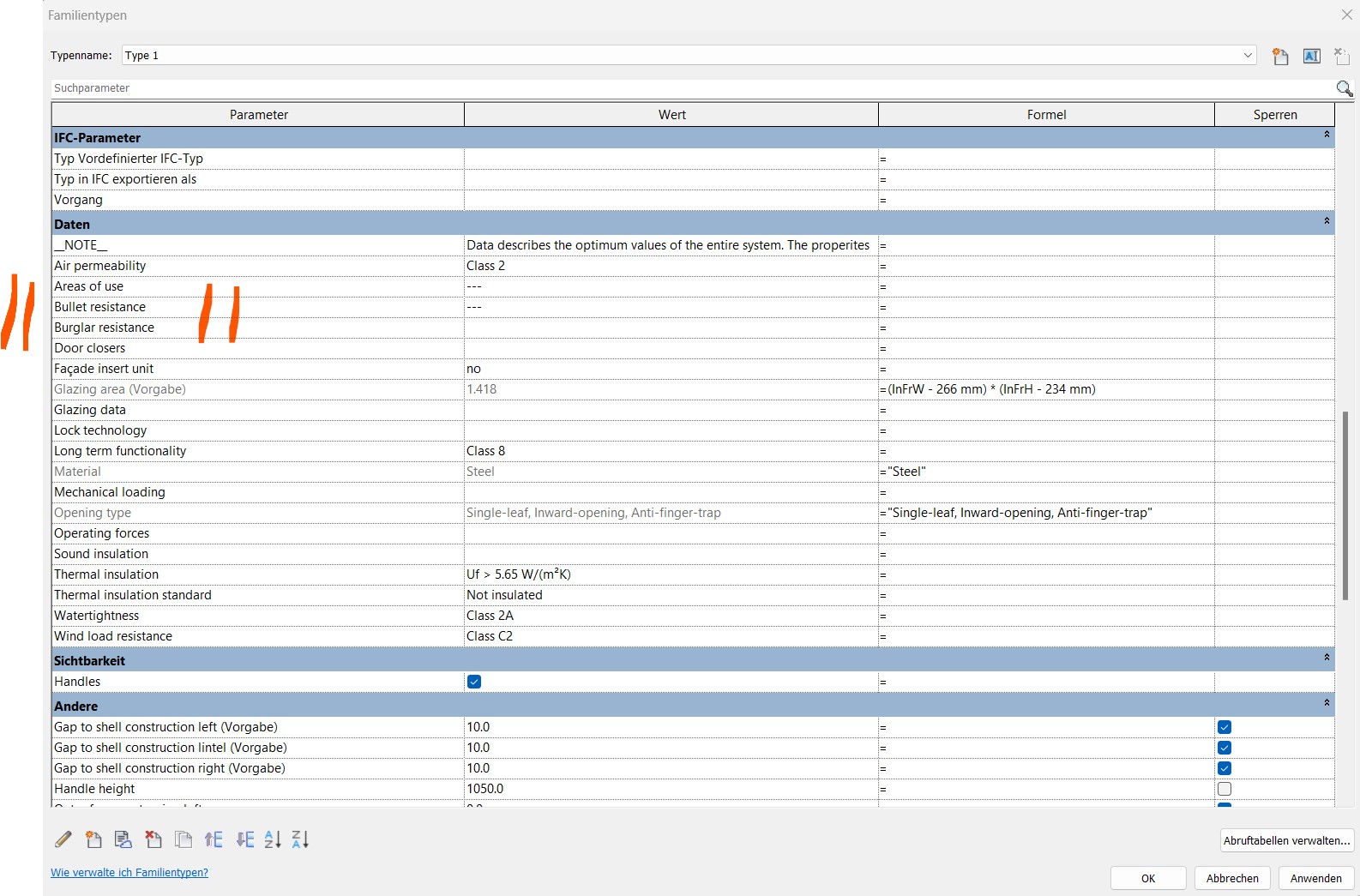


The error says, I think, ‘Parameter does not exist.’ Can you share a sample file to test?
it exist, definitly.
Jansen Economy 60 anti-finger-trap door - 2025.xlsx (24.0 KB)
03 Jansen Economy 60 anti-finger-trap door - write Parameter form Excel to Revit 2025.dyn (328.9 KB)
rvt is too big. Ill send only a family
Jansen Economy 60 anti-finger-trap door- dyn - aft_inw_Family-10.rfa (1.4 MB)
Hi @rwollhaupt
For type parameters, you can’t set them directly on the instance — you have to get the element’s type (FamilySymbol or ElementType) first, then set the parameter on that.

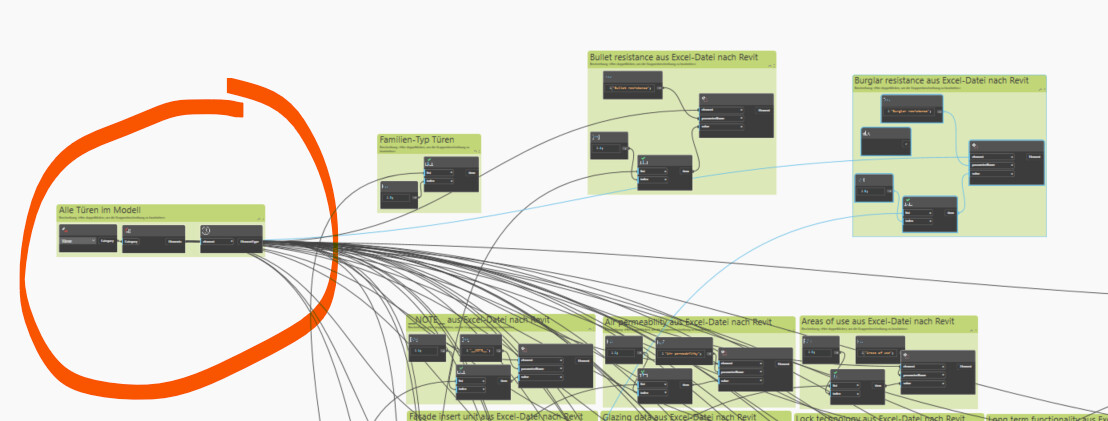

Are all parameters type parameters, or is this a mix?
Also, as you’re getting ALL doors in the project, if there is one door without that parameter in it (i.e. if there is a curtain wall door which is embedded in a special circumstance) then you will get this error. Best to filter out doors which don’t have the parameter, or otherwise be more selective in how you gather the elements.
I checked it with attached dynamo file for each family. Message for all parameters (loaded family) → parameter already exist.
01 Create Parameter to Revit 2025.dyn (95.4 KB)

01 Create Parameter to Revit 2025.dyn (95.4 KB)
only 13 doors
There is a node in the Rhythm package called “Elements.SetParameterByNameTypeOrInstance” this node should be all that you need. It feeds in a list of elements, the paraname(string) and the list of values. This is all I ever use to update parameters in a project.

Oh dear, I couldn’t see the forest for the trees. That must have happened while copying. Thank you very much.
Sharp eyes  @Nick_Boyts