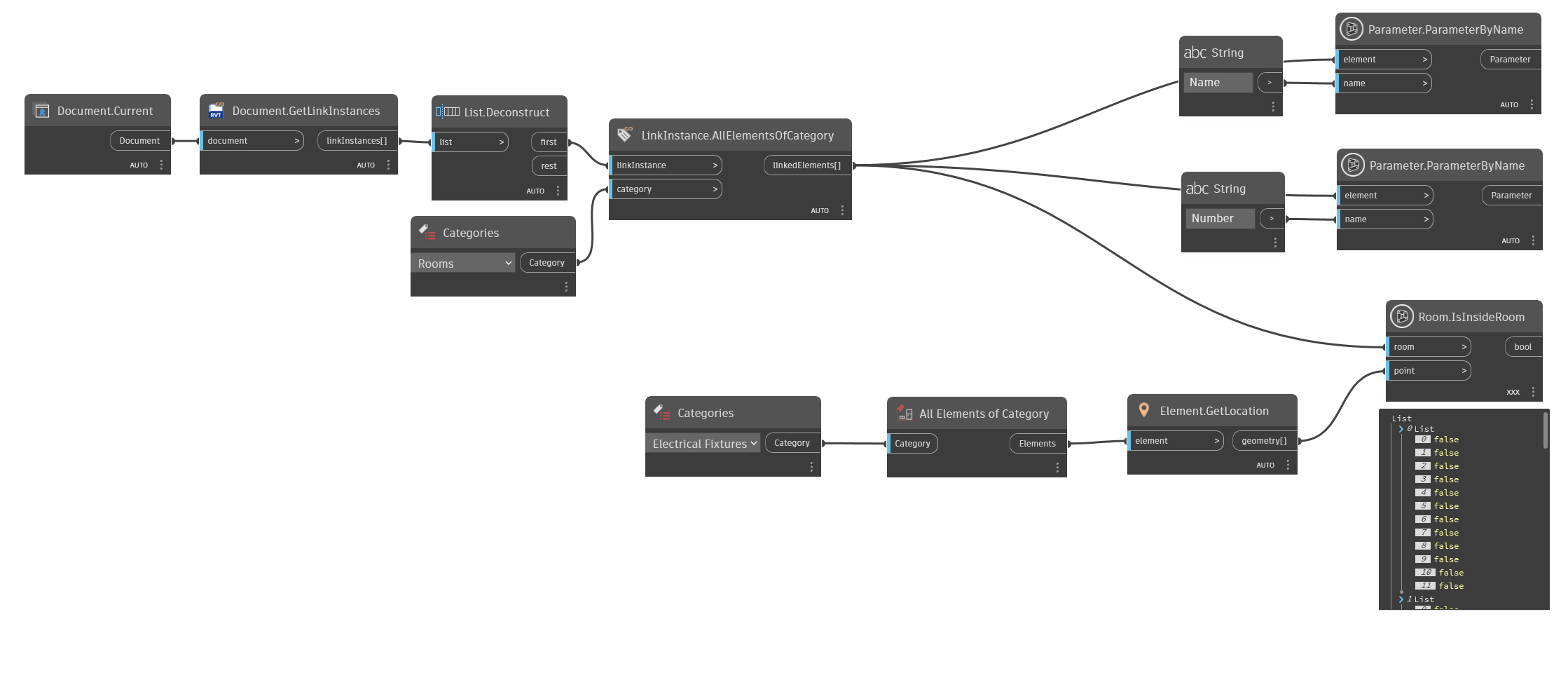
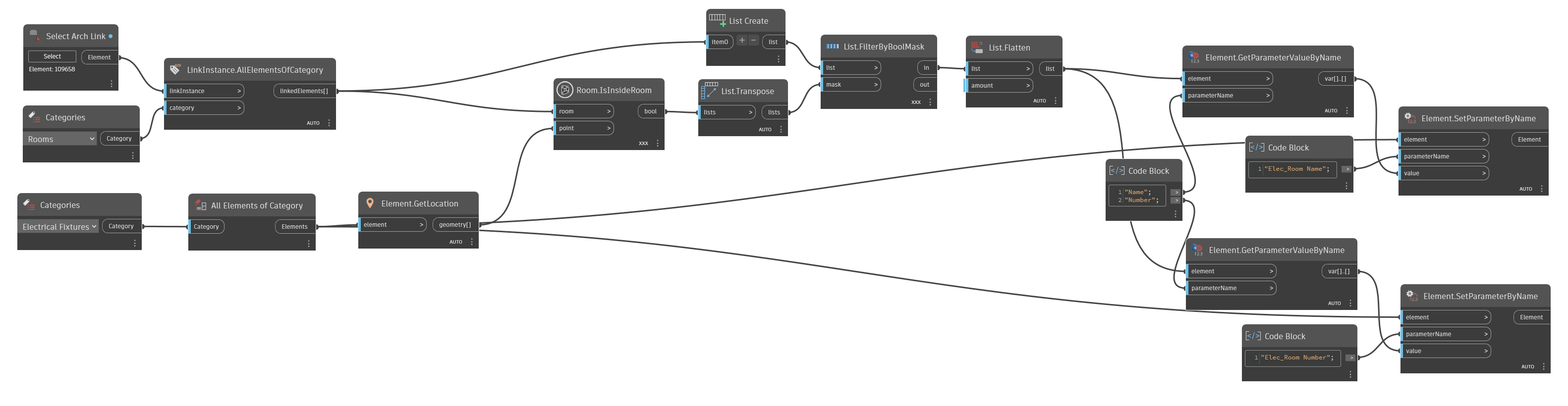
Hey everyone, working on a simple script to get room data from a linked model and pushing the parameters into specific elements in the current model. There are a few posts that are doing this but are quite old and it looks like Dynamo has introduced some new nodes to work with linked models.
I have the data I need using cross product lacing so that each sublist is a room that shows true/false for each device. I have always struggled to wrap my head around lists for some reason. What can I do to reference this list to then use Element.SetParameterByName with the correct room data?
This might be a wildly inefficient way to go about this but I was hoping to solve this using OOTB nodes. Thank you!
You’re right, there are a handful of new nodes that make this process a bit easier but the general idea is still the same. Once you have your list of passing or failing rooms, you would use FilterByBooleanMask to filter out all the rooms that returned false. That should leave you with only one room per fixture that you can then flatten down to a singular list of rooms aligned to their respective fixture. Now you have a list of n fixtures and a list of n rooms. You can now translate your parameter values directly between those elements.
One thing you’ll want to confirm is your initial list of boolean values. You want to make sure that each sublist represents an electrical fixture and each value represents a room checked against that fixture. For example, if you have 10 rooms and 8 fixtures your result from IsInsideRoom should be 8 sublists of 10 values each.
I might have got my list backwards if the order matters. Currently it’s a sublist that represents a room and each value correlates to a fixture that might be in that room.
Sorry, I meant to address this in my first post, but glad you got it sorted out. For a little more clarity: If you know you only have one fixture per room then the structure doesn’t matter. You would just filter the list of fixtures to then match one room to one fixture. In the case that you have multiple fixtures per room, you can use list levels instead of lacing with point @L1. This will ensure that the fixture location points are prioritized first, resulting in each point checking against all rooms before moving on to the next point. That would give you the structure I initially assumed you to have.
Hey Nick, wondering if you could help me troubleshoot a couple things trying to make this a bit more error proof as well as work with multiple links. Works great with one link, once a second is added, the filterbyboolmask is returning fewer elements due some elements not having a true value. This causes a mismatch when applying the parameter values. I’m thinking I need to try and filter all those false only elements out somehow. I’m also wondering if you could explain using list levels instead of the cross lacing. I think that would probably get me more accurate results.
Repost your screenshot with all the node preview bubbles pinned so we can actually see what’s going on. I’m guessing this is just a matter of handling list structures appropriately.
Also, as a general rule of thumb, you’ll probably never need a List.Create node with only a single input. That node is meant to create a list by combining multiple inputs, not to “change” an object’s structure - which, in your case, is already a list.
So here I have 10 devices going in, only 5 are in rooms of the selected link so it’s applying the parameters to the first 5 devices from my understanding. Also for whatever reason the filterbyboolmask does not work directly from the linkinstance node. Not sure if it has something to do with the list level.
That’s because of the List.Create node. Your rooms are already a list, that node is just adding another dimension to that list that you’re not managing. The FilterByBoolMask node should also be using list levels with mask @L2 to properly group each sublist with the rooms to be filtered.
This example might help. Lacing allows you to imply a certain combination when matching input structures. These combinations rely on a given node’s default expected input structure and prioritization of inputs. If you provide the right structure for those things, they work. If you don’t, they don’t. List levels allows you to explicitly define the combination of input structures (with some restrictions from the default expectations still) for a much more controlled output.
Using mask @L2 means you’re mapping the 2nd level input structure (shown at the bottom of your preview bubble) with the other input port, list. Since list is obviously expecting a list structure, it means each sublist @L2 from mask is going to be combined with the full list of rooms connected to list - it’s essentially telling the node to run 3 times using each sublist as a separate input.
Beautiful, that fixed it and made it work with multiple links, ignoring/not overwriting devices that are not in rooms of the selected link. Thank you for the example. My flatten also needed to drop a level as it was flattening the empty lists.