Hello,
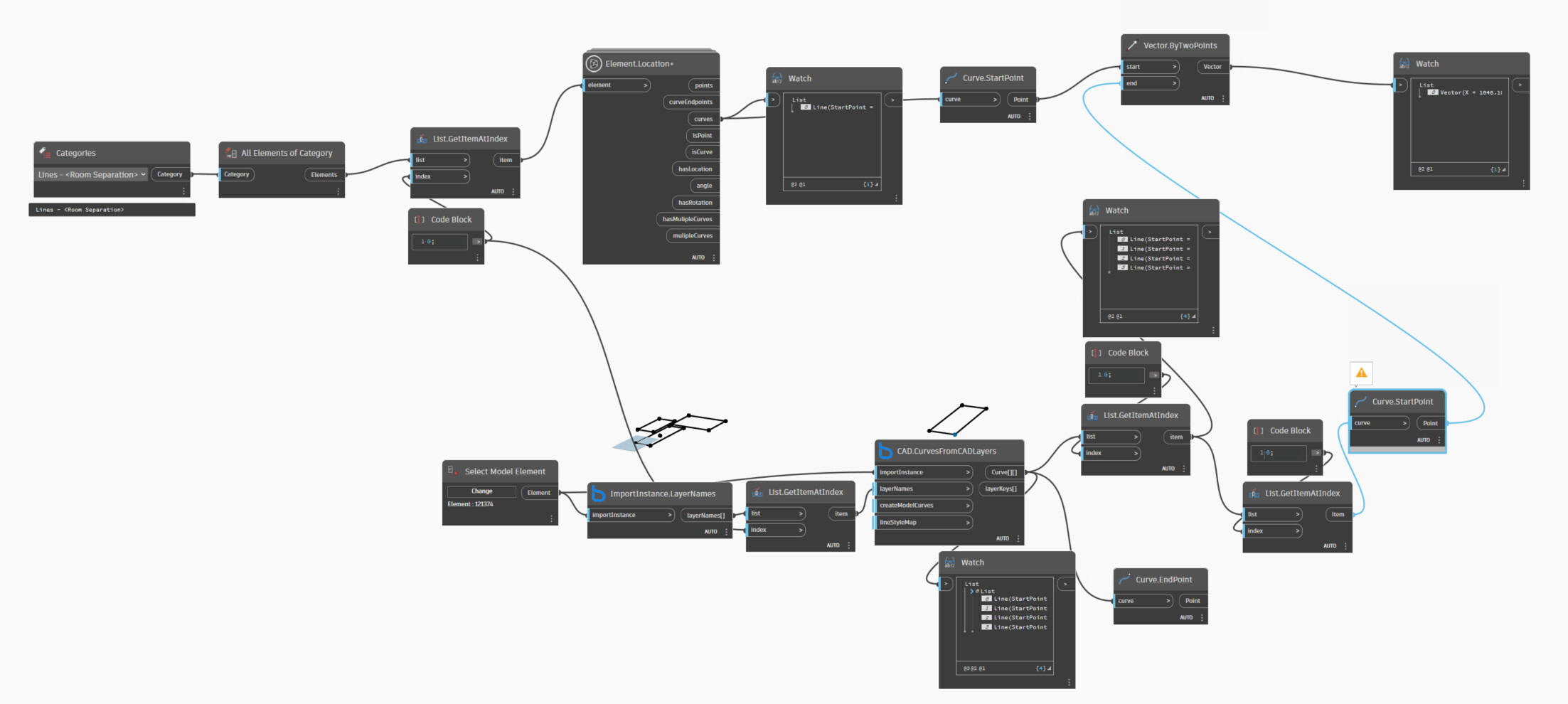
I have room separation lines which I am trying to move from one position to the other using dynamo. 4 room separation lines enclose to form a square(room). Is there a way i can move all 4 lines at the same time? The vertex points for the new position can be extracted.
Currently I was Indexing into each existing room separation line and then getting start point information. Then using the “vector.bytwopoints” component and adding new position point location. But i realized that I would have to move each point one by one. It would make to big of a script.
Is there a way I can just pick all 4 separation lines at the same time and move + reposition it? Right now i am just creating vectors for point placement. Also i was able to create a vector however not sure what the move command is.
Any ideas, suggestions would be great. P.s I dont know how to use python.
Moving can be more hassle than it’s worth. In this case, it would be much easier to just draw new separation lines at the intended location and then delete the old ones.
Try the Element.MoveByVector
1 Like
Our project contains a number of cages. These cages are made from room separation lines with a fence family assigned to it (I have automated this part).
The problem is when we get revisions and the positions of these change. This happens like 6 times in the project. I was thinking of developing a script which could move these cages from one position to the other from the click of a button. The location information we are getting from a new CAD file sent to us by the client.
Can you guide be on how to create a vector to move all 4 separation lines together? Thank you so much!
Do the shapes of these cages ever change when they move? If so, then you’re dealing with potentially translating, rotating, and scaling your lines. That can get confusing, especially when these changes may be inconsistent within even a single boundary region.
Depending on what you have automated (and how), it sounds like it would be easier to update everything at once:
- Collect separation lines and filter for cage boundaries (by identifier, you don’t want to delete separation lines unrelated to cages).
- Delete all cage boundary separation lines.
- Identify cage boundaries.
- Create room separation lines (and fences?) at boundaries.
- Assign identification value to new elements. (The value itself isn’t important, just something to mark these separation lines as being cage lines.)
This would remove existing separation lines and create new cage boundaries every time you run the script. It’s unclear whether you’re creating the fence objects at this time too, but if so, just include them in the logic.
1 Like
Vector.ByComponents would work.
You could also try Element.SetLocation.
Or a dozen other things. We need more context to really help though as your request while seemingly simple is almost certainly more involved.
Thank you so much for your reply. I think i am understanding what you are saying.
The only issue with cage boundaries is that I don’t have them
My logic for designing this script was:
- I bring in a CAD file and use “CAD.curves from CAD layers” component to get these curves. Then assign room separator line to it via “RoomSeparator.From Curve”
If i start thinking in terms of cage boundaries. Are those lines or domain? I am a little confused about that.
I can’t really answer that for you. It all depends on how your files are setup, but if you’re defining everything by the CAD curves then I would think that would stay the same.
I recommend building the graph once for each file, and then let element binding shift the content for you; this should maintain all parameters and such without issue.
The problem with modifying the content by reading the DWG a second time is that the updated DWG will have content in a new order so things won’t work out cleanly otherwise. Some examples of what you’ll run into with trying to tie in modification without a clear data standard:
- What if they have one more rectangle than before?
- What if they have one less?
- What if they were ordered A, B, C before and now are ordered B, C, A?
- What if one became an L shape?
- etc.
1 Like