Very good days.
I am trying to access the interior of a STRUCTURAL COLUM family and be able to read and extract the following:
1st Parameter group names.
2° Number of parameters that each of these groups have.
As shown in the picture…??
Thank you very much for your support…

you can try:
elemento = UnwrapElement(IN[0])

baselv = elemento.LookupParameter('Base Level')

cat = baselv.Definition.ParameterGroup

param_map = elemento.Parameters
params = []
i = param_map.ForwardIterator()
while i.MoveNext():
	if i.Current.Definition.ParameterGroup == cat:
		params.append(i.Current.Definition.Name)

OUT = cat,params

Thank you for your reach… but that I was not very specific…
I will explain my query in detail step by step…
1.- How can I access the interior of the family… like when we click on edit family…?..We enter and we have an environment with new parameters and new views in the project browser.
¿For now, what would be the method to access the interior of the family in PYTHON?
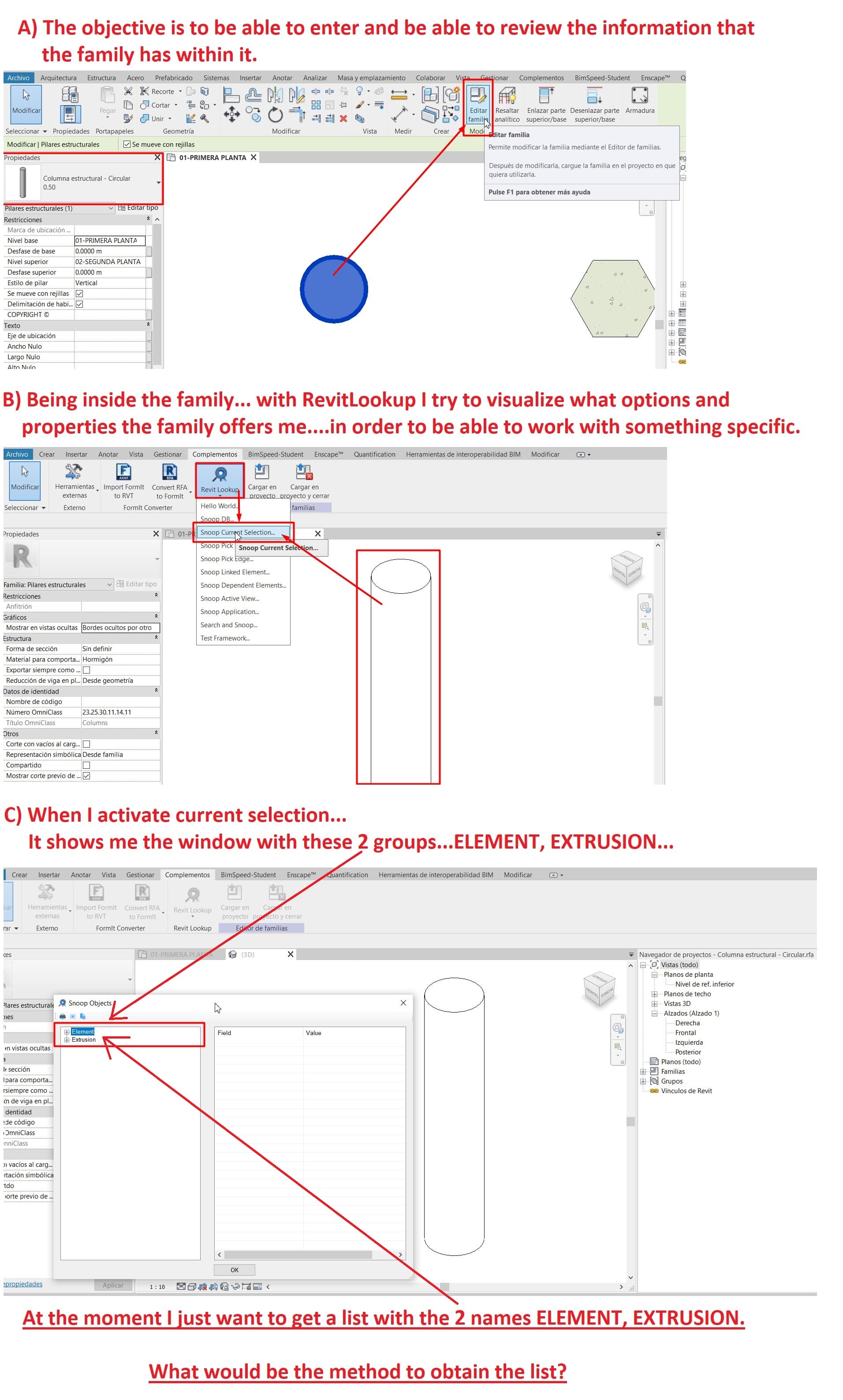
I think your revit lookup is pointing an geometry, that’s why you only have element and extrusion
you better click on the family from project to check using revit lookup
If I understand you, when I show the images I am referring to an example of how the python modigo should enter and be able to show me everything from the family, including its configuration…
I require this to be able to audit the correct creation of a column by means of DIMENSIONS, REFERENCE PLANES, EXTRUSION, ETC … Since I have been able to see models that have the geometry but do not present any parameterization or worse still, there are families that nest multiple elements that are not parameterized or belong to another nested category …
Access to the interior of the family and know if it has DIMENSIONS, REFERENCE PLANE, EXTRUSION, They give me at least an idea that if there is something coherent inside… that’s why I wanted to know