I would like to do Generative Design in Civil3D.
I know that this is not an officially supported method, but I set it up in the following way.
- Open the folder where the Dynamo for Revit 2025 package is installed.
(C:\ProgramData\Autodesk\RVT 2025\Dynamo\3.3\packages) - Copy the contents of (1) to the folder where the Dynamo for Civil 3D 2025 package is installed.
(C:\ProgramData\Autodesk\C3D 2025\Dynamo\3.3\packages)

I was able to make the Generative Design tab appear on Civil3D2025 using the above method.
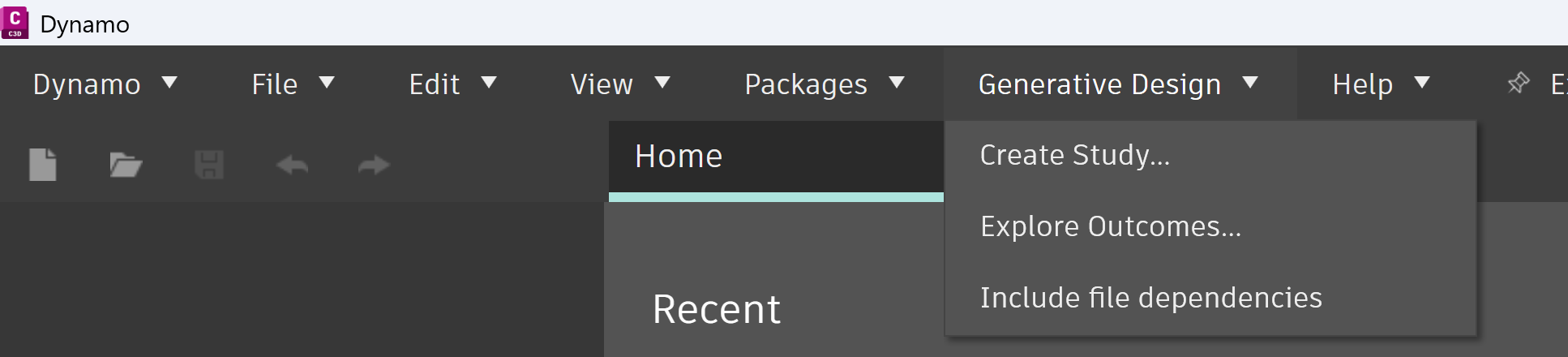
However, when I ran “Three Box Massing.dyn,” a sample of Revit’s Generative Design, in Civil3D’s GD as a test, I received an error message like the one on the screen below.
The image below shows the result of GD “Random”, which took a long time and did not show any geometry, even though it was a simple calculation.

How can I do GD in Civil3D2025? I would appreciate it if you could let me know.
■Revit 2025.4.2
Dynamo Core 3.3.0.6316
Dynamo Revit 3.3.0.6523
■Civil3D 2025.2.1
Dynamo Core 3.3.1.7726
Dynamo Civil 3D 3.0.0.1276
