I am extending this topic @Anton_Huizinga created. I am experiencing odd behaviour with nodes Geometry.DoesIntersect. In my case I feeded bunch of Surfaces into port “Geometry” and list of Polycurves into “Entity”, lacing set to Cross Product. Suddenly I noticed I am getting wrong results. I started composing my script on C3D 2027.1 and after running into that obstacle I ran the script on C3D 2026 and there it worked correctly.
What I am trying to achieve in this part of script is list of booleans. On C3D 2027 I am getting 9 “true” and on 2026 4 “true” (which in my case is correct).
2026:
2027
**
**
I also tried to go along the node Geometry.Intersect and found out that I am ending again with different count of “true” booleans on 2026 and 2027.
2026
2027
Has anyone experiencing same behaviour and what is causing this? 
Need to compare item by item in the DoesIntersect node not subsequent nodes as if order or geometry fidelity changed (geometry scaling is easy to misconfigure and overlook) to see if things are in the same order after the DWG update.
See if you can build standard Dynamo geometry to replicate. Something like this with a list of 4 doubles for each variable (x, y, xx, and yy) should suffice:
srfs = Rectangle.ByWidthLength(10,10).Patch().Translate(x,y,0);
crvs = Line.ByBestFitThoughPoints(Point.ByCoordinates(0,[-6,6],0)).Translate(xx,yy,0);
Wire those into the Geometry.DoesIntersect and you should get consistency. If not we’ve got a Dynamo bug to address.
If they are consistent then we’re into confirming geometry was the same in both Dynamo for Civil 3D builds and we’ll need a simplified dwg.
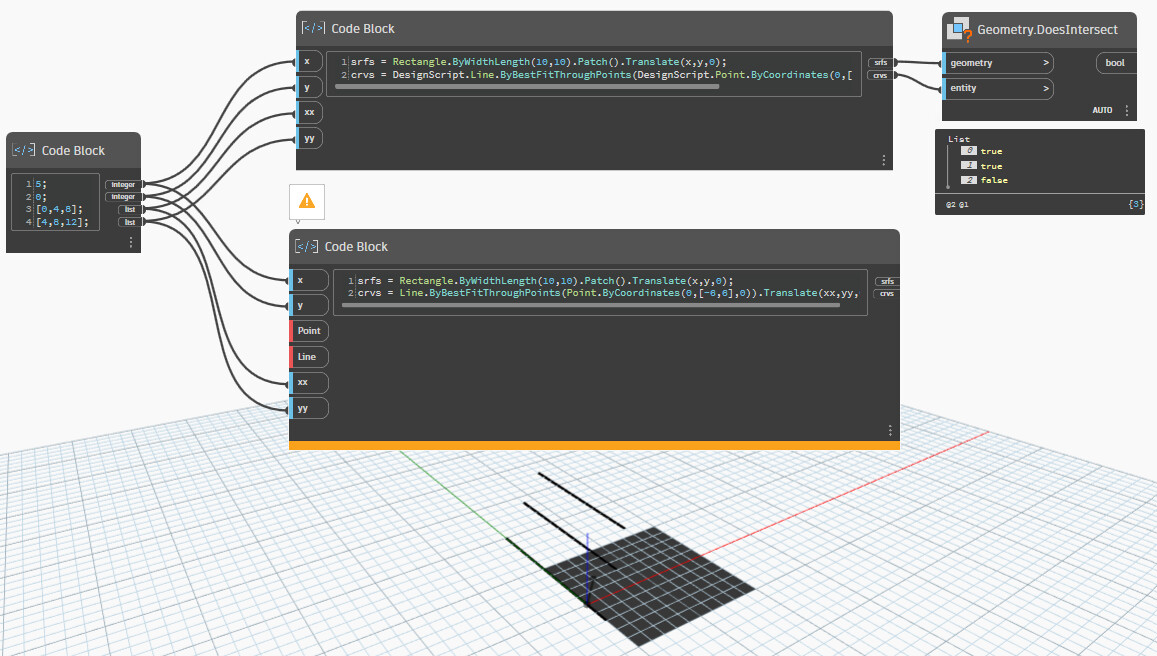
@jacob.small I copied your proposed code and adjusted it to this, because otherwise multiple definitions for Line and Point would otherwise be found.
srfs = Rectangle.ByWidthLength(10,10).Patch().Translate(x,y,0);Preformatted text
crvs = DesignScript.Line.ByBestFitThroughPoints(DesignScript.Point.ByCoordinates(0,[-6,6],0)).Translate(xx,yy,0);
I double-checked my scaling settings and these are the same - medium - on both 2026 and 2027.
Cross product lacing and check to make sure the results align with what you’d expect.
I tested this on 2027 with cross product lacing and with that basic code results are correct: we have one intersection with one surface and line.
But I have tried to figure out what is causing the problem I described earlier. If I look the geometry the node Geometry.Intersect creates then on 2026 I am getting Arcs and Lines, but on 2027 it gives Polycurves. Same setup, same input objects, same workspace scaling.
Can you post a DWG with a few objects (3 or so) which reproduce the results incorrectly?
Contours_x_Curbs.dyn (86.9 KB)
Contours_x_Curbs_test.dwg (464.5 KB)
Here is script and simplified dwg for testing. If you intersect contours with curbs, the error occurs on 2027.
Moved to a new topic so we don’t get the previous one too far off track.