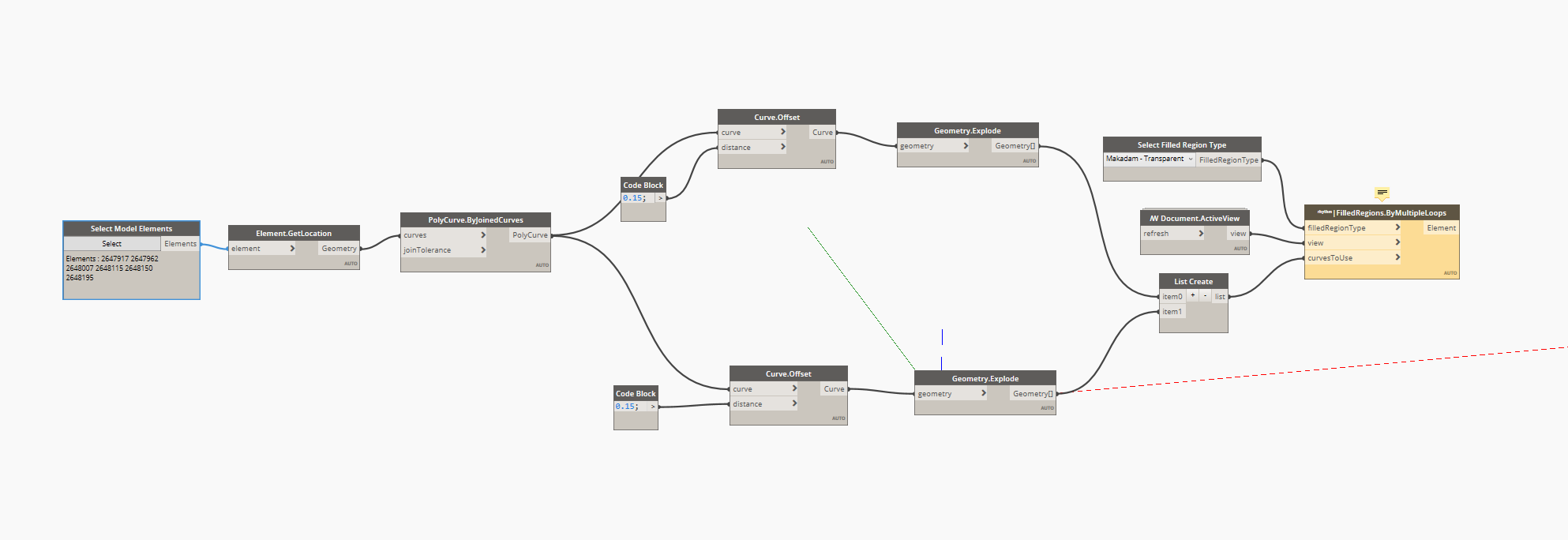
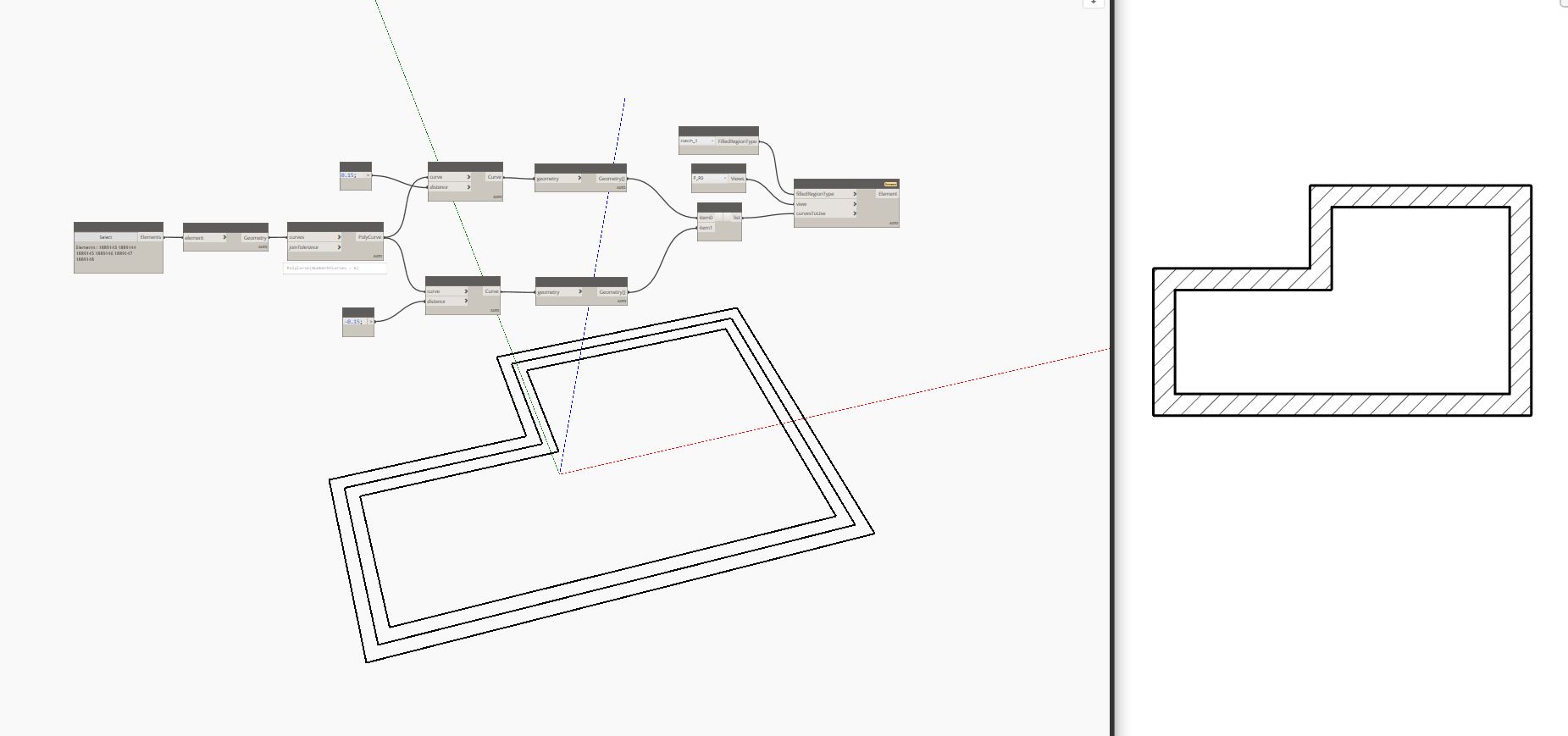
You can try something like that (i used a node from rhythm package) :
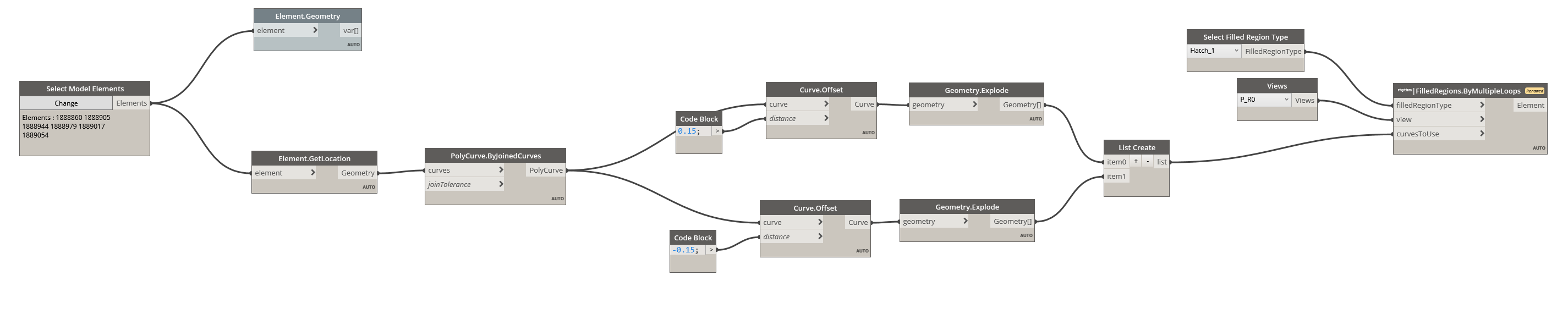
Be aware of the walls line location (centered, outside…) and set the offset acccording to it.
You can try something like that (i used a node from rhythm package) :
I believe it is not currently possible to create a filled region through the Revit API in a ‘donut’ shape.
I.e. a closed loop entirely within a closed loop. So unless you breakdown your regions somehow into single closed loops, you can’t do it.
But didn’t @Hamish manage to do it with his script above? Or am I missing something?
Can’t do it. I think that’s what @andy.leong was referring to.
Yeah what Hamish accomplished was a single closed loop. (or curve)
what is the problem with this?
Hi !
The Rhyhtm node works with multiple loops.
My script works by catching the walls line location, then offset it. If it is “core exterior” or “centerline” you will have the set different value for the offset. that way we get two closed loops. In the screenshot you shared above you set it with the same values so it doesn’t work.
Please when you share a screenshot open all white (results of the nodes) and yellow pop up (errors), it will be easier to understand what doesn’t work 
Hi @Francois_Labonne !
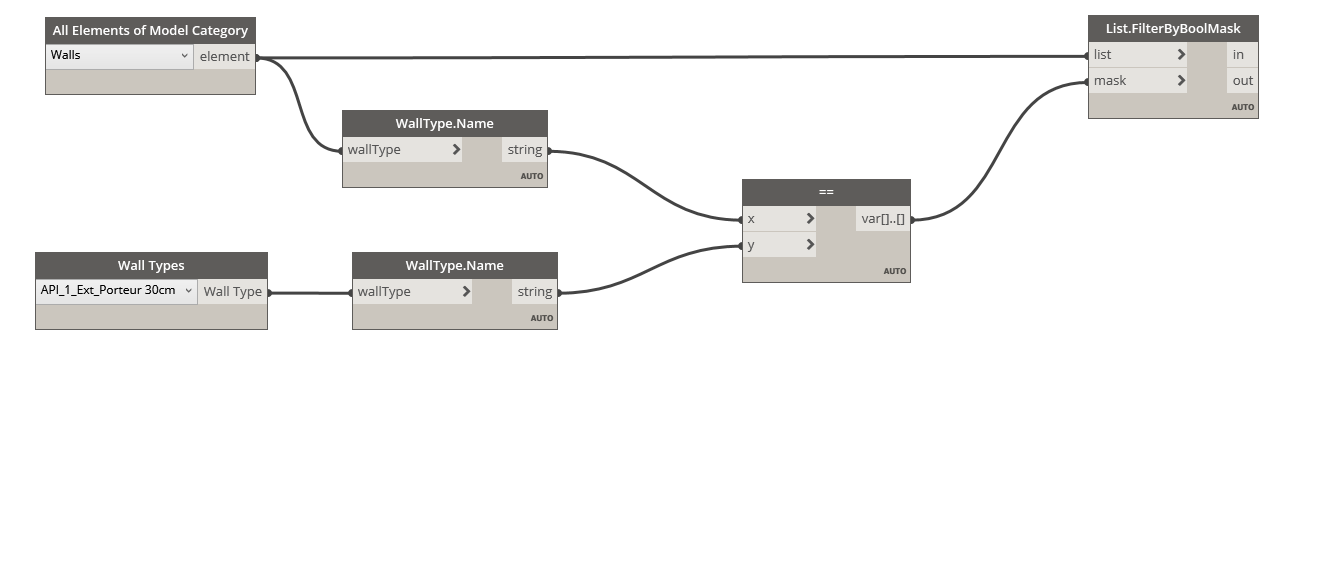
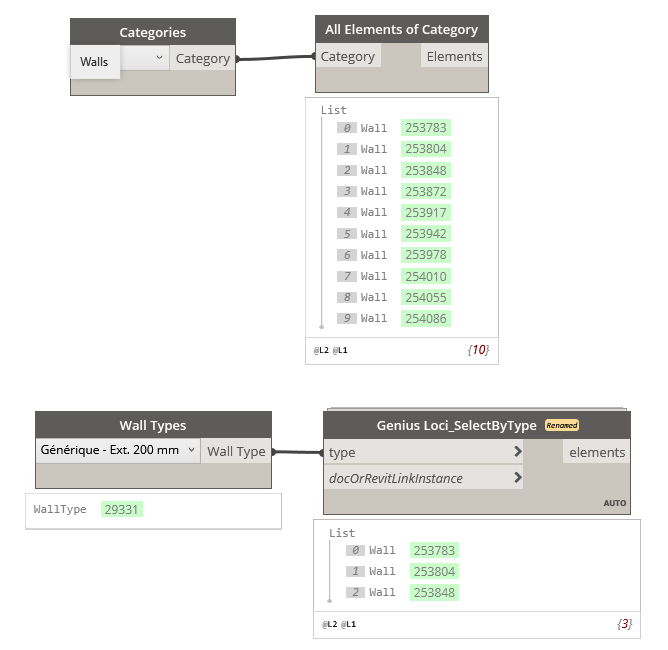
Is it possible to somehow just choose the wall type instead of having to select the walls in the Revit Model?
yes, you can filter by any parameter with values.
@Denish97
Here is a way to select walls by a chosen type. But my previous script won’t work as it is because it needs some sets of two closed curves…
Thanks!
I have a specific type mark for every wall.
Can I somehow create a list of all the type marks and choose from that list?
How can I create a list of all the type marks and choose from that list?
Is there a way to do it for type marks?
I don’t have the node Surface.ByUnion. Can’t understand why.
Thanks! I will try it out when I get home! 
I have a follow-up question about a similiar topic. I wasn’t sure if I should create a new post or not.
Is it possible to create detail lines over the wall in the same way and choose what kind of detail line I want to use?
You can filter elements using any parameter.
Yes, when you catch the wall location, you can use theses curves to draw detail lines
You’re in an older version of Dynamo and/or Revit - upgrading to the latest version of Revit 2021 will bring that node into the library.