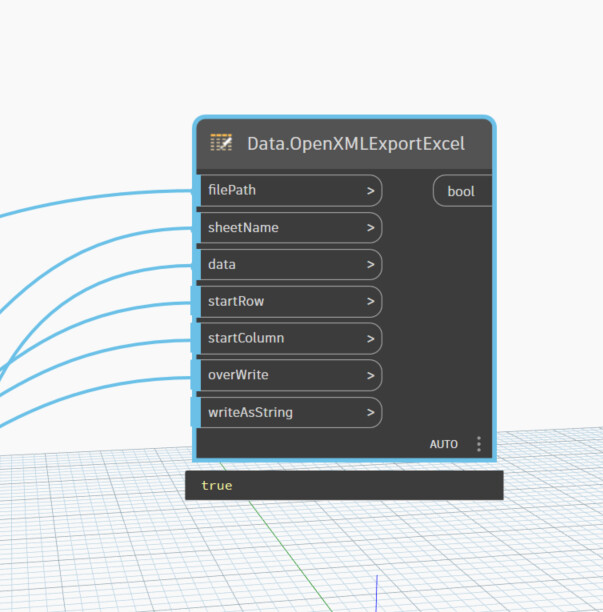
Unfortunately, only Excel Interop allows this. A workaround is to display the xlsx data in a third-party window (such as WPF, Winform, HTML).
try this version with python and pandas
import clr
import sys
import System
import os
import sysconfig
# standard library path
sys.path.append(sysconfig.get_path("platstdlib"))
# site-package library path
sys.path.append(sysconfig.get_path("platlib"))
import pandas as pd
from openpyxl.worksheet.table import Table, TableStyleInfo
from openpyxl.utils import get_column_letter
import traceback
import numpy as np


def get_shape(lst, shape=()):
    """
    returns the shape of nested lists
    """
    if not hasattr(lst, "__iter__") or isinstance(lst, (str, System.String)):
        # base case
        return {"shape":shape, "ndim":len(shape)}
    # peek ahead and assure all lists in the next depth
    # have the same length
    if hasattr(lst[0], "__iter__") and not isinstance(lst[0], (str, System.String)):
        l = len(lst[0])
    shape += (len(lst), )
    # recurse
    shape = get_shape(lst[0], shape)

    return shape #{"shape":shape, "ndim":len(shape)}

def autosize_columns(df, ws):
    """
    A function that sets the width of each column in a given worksheet (ws) based on the maximum length of data in each column in the Pandas DataFrame (df).

    Args:
    - df: Pandas DataFrame containing the data to be written to the worksheet.
    - ws: Worksheet object representing the worksheet where the data will be written.

    Returns: None
    """
    margin = 7
    lstvalues = df.values.tolist()
    lstColvalues = df.columns.values.tolist()
    column_widths = []
    for row in [lstColvalues] + lstvalues:
        for i, cell in enumerate(row):
            current_lenCell = len(str(cell)) if cell is not None else 1
            if len(column_widths) > i:
                if current_lenCell > column_widths[i]:
                    column_widths[i] = current_lenCell
            else:
                column_widths += [current_lenCell]
    for i, column_width in enumerate(column_widths, 1):  # ,1 to start at 1
        ws.column_dimensions[get_column_letter(i)].width = column_width + margin

# Define list/unwrap list functions
def tolist(input):
    result = input if isinstance(input, list) else [input]
    return result

# Collect inputs
file_path   = IN[0]
has_header = IN[1]
sheet_names = np.array(tolist(IN[2]))
data_lists = IN[3]
open_xlsx = IN[4]
#
# check structure
data_shape = get_shape(data_lists)
# check and add a level to iterate for zip
if data_shape["ndim"] == 2:
    data_lists = [data_lists]
#
print(sheet_names.shape, sheet_names.ndim)
print(data_shape)

if sheet_names.ndim ==1 and len(sheet_names) == len(data_lists):
    input_structure_is_correct = True
else:
    input_structure_is_correct = False

# Output lists
wasWritten_list, error_list = [],[]

if not input_structure_is_correct:
    error_list.append("wrong list input structure")
else:

    # create a Pandas Excel writer using XlsxWriter as the engine.
    with pd.ExcelWriter(file_path, mode="w", engine="openpyxl") as xlsx:
        for sheet_name, datas in zip(sheet_names, data_lists):
            try:
                if has_header:
                    lst_columnsName = datas.pop(0)
                    df = pd.DataFrame(datas, columns = lst_columnsName)
                    df.to_excel(xlsx, sheet_name=sheet_name, index=False)
                else:
                    df = pd.DataFrame(datas)
                    df.to_excel(xlsx, sheet_name=sheet_name, index=False, header = False)
                #
                # get worksheet
                ws = xlsx.sheets[sheet_name]
                if has_header:
                    table = Table(displayName="Table_" + sheet_name, ref="A1:" + get_column_letter(ws.max_column) + str(ws.max_row))
                    # Add a default style with striped rows and banded columns
                    style = TableStyleInfo(name="TableStyleMedium9", showFirstColumn=False, showLastColumn=False, showRowStripes=True, showColumnStripes=False)
                    table.tableStyleInfo = style
                    ws.add_table(table)
                #
                autosize_columns(df, ws)
                #
                wasWritten_list.append(True)
                error_list.append(f"SUCCESS: Data written '{sheet_name}'")
            except Exception as ex:
                print(traceback.format_exc())
                wasWritten_list.append(False)
                error_list.append(f"ERROR: Data not written : {ex}")

if wasWritten_list and all(wasWritten_list) and open_xlsx:
    os.startfile(file_path)

OUT = data_lists