Dynamo script no longer working - can anyone assist?

insertPic.dyn (44.7 KB)

insertPic_dyn25.dyn (58.4 KB)

I have previously used InsertPic.dyn in Civil 3D 2024 to insert blocks where photos have been taken (which still works) and also add a clickable hyperlink—which doesn’t seem to work anymore.

I have also got a version called InserPic_dyn25.dyn which contrary to the name doesn’t work in 2025 or 2026. I assume that the reason these don’t work is because Dynamo gets updated but the scripts do not.

Is anyone able to update this script so that it works in Civil 3D 2026—it would be much appreciated.

Thanks

Neil

Hi
First you have to install the updated packages, Civil Nodes and Camber, and the give it a try
When you open the script in 2025 you get information about which nodes that need to be replaced, give it a try and after that add any question if you don’t find some of the nodes

1 Like

still got a load of errors and I know next to nothing about Dynamo to attempt to troubleshoot them

Good time to start learning then!

1 Like

@jacob.small If I had either the time or inclination then maybe but currently I have neither…!!!

Sorry to tell yoy but we’re almost do this on our time outside office hour and not getting paid so to ask the community here to help you update a lot of stuff is the same that if I should ask you to do my stuff at work for free.

I where in the same position as you when I had to upgrade all our Dynamo script when moving from 2023 up to 2025, the exception where that I created them from the beginning and knew how to do it. It’s a hard time learning Dynamo but it will be great ROI when you getting in to it.

2 Likes

Yes I get that which is why i uploaded the graphs in the hope that someone would be able to review them and advise if there was an easy fix but from the replies I have received it seems that there isn’t.

It does seem that every new release breaks the previously functioning stuff but I still think that you need to be a programmer (rather than a casual user) to get the best out of Dynamo

I would say you actuelly not need to be programmer for use dynamo…thats why it is so powerfull and can be used on many levels, just my thoughts

1 Like

I understand your point but i disagree

1 Like

no problem :wink: i have learn it just with practice, practice, and more practice and follow all these clever people here on the forum there are so kind share, and guess thats the way with all new we have to learn, but many ways…and my IQ isnt heigh :wink: :wink: hahaha

The more you know about any tool the more you can get out of it. As Dynamo is a programming tool, yes knowing programming helps build more graphs. However it doesn’t require that you know how to program in order to get massive amounts of value. My career has proven that well, as has many others in the community.

The tool isn’t the problem. The problem is you don’t know how to use it. I am not a mechanic, so if I had spent $5 million on top of the line garage and the best tools in the world I still wouldn’t have been able to fix my friend’s car last week. However my friend was able to fix it with the $10 toolset I had from IKEA.

If you (or others) want to get value from Dynamo (or any other technology) the first step is to learn how to use it.

2 Likes

Maybe I will start looking at Dynamo in more detail in the New Year as there are certainly repetitive things that I do that could be automated….although I’ll probably have retired before I could master Dynamo—been using Civil 3D since 2011 release and still learning new things…:wink:

1 Like

yes just start step by step and suddenly, you can do whatever you want to automate etc, you won’t regret it, and it always help you can do the civil, it will make it much easier…good luck

ps didnt know we can by tools in Ikea :wink: the only tool i have from ikea is what comes with cardboard box and where there always missing something :wink: and absolutely not for repair cars…in my opinion…hahahhaa

1 Like

If you run the script in 2025 and Dynamo, not Dynamo Player, can check the nodes where the script breaks?

I checked the dyn-files and there is a pythonscript, it might be that part that fails.

You can identify which nodes that fails by collapse the information below the node

Yes - there seems to be a problem at the Python script

If you’ve narrowed it down to a Python node you could paste the code of that along with the error.

It may be that going from IronPython to Python3 has caused issues (I had a lot of issues with this).

import sys
import os

litte hack because somehow, exif didn’t install correctly

localapp = os.getenv(r’LOCALAPPDATA’)
sys.path.append(os.path.join(localapp, r’python-3.9.12-embed-amd64\Lib\site-packages’))

“”" Import packages “”"
from exif import Image # package to import exif-data
from pyproj import Transformer # package to perform coordinate transformation
import re # needed to get the filename, quiet sloppy

acceptable image formats

formats = (“.JPG”, “.jpg”, “.PNG”, “.png”)

EPSG-Code-From (Image)

EPSG_from = “EPSG:4326” # world geodetic system, GPS Standard

EPSG-Code-To (Output)

EPSG_to = “EPSG:31256” # e.g. UTM32N

“”" Extract necessary exif data “”"

function to convert Degrees/Minutes/Seconds to decimal degrees (account for N/E; S/W)

def decimal_coords(coords, ref):
decimal_degrees = coords[0] + coords[1] / 60 + coords[2] / 3600
if ref == “S” or ref == ‘W’:
decimal_degrees = -decimal_degrees
return decimal_degrees

function to extract necessary exif-data in the desired format

def image_coordinates(image_path):
with open(image_path, ‘rb’) as src: # rb = byte-data!
img = Image(src)

    # get image name using regex (a bit ugly, but exif documentation doesn't help with img.name)
    applyregex = re.search(r"^(.\*\\\\)(.\*)", image_path)
    imgname = applyregex.group(2)

    # 'has_exif' doesn't seem to do the job well enough, check manually instead
    checklat = getattr(img, 'gps_latitude', None)
    checklong = getattr(img, 'gps_longitude', None)
    checkdir = getattr(img, 'gps_img_direction', None)

if checklat **and** checklong **and** checkdir:
    try:
        # Convert coordinates to decimal degree
        coords = (decimal_coords(img.gps_latitude,
                                 img.gps_latitude_ref),
                  decimal_coords(img.gps_longitude,
                                 img.gps_longitude_ref))
        # Transform coordinates using pyproj
        transformation = Transformer.from_crs(EPSG_from, EPSG_to)
        transformation_raw = (transformation.transform(coords\[0\], coords\[1\]))

        # Return results
        return (
        {"Name": imgname,
         "FullPath": image_path,
         "Manufacturer": img.make,
         "Model": img.model,
         "Date": img.datetime_original,
         "Geolocation_lat": coords\[0\],
         "Geolocation_long": coords\[1\],
         "Geolocation_transformed_X":  transformation_raw\[0\],
         "Geolocation_transformed_Y":  transformation_raw\[1\],
         "ImageDirection": img.gps_img_direction,
         "Elevation": img.gps_altitude})
    except AttributeError:
        pass
        # return("Can't process coordinates.")
else:
    pass
    # return("The Image has no EXIF information")

Apply funtions:

image_paths = IN[0]
output_raw =
for image in image_paths:
output_raw.append(image_coordinates(image))
OUT = output_raw

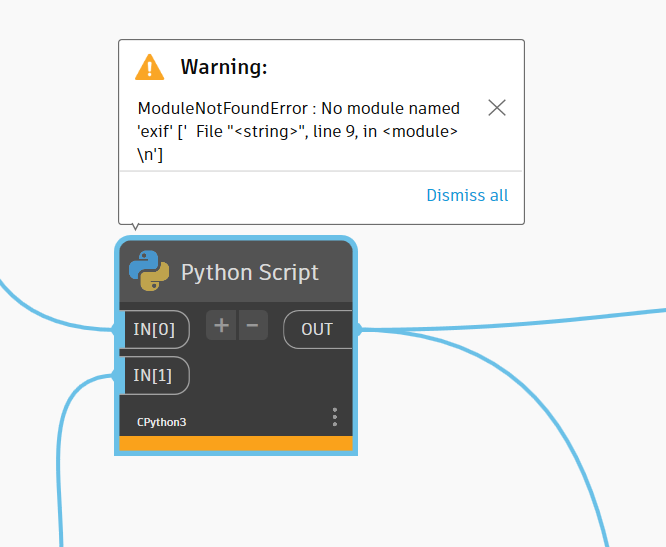
You can see it says, “No module named ‘exif’” and it says, “line 9”

So.. the issue it’s relating to is:
from exif import Image # package to import exif-data <<

I had no idea what exif is… so I googled it.. Google suggests you switch Dynamo to CPython3.
If you’re already in CPython3 you’re probably missing a package (as already suggested).

I did a quick search in my package manager for exif and got:

maybe try installing this one?

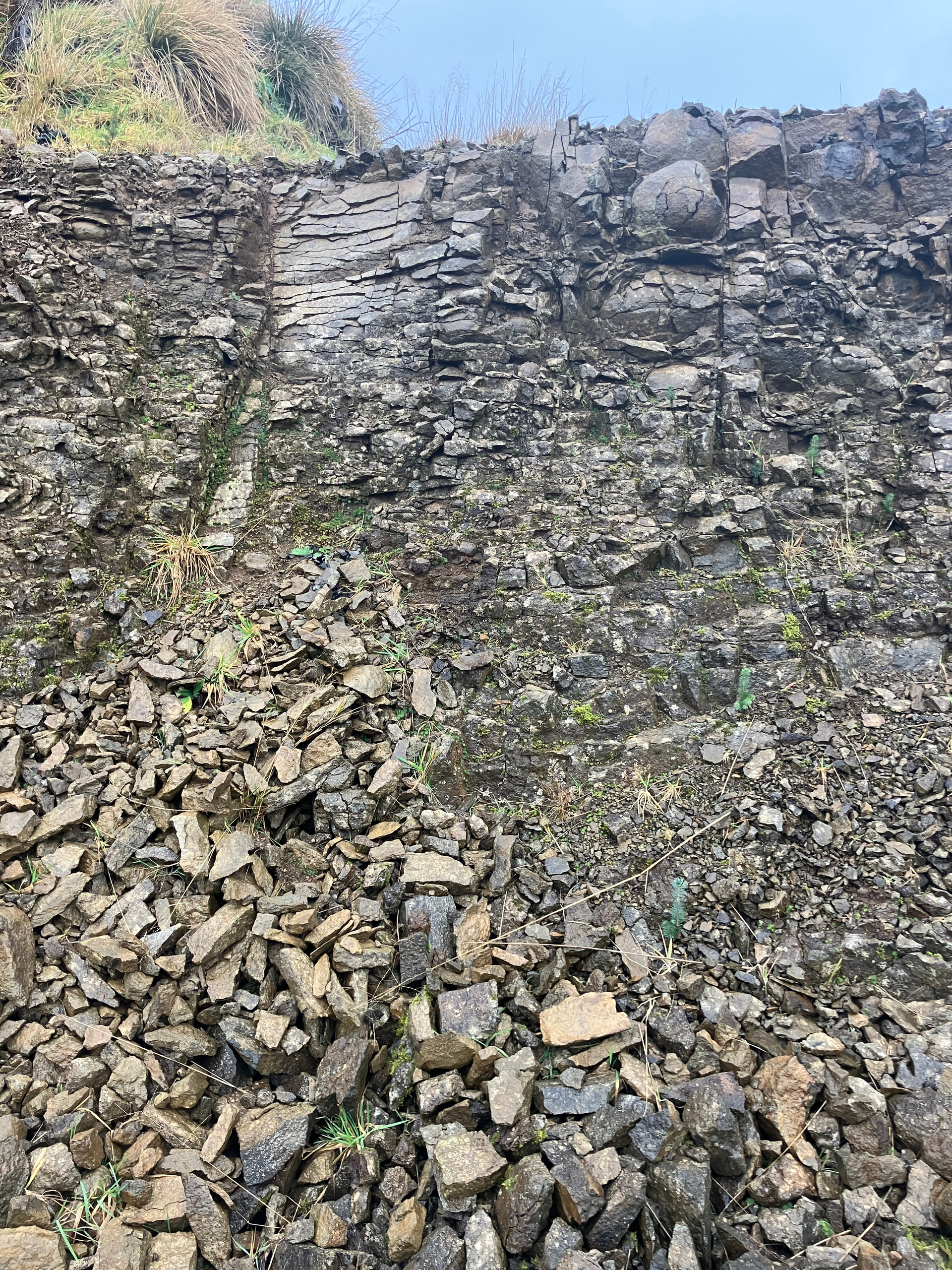
Could you attend example picture

And dyn file

insertPic_dyn25.dyn (58.4 KB)

1 Like