Your photos lost the exif data when uploaded, or they didn’t contain it already.
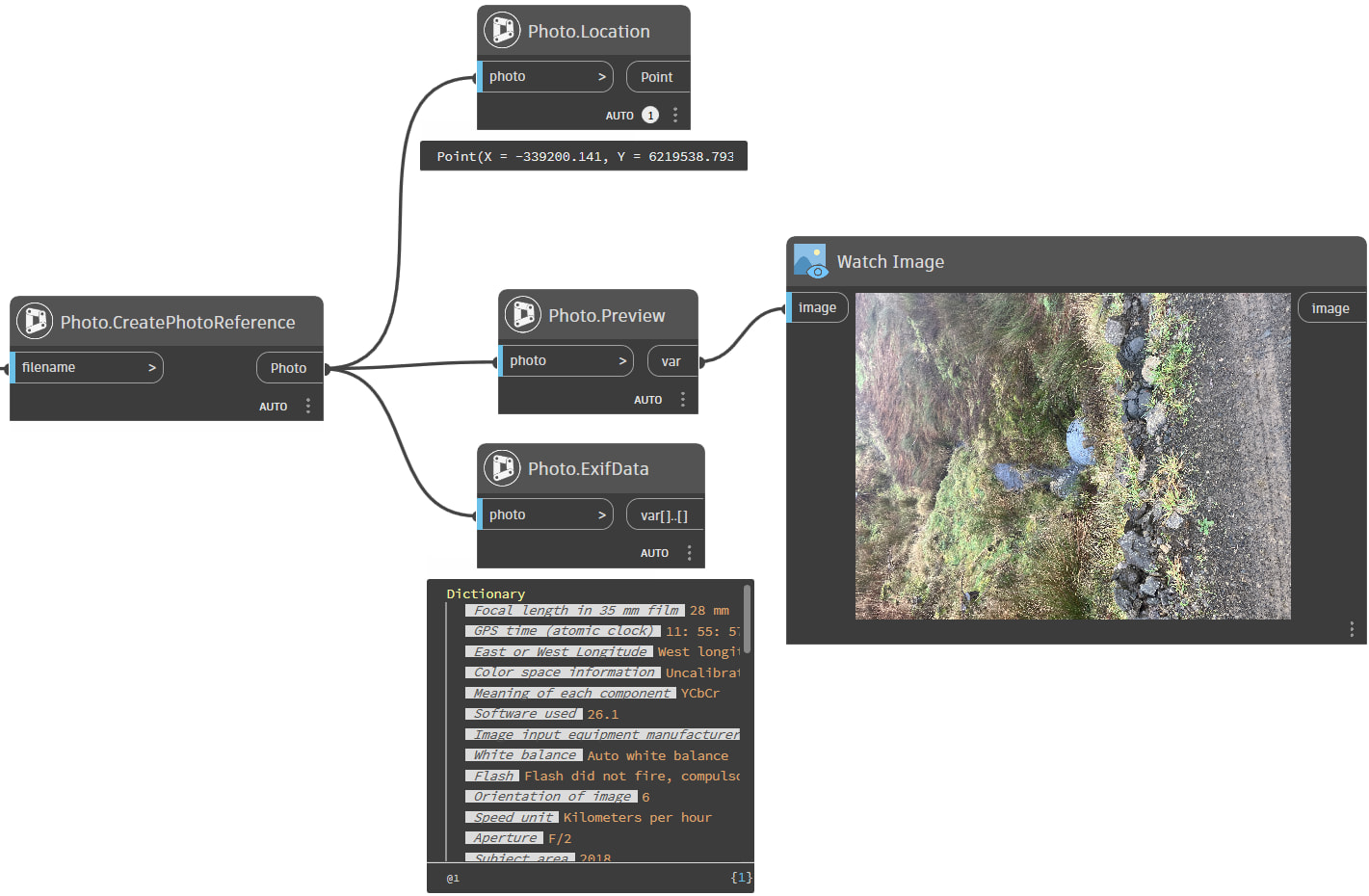
When it comes to Exif Data or a location, you can use The Civil Nodes package instead of Python and an Exif module. This package contains nodes to read the Exif data and to read the location in XY, if the drawing contains a CS. The latter you can also automate with nodes from this package.
251209Photos.7z (6.3 MB)
Tried zipping the photo to preserve exif data
I have installed Civil Nodes and added the nodes as in your screenshot but how do i get the other information shown for example the filename and picture preview?
In front you can use the File Path node:
And a Watch Image node at the end.
Got that to work…. …just need to figure out how to incorporate it into the main graph to produce the original outputs…