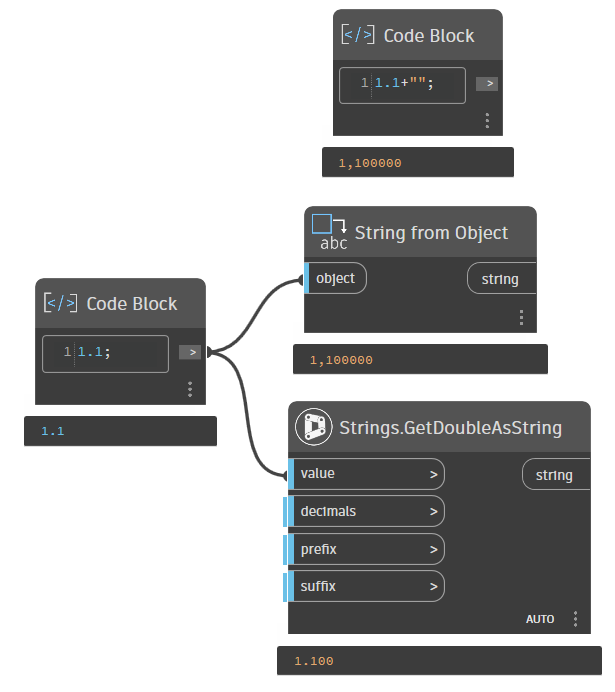
I have noticed that the String from Object node uses a comma instead of a dot since version 2025. My Region settings and keyboard layout are both in German (Switzerland) so the decimal separator is a dot.
This works without any problems, but the problem is that a customer of mine (with the same installation) gets a point. And so we can’t work with the same scripts without querying all values. So it would be interesting to know where the setting comes from.
AutoCAD always use a point, survey data uses a point, so everything works better if no commas are used. Probably I can set it to a point, but then I am not sure if clients can use my graphs or my applications if other conversions happen.
Because I am pretty sure I’ve seen also other results, that a comma is used in the output. But does that happen after a while and some other app has changed country settings or AutoCAD settings internally? I don’t know.
I’ve seen screenshots of the Photo Exif data node from my package, and where I clearly see a point in my graph, the client sees a comma. My computer is set to Dutch notation (a comma), his computer was set to Fench (also a comma). I’ve tried everything in the code to prevent the comma used, but nothing worked. I still don’t have a clue why I see a point, in contrast to my country settings and someone else sees a comma, according to his country settings.
It is absolutely not clear what Dynamo does, nor if it is Dynamo that does these weird things. But if Dynamo shows a comma, while a point should be expected (why doesn’t the Code Block use a comma but only in the conversion to a string), I would’t blindy trust that thousands seperators are not applied
There was a thread the other day asking for thousands separators the other day and the solution was “manipulate the strings” which wasn’t easy… Glad I didn’t steer them wrong.
Dynamo for Civil 3D will use a comma or a decimal point depending on your language setting. Guessing you’re using English? Try Spanish and you should get this:
No, it is forced to use en-US with dot notation, because commas can cause unexpected problems. AutoCAD also uses a point, in fact everything here in NL except Excel.
But maybe it is a good idea to add a few optional input ports for the culture.

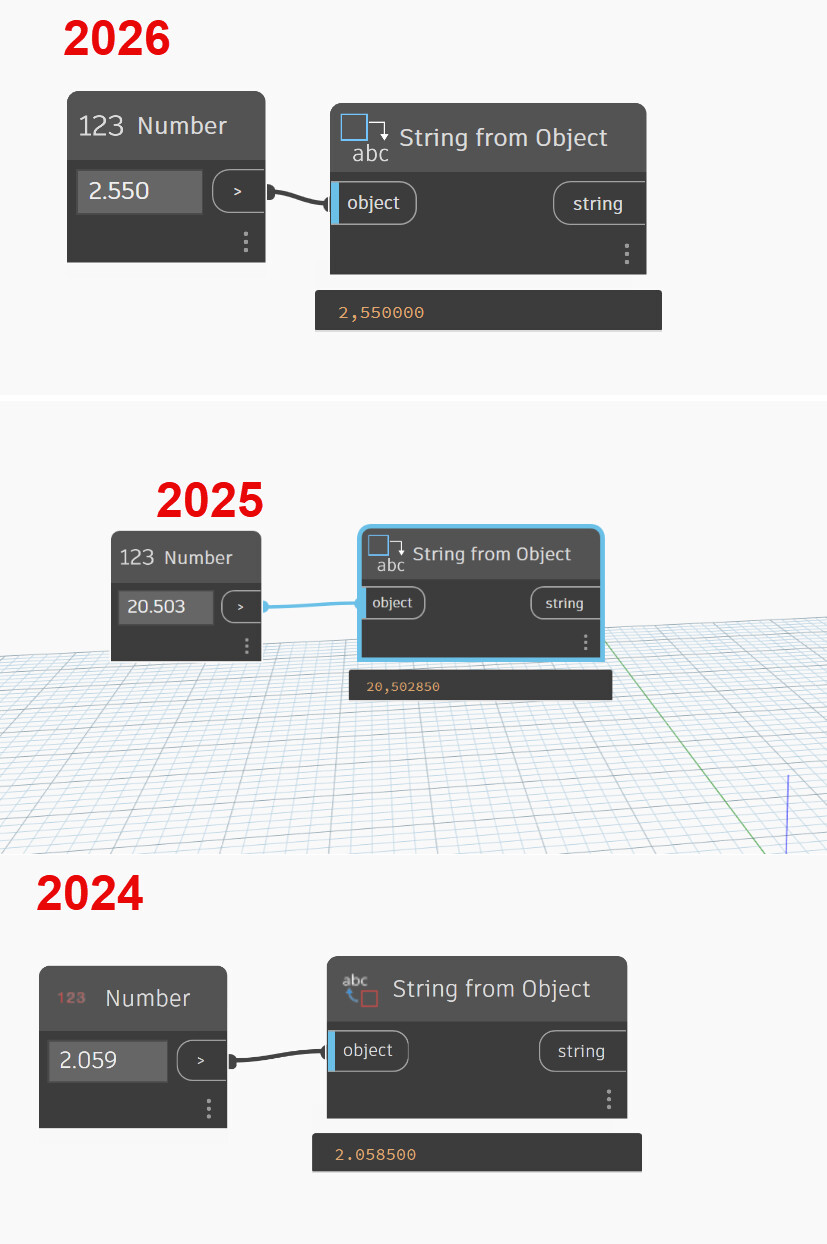


 I thought Windows regional settings…