Hi everyone,
I’m trying to import point data into Civil 3D using Dynamo, but I’m stuck and would appreciate help.
My source file is a cleaned TXT/CSV point file with rows like:
607511001,4954.8802,4699.9585,113.2048,MUR
My current workflow is:
-
Script reads the file.
-
List.Transpose organizes the data into columns.
-
List.GetItemAtIndex pulls out the fields.
-
Point.ByCoordinates creates Dynamo points correctly.
-
I tried using a Civil 3D point node after that, but no COGO points appear in the drawing.
What I can confirm:
-
The Dynamo Watch node shows valid Point(X = ..., Y = ..., Z = ...) output.
-
The Python script is working.
-
The data is clean and separated by commas.
-
Civil 3D still shows no imported points in Prospector or in the drawing.
What I’m unsure about:
-
Should I be using CogoPoint.ByCoordinates directly instead of Point.ByCoordinates?
-
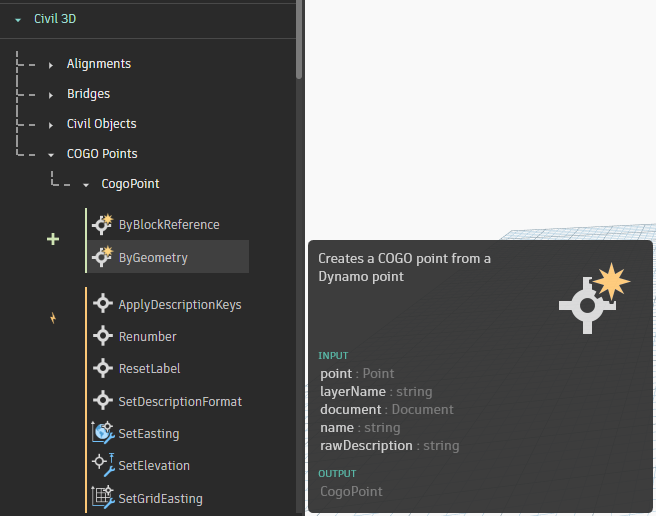
Is CogoPoint.ByGeometry required, or is that unnecessary?
-
What is the correct node chain for creating actual Civil 3D COGO points from a TXT/CSV point file?
-
Is there a document/context step in Civil 3D that I’m missing?
If anyone has a working node chain for importing point files into Civil 3D, I’d really appreciate it.
I can also share screenshots of the graph and the file format if helpful.
Hi Nicolas, welcome to the forum 
Please take the time to review the forum FAQ → How to get help on the Dynamo forums
Without a screen shot of your workspace it’s going to be reasonably difficult to understand the flow and context of you graph.
Point.ByCoordinates is a Dynamo node, it will not create a point in the DWG, however you appear to be on the right track with the CogoPoint.ByGeometry
Welcome to the forum!
This thread has examples of importing from CSV and TXT and how to make COGO points.
Here it is! And my file Im trying to import
Hola amigo @nicolas.kokkinisLT7Z buenas, you’re doing evrything rigth, but you’re creating only dynamo points, you will only see them in dynamo back ground, use the node that @Mike.Buttery shows you to create the COGO Points in autocad!! 
@nicolas.kokkinisLT7Z
have you tried the built-in COGO point importer in Civil3D ?
I’m pretty sure it could work with your data format, assuming the columns are some thing like:
pointnumber, x, y, z, description
Do I actually need to create the Dynamo points?
What is the ultimate goal of this? C3D can already create COGO points from a CSV or other text based file. If you’re manipulating the points or description in Dynamo, then you can use it to either create the COGO points directly using CogoPoint.ByGeometry on your Dynamo points or export the Dynamo points to a CSV then import that into C3D.
The ultimate goal is to batch import multiple files from a dedicated folder to Civil 3d, render them on the correct layer and the correct PointGroup
I got the multi file import working, now trying to get them to the correct layer and correct PointGroup
C3D already has the ability to do what you want. Goto Home>Points>Create Points. From that toolbar, click the last button for Import Points. This dialog lets you select multiple files at once, pick the point file format, then add to a point group.
The Create Points dialog also already has the ability to set what layer the points are going on. If you use a Description Key then you can also filter what points go onto what layer and what style they use. No need for Dynamo for any of this.
Yes man, the node is is asking for a geometry, so you must provide a point mandatory, you can use also BlockReference, it will take the insertion point of this BlockReference, see the positive side like this you have a preview in dynamo to analize your data before create it, if you want evoid frustration and save time i suggest you to search infromation about list and levels topics, it will helps you to manage the points in the correct groups and layers, also like @Cadguru42 says, there’s a lot of tools in C3D to work with diferent elements, try to explore them a little bit!
yes, I agree with you @Cadguru42
I see a few posts on this forum where the ADSK developers have already done the hard work and it is built into Revit/C3D
Yes thank you. I know and already use this feature.