Center a window between two perpendicular walls?

I’m new to Dynamo and wanna force myself to learn, so I wanted to start by creating a script that can center a window between the exterior face of two perpendicular interior walls. Seems like a simple script but I don’t know where to even start. I know I want to select the existing window in Revit, but I don’t know how to then have it find the closet perpendicular walls and center itself between them.

Here is an image that should properly explain what I hope to do:

Hi,
It is easier to show some work on your part to have a chance of response (and/or) guidance

here is a screenshot

the use of Element.Face can be used instead to have the closest faces
which intercept the LocationLine
an enlargement of the surfaces will be considered in relation to the middle of it

Sincerely
christian.stan

2 Likes

I would try get the these dim lines and get the center and probably move the window by vector
and hope it still cut ;:wink: in that situation, I think :wink:

2 Likes

Ï think something here maybe :wink:

8Ev0FQzok0

1 Like

Hi,
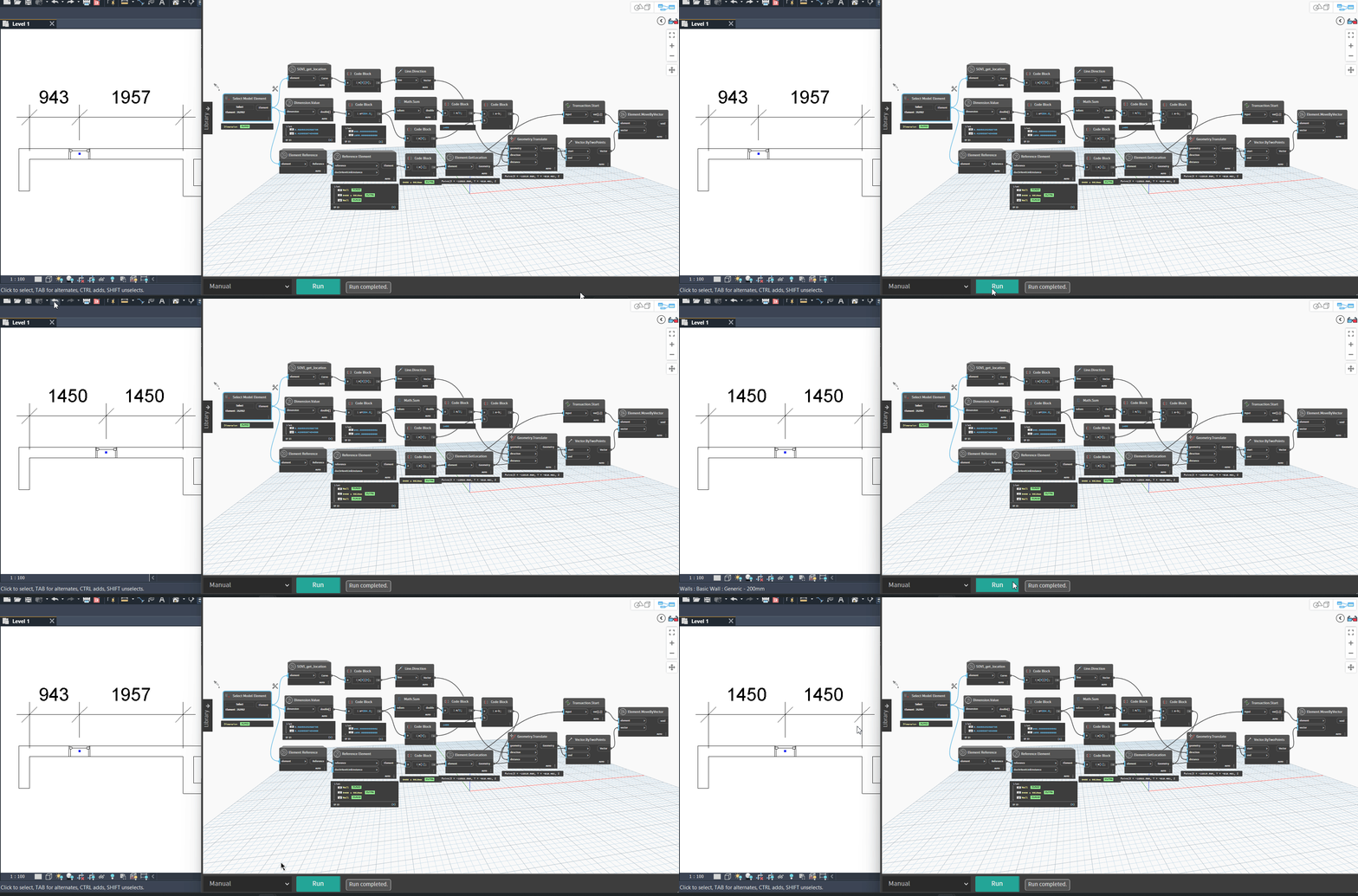
Inspired by Mr. sovitek’s answer, I tried via API
use of the
Dimension Class Property
I am constantly learning
this can definitely be improved
explain move window
Script Python:

import sys
import clr
#Import the class you want to use for Method and Properties
clr.AddReference("RevitAPI")
import Autodesk 
from Autodesk.Revit.DB import Dimension,Transaction

#Unwrap the Element
dim=UnwrapElement(IN[0])
#Get the document
doc=dim.Document
#number of segments have the dimension
nbsegments=dim.NumberOfSegments
#Create a transaction to modify
t=Transaction(doc,"Move the window by Dimension Properties")
if nbsegments==2:
    t.Start()
    # Set the equality to Dimension Properties
    dim.AreSegmentsEqual=True
    t.Commit()
    t.Start()
    # Set the equality to Dimension Properties
    dim.AreSegmentsEqual=True
    t.Commit()
    out="The window is move on center"
else:
    out=" One or more than 2 Segments in dimension"

OUT = out

Sincerely
christian.stan

1 Like

hi, here is a possibility with the ReferenceIntersector class, you need material when your ray hits your face
otherwise problem

The whole thing can be improved

import sys
import clr
import System
from System.Collections.Generic import List
clr.AddReference("RevitNodes")
import Revit
clr.ImportExtensions(Revit.GeometryConversion)
clr.AddReference("RevitServices")
import RevitServices
from RevitServices.Persistence import DocumentManager
clr.AddReference("RevitAPI")
import Autodesk 
from Autodesk.Revit.DB import *

points=IN[0]
vectors=IN[1]
vue=UnwrapElement(IN[2])

filter=ElementCategoryFilter(BuiltInCategory.OST_Walls)
refintersect=ReferenceIntersector(filter,FindReferenceTarget.Face,vue)
ref1=refintersect.FindNearest(points[0].ToRevitType(),vectors[0].ToRevitType())
ref2=refintersect.FindNearest(points[1].ToRevitType(),vectors[0].ToRevitType())
ref3=refintersect.FindNearest(points[0].ToRevitType(),vectors[1].ToRevitType())
ref4=refintersect.FindNearest(points[1].ToRevitType(),vectors[1].ToRevitType())
bord1=[ref1.GetReference().GlobalPoint.ToPoint(),ref2.GetReference().GlobalPoint.ToPoint()]
bord2=[ref3.GetReference().GlobalPoint.ToPoint(),ref4.GetReference().GlobalPoint.ToPoint()]
OUT = bord1,bord2

sincerely
christian.stan

1 Like