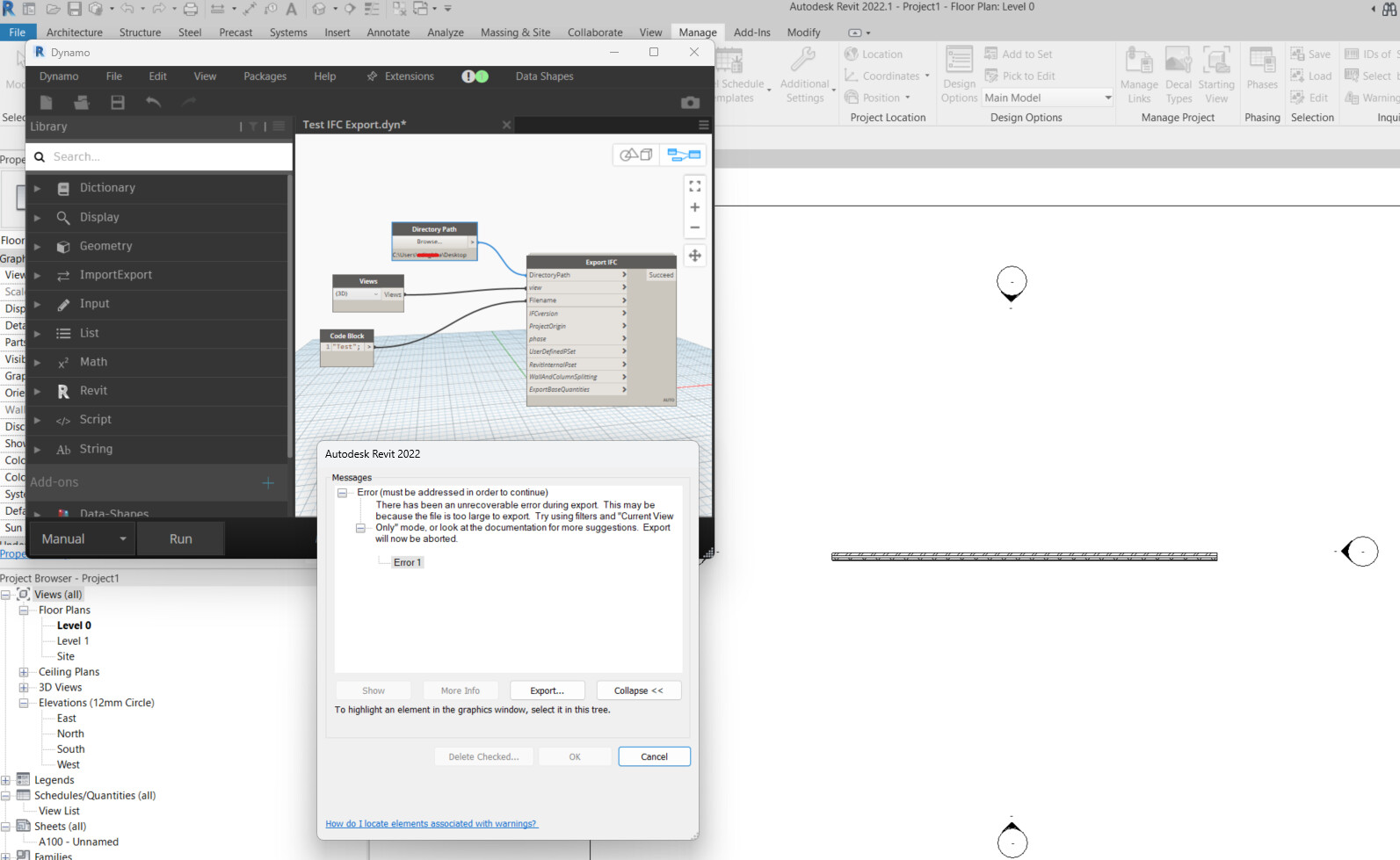
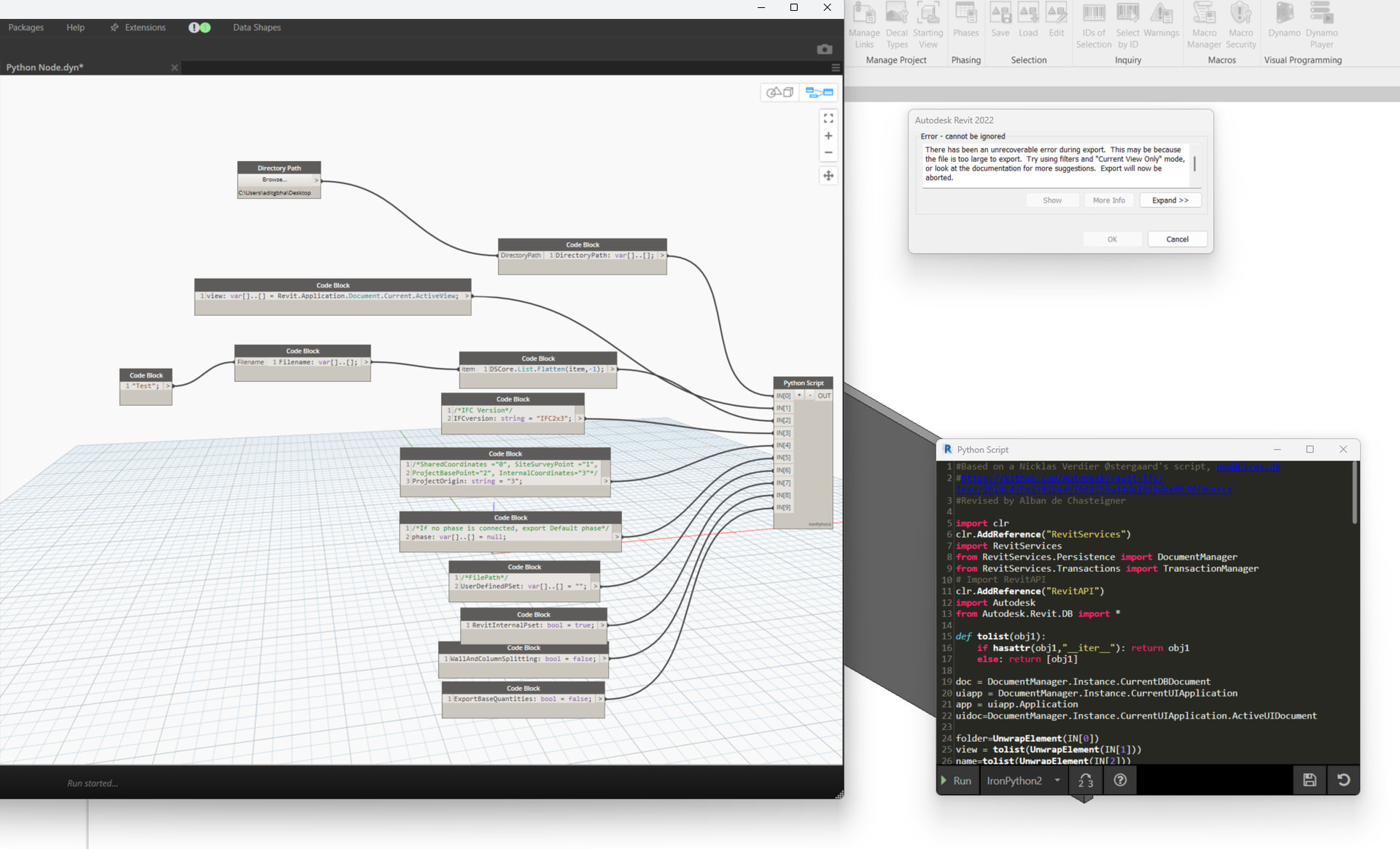
First post here on the forum, since I could not find anyone else facing a similar problem. I set up a pretty complicated script to automate IFC exports for my company primarily using the Export IFC node from the Genius Loci package. It worked like a charm for a few times, before randomly and suddenly giving me the following error: “Error 1: There has been an unrecoverable error during export. This may be because the file is too large to export. Try using filters and “Current View Only” mode, or look at the documentation for more suggestions. Export will now be aborted.”
After getting this error once, it is as if the script breaks completely and all subsequent exports still fail in the same way. I even tried to simplify the script and model but still getting the same error (as in the screenshot)
Some things I have tried and noticed (but none of them have worked) :
- I get the same error regardless of the Revit version or the Dynamo version (tested on Revit 2022, 2023, 2024)
- Already tried resetting Dynamo by removing all installed packages and Dynamo settings files
- Tried disabling all Revit addins (including BIM IFC Export updates from Github)
- Installed a new version of Revit
- IFC exports from the in-built Revit export tool occur fine, seems like it only fails when it is triggered through Dynamo.
Any clue what might be happening? It is quite annoying since the actual script worked beautifully for a day and now it suddenly decided to give up on me  Wasted quite a lot of time with troubleshooting it myself, but I am not sure what else to try at this point.
Can you share one of the files that’s failing? I’m guessing the file itself is not the issue since it sounds like you’ve tested this on new models since the error occurred, but it’s still worth ruling out.
If the Export IFC node is just a python script, you could try running just the python node in place of the custom node and watch for any errors. A custom node won’t surface any of the errors occurring within the node itself, but if the python code is failing on something specific you might be able to get a little more context as to what’s happening.
Hey Nick. Thank you for the prompt response. Highly unlikely it is a problem with the Revit file. The file in the screenshot (and what I am testing with now) only has a generic wall, and nothing else, because I wanted to test with the simplest possible geometry.
I tried to run the Python script itself keeping all the inputs the same, but seems like I am still getting the same error. It seems that the script itself goes through with the inputs successfully without any errors, then it is Revit that gives the error message, and once I click cancel (since it is the only option available), the script completes it’s run and I get a “Success” message if I put a Watch node in the end of the script.
Can you export to IFC manually with the same (or similar enough) settings?
Indeed, I am able to do that (as I had mentioned in my initial post). When I go to File > Export > IFC, and put similar settings, I get the export to happen just fine. Seems like it does not work only when trying to export using Dynamo.
Sorry for the silence, I had broke out for quite the lengthy Christmas vacation. But I thank you for all the inputs, and wishing all the contributors a happy new year.
I think I figured out what the problem is. I was looking through the Python code for the Export IFC Custom node from Genius Loci and changed the comma to a decimal point in this particular line:
options.AddOption(“TessellationLevelOfDetail”, “0.5”)
In the custom node, the setting is “0,5”. I suspect that since the regional settings on my system is set to read a point as a decimal separator and not a comma…it was somehow breaking the script. But I am not sure…because this makes me wonder if this should be a more common issue faced by users of this node around the world, where the separators change based on regional settings. Shouldn’t the code have a point as the decimal separator by default? AFAIK, if the input uses a comma, then it needs to be handled explicitly 
The package author hails from france I believe; so maybe related. Would have thought a regionally driven separator might be needed though, maybe an error - easy to make i imagine whilst juggling the standards…
@Alban_de_Chasteigner