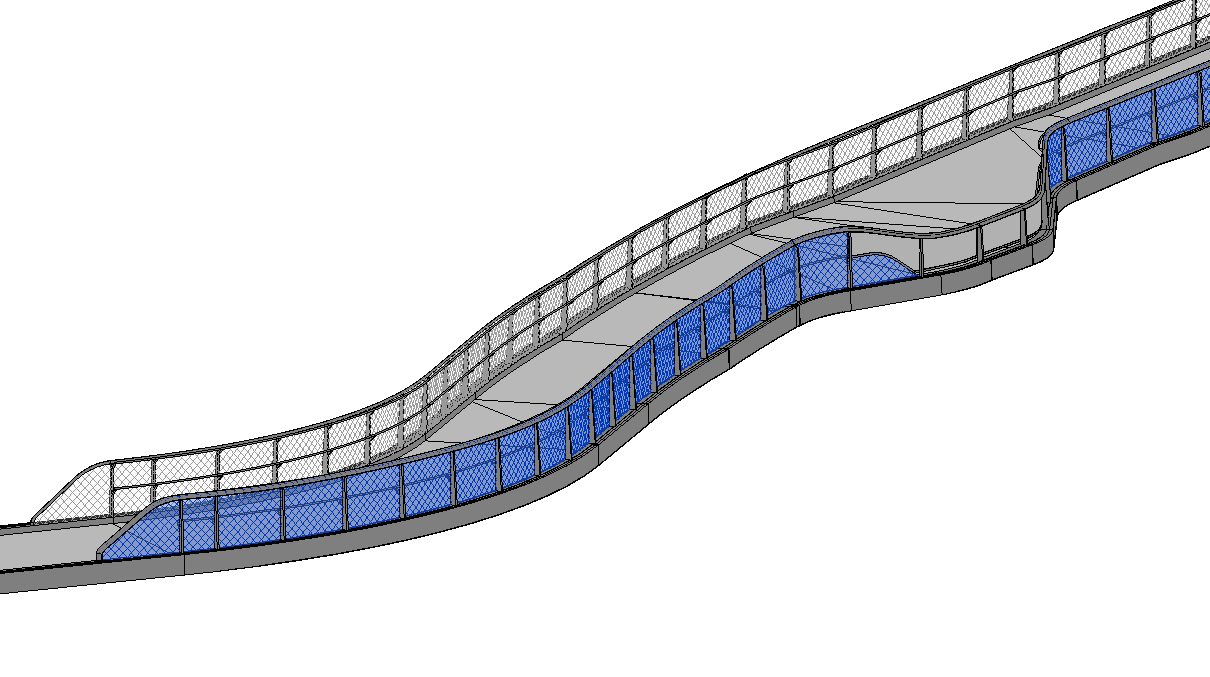
I am trying to unfold curved wall into a straight line on a drafting view. My current problem is that I’d got dynamo to read the outer perimeter of the wall and join it as a polycurve and pulled onto plane. Before converting it into detail curve on drafting views i need help on straightening the curve into a straight line. it should look more like a rectangle rather than square (current result). Any helps on pointing me towards the right direction is greatly appreciated. Unfold Curves.dyn (24.6 KB)
I understand what you’re after, but I don’t understand why… What’s the purpose of creating such a drawing?
DynamoUnfold is likely a good direction to go, as you’re removing any semblance of accuracy in the drawing so tessellating the shape likely isn’t an issue.
Hi,
Im working on a bridge model. I need to provide shop drawings to manufacturer so that they can laser cut the mesh screens. It needs to be present in unfolded length elevations drawings.
Check if the Isocurves are XY and Z aligned (hopefully) and you can pull the length of those curves to build the shape as a flat elevation. Then you can then map the intermediate curve to UV values where you have the ‘dip’. You can then use the UV values to map the curve onto a rectangle with the U and V dimension pulled from the isocurves.