Hi guys, i have a MEP model which i have a generic family i want to get the survey point of it as X and Y using dynamo, I also cant get dynamo to read the survey point of my project as its by shared coordinates.
Hello, and welcome. Sorry, it’s not clear what you mean by “get the survey point”. Do you mean you want to get the coordinates of the element’s position, relative to the project’s survey point, or something else?
Hi, thank you for your reply. yes exactly the coordinates of the element’s position relative to the project’s survey point.
Cool! There’s a node by Genius Loci that does exactly that:

I don’t know if the package is updated to Revit 25/26 and haven’t tried it, but maybe it still works.
For reference, when I first needed this, I found the answer in this video by @GavinNicholls

Cheers!

Weird… Which version of Revit and Dynamo are you using? Maybe someone like @jacob.small can wheight in, cause I don’t know the first thing about it.
Hi,
a solution with Python
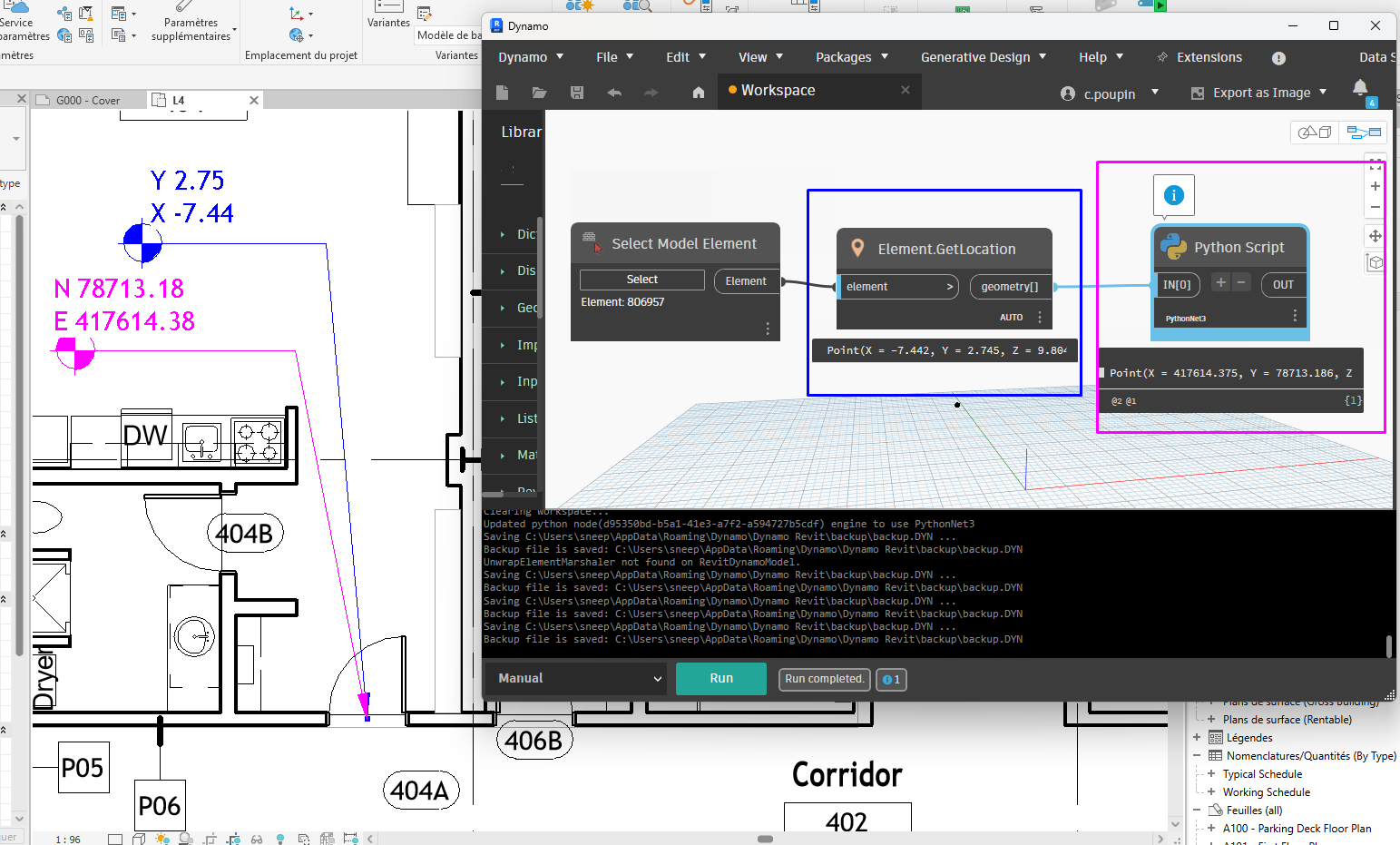
import sys
import sys
import clr
clr.AddReference('ProtoGeometry')
from Autodesk.DesignScript.Geometry import *

#import Revit API
clr.AddReference('RevitAPI')
import Autodesk
from Autodesk.Revit.DB import *

clr.AddReference('RevitServices')
import RevitServices
from RevitServices.Persistence import DocumentManager
doc = DocumentManager.Instance.CurrentDBDocument

clr.AddReference('RevitNodes')
import Revit
clr.ImportExtensions(Revit.GeometryConversion)

toList = lambda x : x if hasattr(x, '__iter__') else [x]

lst_DSPt = toList(IN[0])
out = []

for pt in lst_DSPt:
    pt = pt.ToXyz()
    #translate point from  Internal to Shared coordinates
    translatedpointB = doc.ActiveProjectLocation.GetTotalTransform().Inverse.OfPoint(pt)
    out.append(translatedpointB.ToPoint())
OUT = out
I wrote an article about this that might help you.
Perfect, just what I needed 