I made a button that copies packages from a shared location to the users roaming folder.
I tested it for Revit 2024.
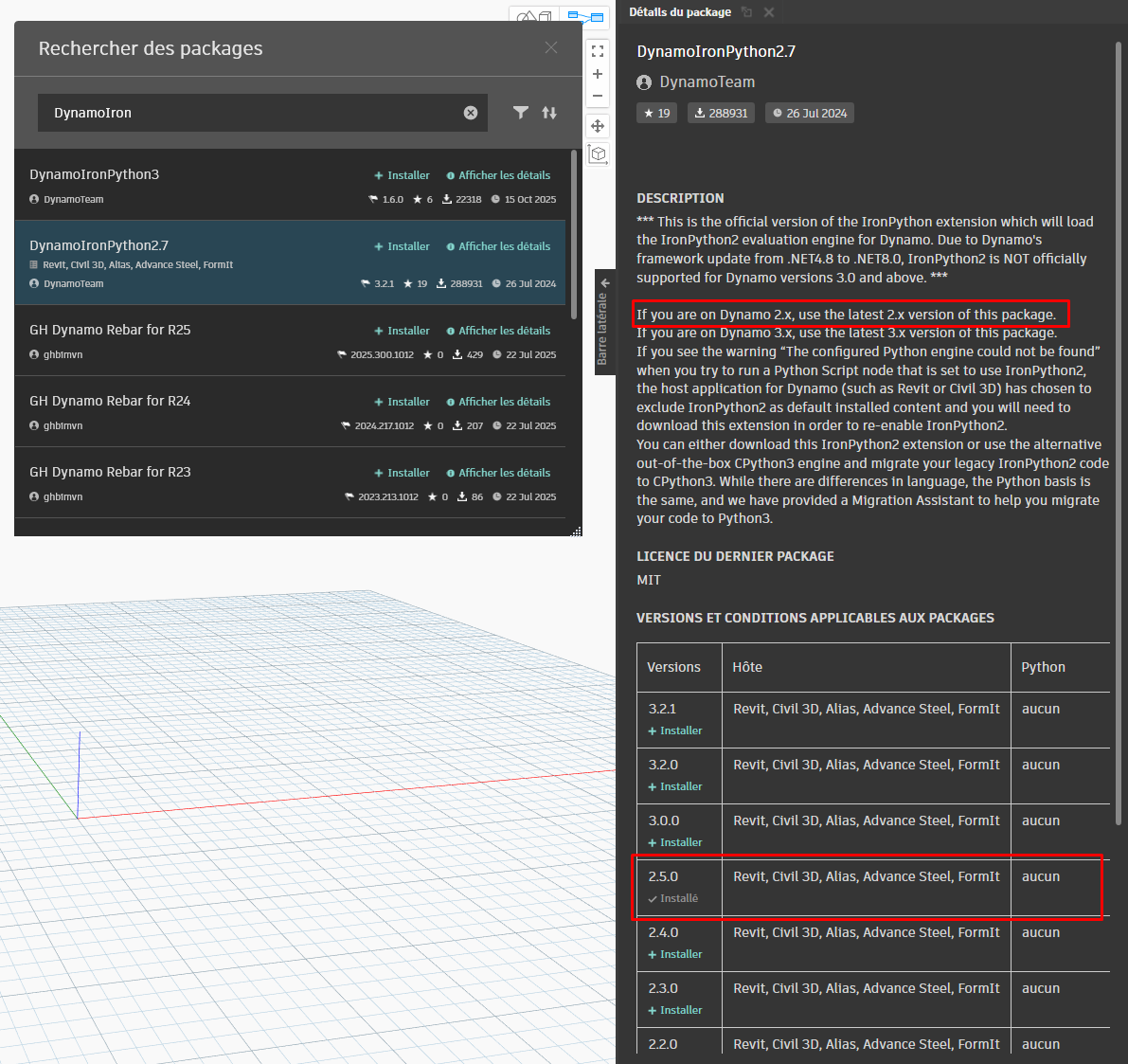
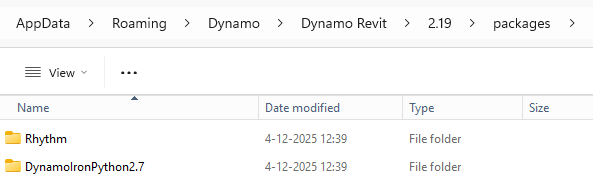
For most packages it seems to work except for Rhythm and DynamoIronPython2.7.
This user has never used Revit 2024 before
(and Dynamo).
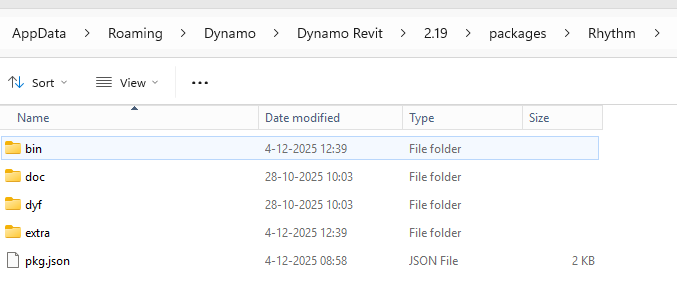
If you do a copy action for Rhythm, you need to make sure that there are no DLLs in the bin folder, except for the ViewExtension.
Rhythm loads the correct DLLs on the fly when Dynamo is opened, so if you are pushing those DLLs out, you are giving them the wrong version potentially.
Download the latest version of Rhythm from the Package manager website directly and put that in your deployment folder.
The folder should look like this that you put in your deployment location:
Any thought on the DynamoIronPython2.7 also not loading when copied @john_pierson?
PS
I assume Dynamo is opened in the backgroud when running scripts from a toolbar
using Data-Shapes? So people don’t have open Dynamo at all for the .dyn to work when running a .dyn from the toolbar. This is kinda new territory for me (toolbars via PyRevit).
FYI
I copied all the packages from folder A to folder B.
Then i tried running the .dyn from the toolbar.
When the .dyn didn’t work i openend the .dyn in Dynamo and saw the behind the
IronPython package (and Rhythm). So i assumed they didn’t load at all. Didn’t do anymore troubleshooting (yet), so i don’t know if there any warnings . I hope getting the packages to load solves everything.
PS
I am using Erik Frits method to make the toolbar.
So using PyRevit. So i was wondering if the .dyns would run without the user having ever opened Dynamo.
So i hope there aren’t too many pitfalls using
this method.
I would t put any effort into PyRevit toolbars until they completely strip IronPython2. Having the Dynamo package and/or PyRevit (with it’s dependency on IronPython2) is just incurring more and more technical debt which will come due in potentially catastrophic ways.
Then the topic title reads; Package doesn’t load after manual installation.
In this case DynamoIronPython2.7.
By manual installation i mean download the package from dynamopackages.com and unzip it in the correct folder.
PS
Now i think about it.
I didn’t try / test one thing yet. Restarting Revit
after the ‘manual’ installation .
Will do that tomorrow.
PPS
I will look at Relay and explore alternatives for making a toolbar.
Forgot to mention DLLs are unblocked.
Already checked that.
PS
I am also experimenting a bit.
Thinking of copying / replacing the DynamoSetting.xml file.
So having a Template .xml with placeholder names and paths and replace those with the correct username and paths (using a .py).
Not sure if there are any pitfalls going that route .
PPS
If you are wondering why i go through all this trouble. The biggest issue is for people to install the correct Packages or add Package paths themselves (though i also seen Packages not load from custom Package paths).
However if you experiment with everything at once you’re going to spend years before you give up without a solution.
Control your variables. In this case that means work with the easy button you’ve been given.
For now:
Open the the ‘control’ environment (one computer with all the configurations you like) and ensure all packages you need are set up correctly.
Validate all packages load by building a ‘test’ graph with one node from each package and save it as “RevitVersion_DynamoEnvironmentTesting.dyn” on a common network location. Seems crazy, but you’ll want this later.
Close Revit.
Rename the packages directory on the testing environment to be “thisIsWhatIWant”.
Launch Revit, open Dynamo, and open “RevitVersion_DynamoEnvironmentTesting.dyn” from the network. Every custom node should fail to load which means we can confirm you don’t have any remaining artifacts. Quit Revit.
Copy the “thisIsWhatIWant” directory and name the copy “ToDepoly”
Modify the ‘to deploy’ contents for Rhythm as noted by @john_pierson above.
Zip the folder’s contents as “packages.7zip” (to avoid the security issue).
Extract the 7zip contents (the folders which have pacakges) to a new ‘packages’ folder
Open Revit, launch Dynamo, and open “RevitVersion_DynamoEnvironmentTesting.dyn” from the network. Every custom node should load, whcih means the extracted contents works.
Copy the 7zip to the network in a common location and name it "RevitVersion_DynamoEnvironment.7zip)
Build a tool (.bat file, command line app, etc.) which clears the user’s packages folder and all contents, extracts the 7zip into a new packages, and then let’s them know what was done.
Teach staff to validate the environment by opening the “RevitVersion_DynamoEnvironmentTesting.dyn” file as that is your first step in any ‘graph won’t run’ problem.
Retire happily in 40 years, being glad you only had to manage dynamo packages instead of nugets and more complex dependencies.
I did some digging. We copied Packages from a roaming folder to a network folder and maybe the DLLs got blocked after all (although the checkbox says otherwise).
Not 100% sure though as i am not an ICT guy .
When i copied a Package (archilab) from the network folder back to the roaming folder
(clean Dynamo) it didn’t load.
Packages that did load;
MEPover, Springs and SteamNodes
So the zero touch (DLL based) packages are failing.
And this is why I recommend having the testing file - easy to narrow down now.
As a heads up, it’s likely the IronPython is also not loading so many of the packages which ‘work’ might be failing internally.
Best to partner with your Citrix admins / provider as they should be able to set up the copying for you in such a way as to prevent the issue. They’d also likely have looked at what you were doign and quickly thought ‘those are DLLs so we have to do ___ to prevent them from being blocked’, so this is also a case of ‘Always partner with your network admin/IT when building distribution tooling as only they know the security issues put in place’.
If for some reason you can’t work with them (raise that to your boss’s boss’s boss as it’s a huge red flag), the 7zip method above should prevent blockage on most systems as the files are moved in another format.
 .
.

 .
.

 .
. behind the
 . I hope getting the packages to load solves everything.
 .
.



 .
.