Hi
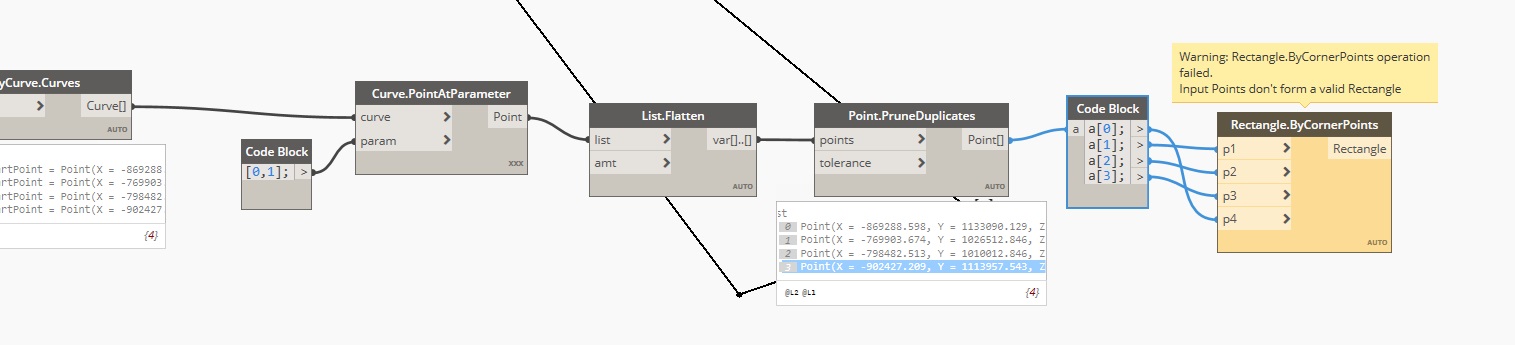
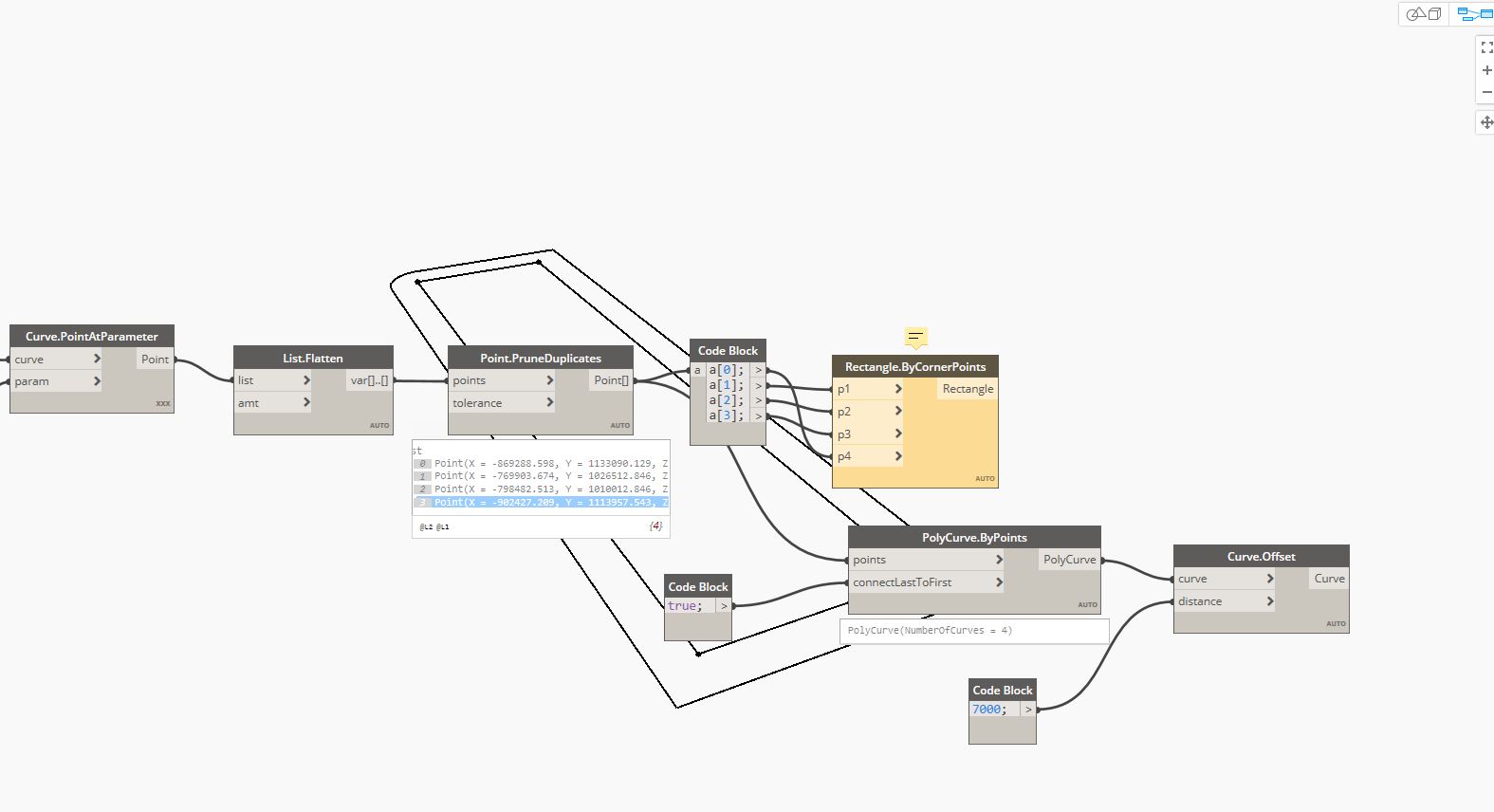
I an trying to offset a simple rectangle [EDIT: not a rectangle just 4 straight edges] polycurve, but the offset produces round corners.
How can i get sharp corners?
Do you get the same result if you extract the 4 corner points (Polycurve curves, Curve Start and End Points, combine and flatten list, Prune duplicates, sort order to perimeter non-branching) and build a Rectangle object and offset that instead?
how would you do that? manually?
The node  _Sort Points as Perimeter from the Sastrugi package can sort the points.
But as it is not a rectangular shape, have you looked at this post?
Or this one, as the shape displayed as working is consistent with yours.
I do not see immediately how these topics relate to mine.
However, in the meantime I built a ‘manual offset’ method. Quite ridiculously devious but i think it works.
Still, if anyone has an immediate answer to my original question (Why are the offset corners round???) then please.
@Ewan_Opie thanks anyhow!
I just realise that the method above will only work for basic shapes.
Any irregular shape and it will probably fail…
Still need a clean way to get a simple offset fixed.
Can you share the dyn and the content required to reproduce this?
@jacob.small Sure. (thanks for your help. much appreciated.)
here is a download link
Hi, are you working in Geometry Scaling Large or XL? Based on the coordinates Geometry Scaling ‘Medium’ will transform your geometries.
@GinoKoolman U the man! Thanks a lot.
Hi @jnoordzij
Is your issue solved?
I believe so, yes. Thank you.
EDIT: make that a definitive yes. Thank you all.