Hey everyone,
I know it’s been done before, but I want to make my own script and I can do most steps except one. My current steps are:
Select linked file
Preload Opening Family
Run clash detection
Compare categories in our model with Linked File Walls (or Floors).
Place Opening Family at the clash point
Rotate Opening Family
Set Opening Type and size based on the element that clashes with the Linked File Walls
Current issue
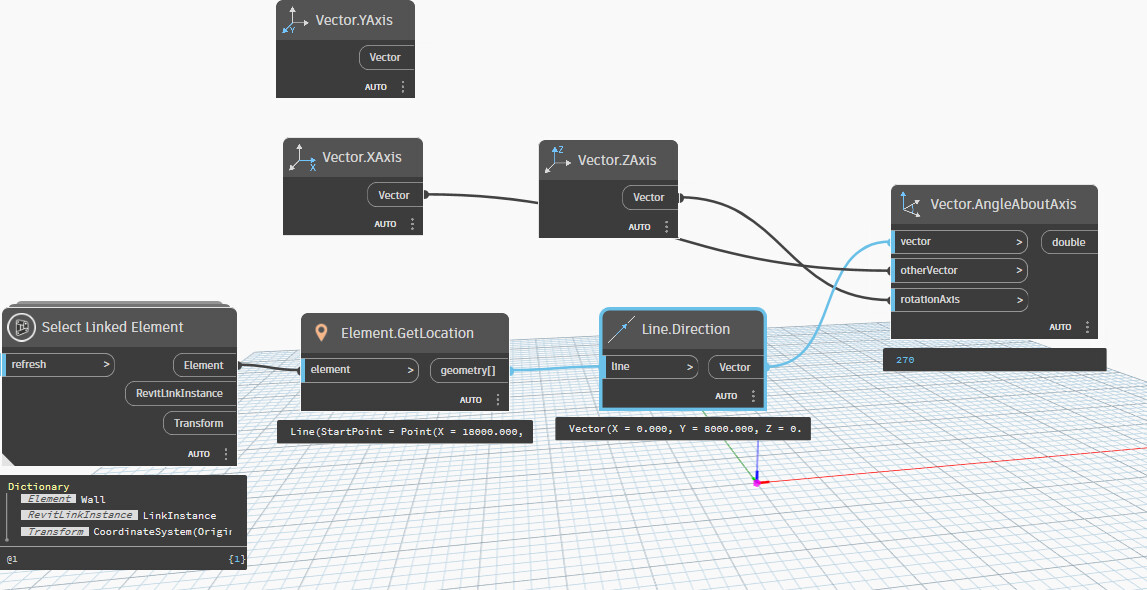
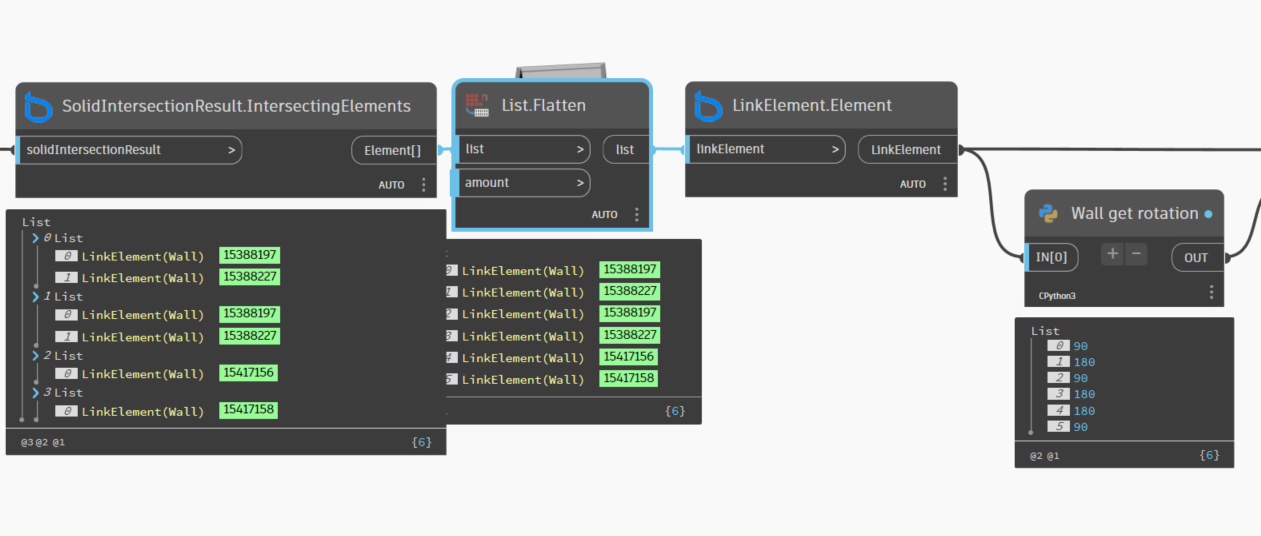
I’m stuck at step 5, getting the Wall rotation to apply correctly so the Opening Family aligns with the wall orientation.
If anyone has experience retrieving wall rotation angles from a linked file and applying them to a placed family, I’d appreciate some guidance or sample code.
import clr
clr.AddReference('RevitAPI')
from Autodesk.Revit.DB import *
import math

def WallRotation(wall):
    # Get wall orientation vector
    ori = wall.Orientation
    # Compute angle from X-axis in degrees
    angle = math.degrees(math.atan2(ori.Y, ori.X))
    # Normalize to 0–360 range
    if angle < 0:
        angle += 360
    # Round to 1 decimal place
    return round(angle, 2)

walls = UnwrapElement(IN[0])

if isinstance(walls, list):
    OUT = [WallRotation(w) for w in walls]
else:
    OUT = WallRotation(walls)
It is based on the Geniusloci: Element GetRotation. I don’t know why it didn’t work before. Perhaps I was missing a Python dependency
Note that the Orientation property is the outward facing direction at the start of the wall. This means you’re going to have some headaches should the wall be curved. This is fairly likely to need to be reviewed.
Less important for many workflows, but very impactful in some, you might want to check to see what happens with rotated link instances.
It’s just to align wall openings. Placing all of them aligned with the wall the ducts and pipes are cutting. So curved walls are so incidental, they will have to be manually checked anyway.
It’s just to align wall openings. Placing all of them aligned with the wall the ducts and pipes are cutting. So curved walls are so incidental, they will have to be manually checked anyway.
thats great ; i just like use ootb so much i can, so i dont have to maintance python sripts in future versions…just my opinion
im not sure its a void or real wall opening you want to place ? all depends on how you wanna do it…here is something i normally do, and just create a dyf for it…will probaly need some edit for curved, not sure…(Problem with rotation of wall openings - #6 by sovitek)
yeah thats best…imo and as void but keep in mind you cant cut anything on the link…so 2 option save these voids import into arch/struc model and cut…or do it from struc/archs side with linked mep model…depends
Incase it helps for future reference or others, I like to keep stuff that’s associated to an object as a face based family when I can to reduce overhead calculations around hosting and the like when possible.
As such I would have looked into HostObjectUtils.GetSideFaces which would give the reference to the inside or outside face of the wall as desired. From there a face based family for your opening is just a quick call to NewFamilyInstance(Reference, XYZ, XYZ, FamilySymbol) with the first XYZ being the location point, the second XYZ being the rotation angle of the family on the reference face (I’d likely just use the global Z axis for walls, global X axis for floors/roofs), and the family symbol would be the family type.
There might be added complications for links in there, but it’s a pretty nifty workflow for other items that are similar in nature,
 in future versions…just my opinion
