Hi everyone,
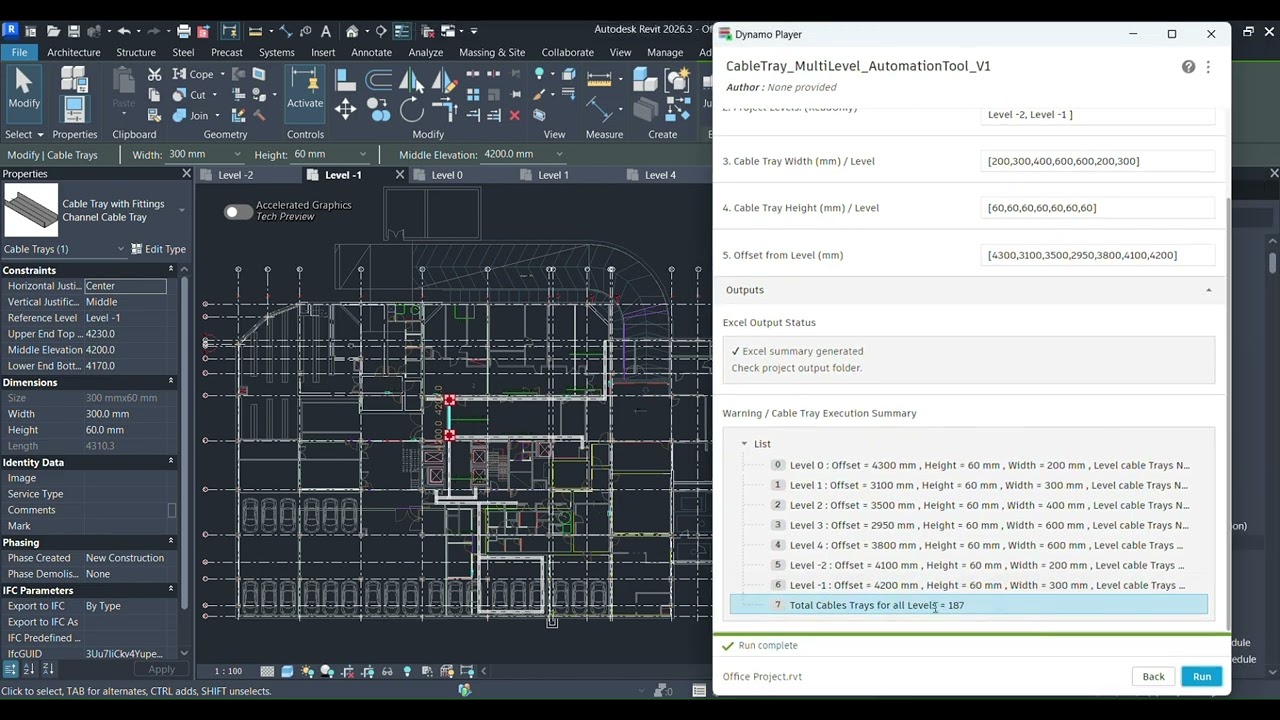
I’ve been working on a Dynamo tool to automate the process of drawing cable trays for multilevel projects in Revit. The idea is to save time and effort by automating this tedious task with just one click. Additionally, the tool generates detailed reports on the cable tray layout.
Key Features:
Automates cable tray layout for multiple levels in Revit
Generates comprehensive reports for cable tray design
Saves time compared to manual drawing
Fully integrated with Revit
I’d love to hear your thoughts, feedback, or if you’ve worked on similar tools! Anyone interested in trying it or have any suggestions for improvement?
Check out the full demo on YouTube:
Hello @jacqueline.fanous and welcome to the forum, I guess the community would love to come with some feedback, but hard to say what we should give feedback on, if you dont share your graph so we can see how its build…welcome 
Thanks for the feedback.  for now, I’m sharing the concept and results rather than the full graph , as the workflow is still evolving. I’d really appreciate feedback on the overall approach and how others tackle similar automation problems in Revit.
This.
Now i just think, cool and probably forget about.
What do people have to do if the wanna try it?
Thanks! but as I said, till now the workflow is still evolving, so at this stage I’m focusing on refining the approach rather than distributing the tool. I’ll definitely share updates once it’s ready.
1 Like
Hi,
Unless it is an existing building with existing plans in DWG format, I think it is quicker to trace the cable paths directly in Revit.
In the future, I was thinking of perhaps automating the cable paths according to design rules.
For example:
an Idea is to use Generative Design for this (or why not, Image Analyse with IA)
1 Like
Vasa’s path analysis tools are useful for this at both the ‘level’ scale and even the urban scale.
2 Likes
@c.poupin Thanks for the feedback.
Rule-based or generative routing is an interesting idea and could be explored in future iteration
This tool addresses a common day-to-day production workflow: reducing repetitive manual modeling of cable tray paths across multiple levels using consultant-provided DWG layouts.
The Dynamo graph is intentionally kept simple, focusing on speed and reliability rather than complex routing logic.
On large projects, tasks that normally take hours can be completed in seconds (for example, around 17 seconds for 7 floors).
@jacob.small VASA tools are very interesting for spatial path and circulation studies.
This tool, however, focuses on production modeling in Revit, generating cable trays directly from consultant DWG layouts across multiple levels.
I guess the point that both @c.poupin and I were making is that there is no need for redoing the other team’s work if you remove the ‘draw it first in cad’ phase of the workflow.
Generally the industry is moving past workflows which repackage work done by others; consultants who draw in CAD are becoming rarer, and even those who draw the routing by hand in a BIM tool are rapidly being replaced by automations which find the path.
None of this is to say your workflow is bad; just that two seasoned veterans in the space recommend you look beyond conversion and into automation.
2 Likes
Thanks for the valuable feedback
Creating a new fully automate cable tray tool routing will be my next plan
2 Likes