How can I remove the red-marked items from the list? I want to keep only the remaining items.
0 list -1
1 list -1
2 list-1&2


Most nodes will accept negative indices. A negative index means that you index from the end of the list instead of the front. Removing the indices [0,-1] will remove the first and last items for you.
7 Likes

Thank you very much. I will try your suggestion

That was my first thought as well, but since I was not sure about this node, I did a little test and it an it didn’t work.
1 Like
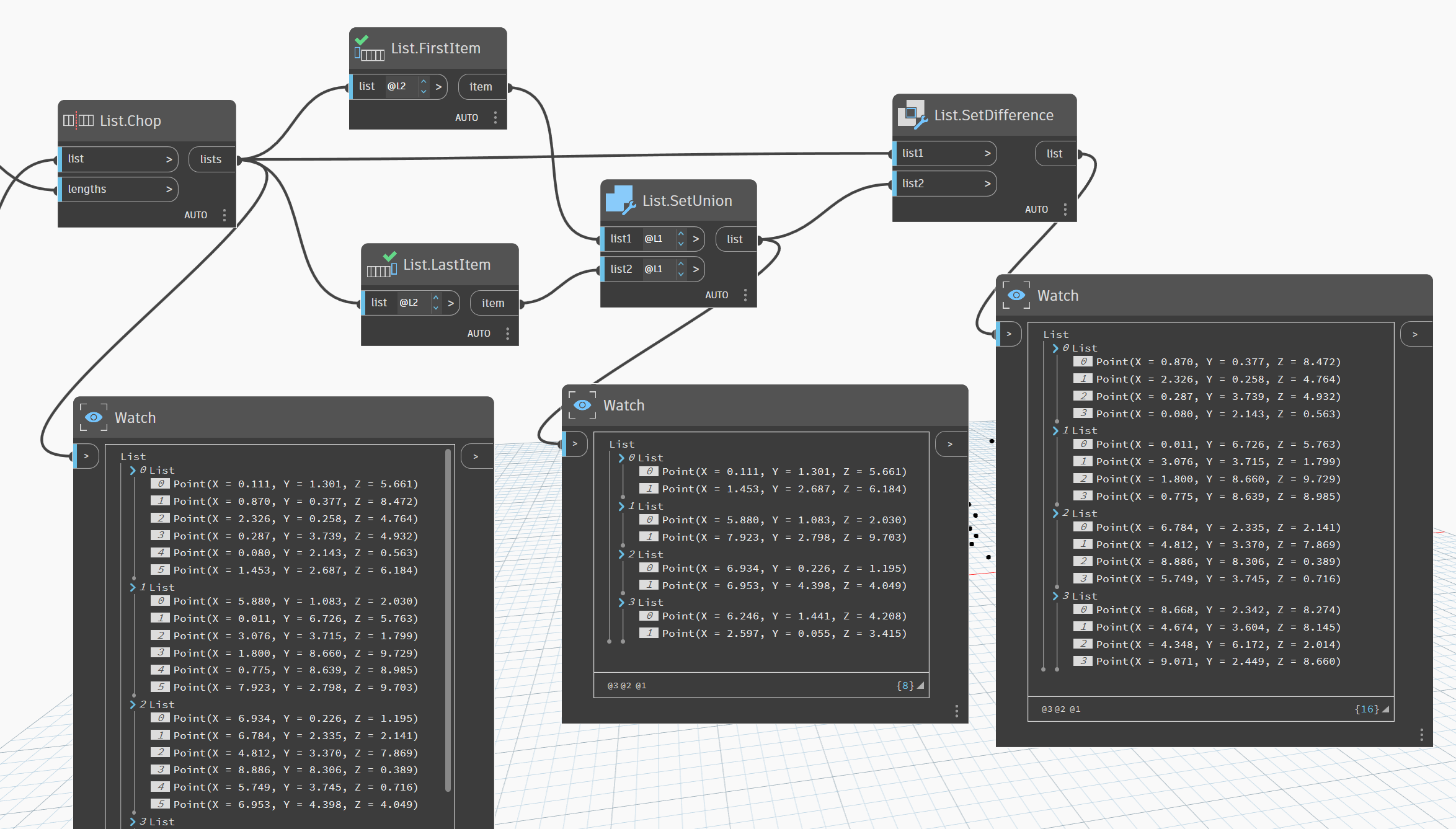
Hola amigos, buenas. @VijayS your first thought was in the right direction, just needit a couple extra steps, create a new list and diference with the original i let you the example, but play with index is allways the best option!!
2 Likes
I tested this yesterday and I swear it worked for this node…
It does work for most index inputs. Not sure why it doesn’t work for RemoveItemAtIndex.
3 Likes
Hello
A variation

def rem_last_first(a: var[]..[])
{
d=List.RemoveItemAtIndex(a<2>,0);
e=List.Reverse(d<2>);
return List.Reverse(List.RemoveItemAtIndex(e<2>,0)<2>);
};
edit:
with negative index
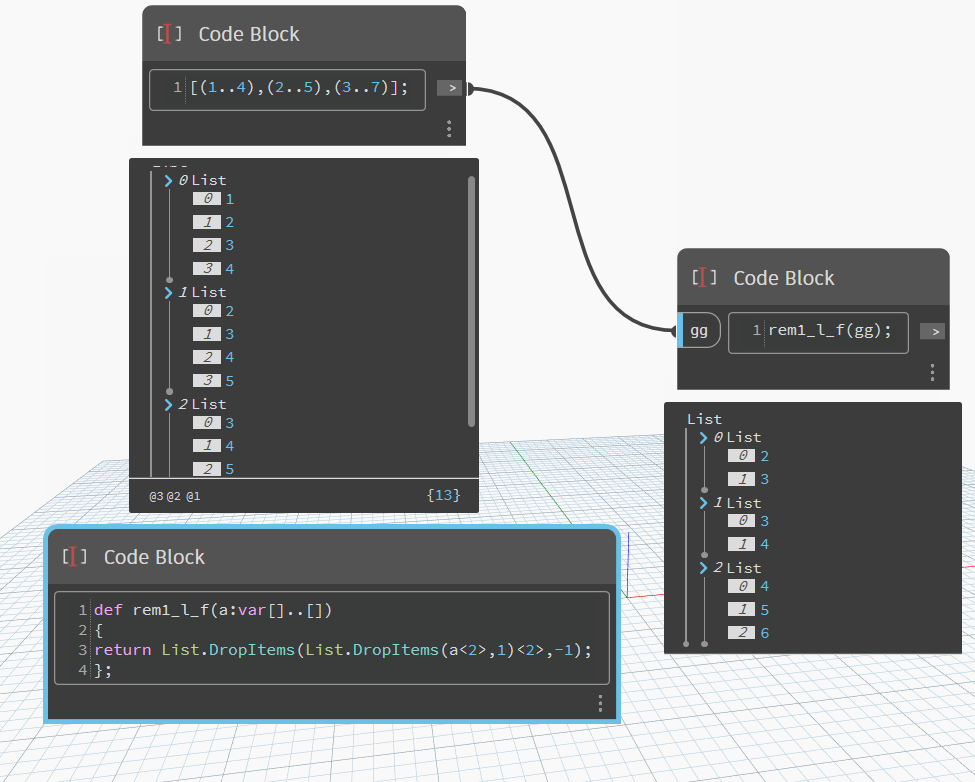
def rem1_l_f(a:var[]..[])
{
return List.DropItems(List.DropItems(a<2>,1)<2>,-1);
};
Sincerely
Christian.stan
3 Likes
Thank you so much, everyone! Your feedback has been truly amazing and incredibly helpful, especially for beginners like me in Dynamo. I’ve learned so much through this forum, and I genuinely appreciate the support and guidance. I hope you all continue to share your knowledge and help learners like me grow. You’re doing a fantastic job—please keep it up!
2 Likes

I need to extract the red-marked family from the list using a filtering method similar to what we discussed earlier
