Hi guys, good day
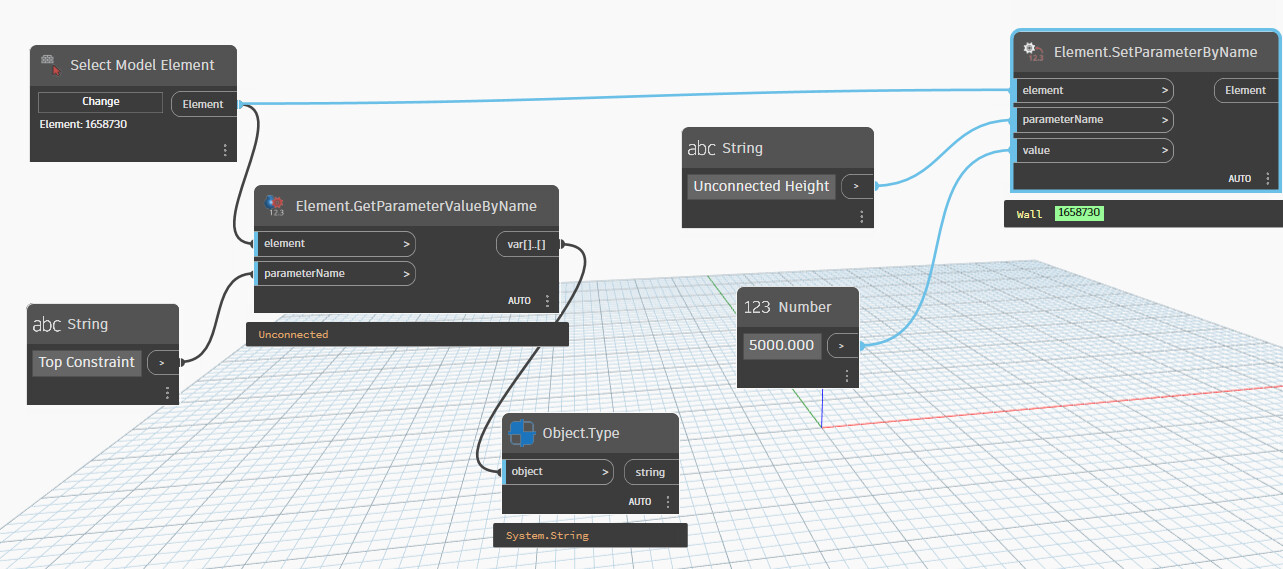
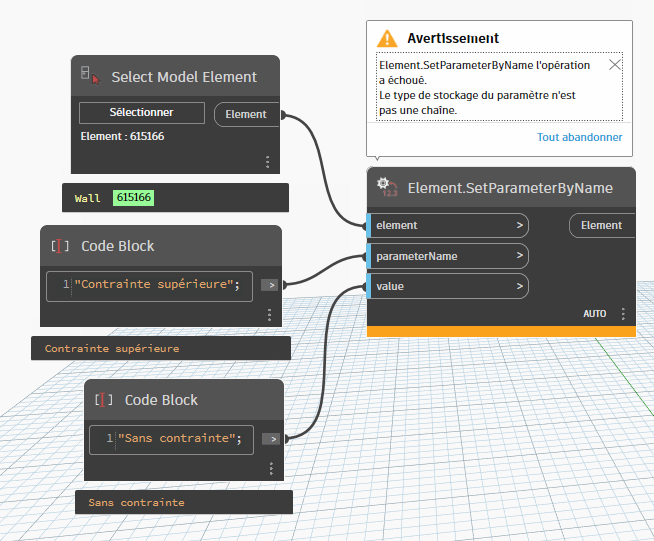
Referring to snippets below, I am currently practicing series connection and having difficulty accessing the Top constraint parameter value “Unconnected” in the drop down list.
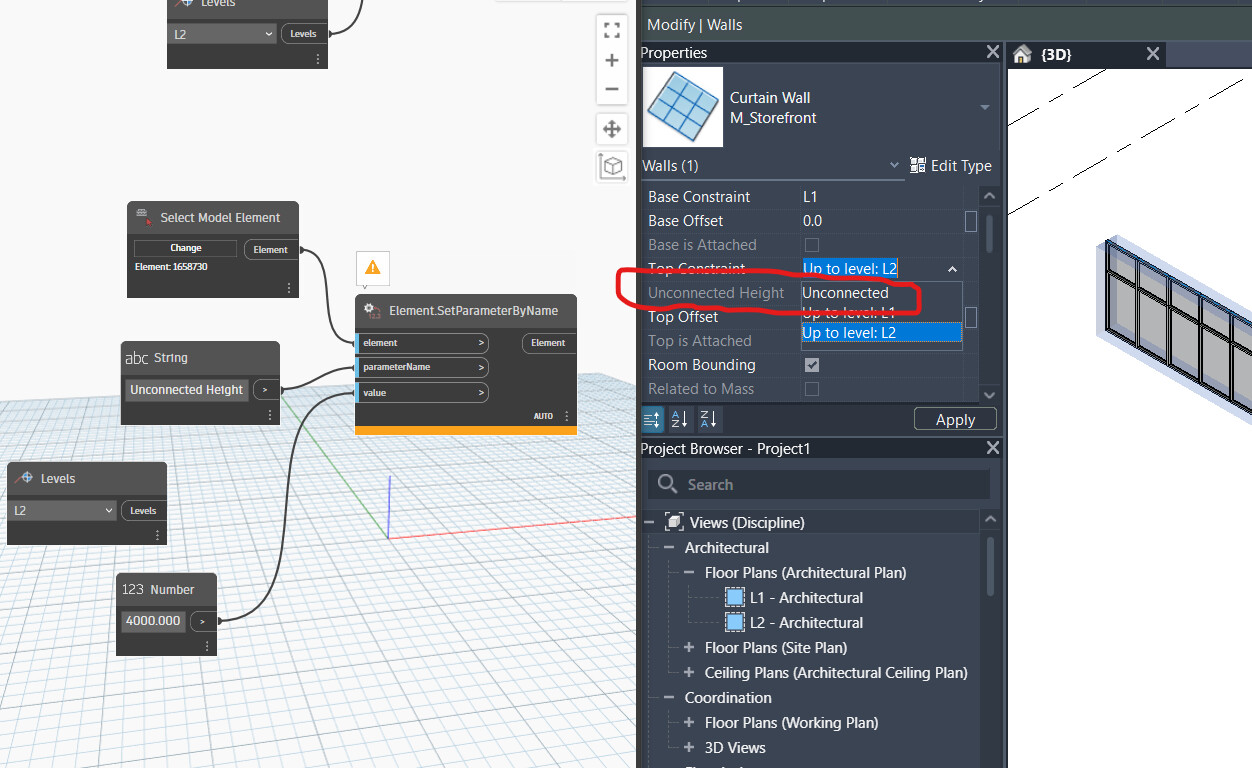
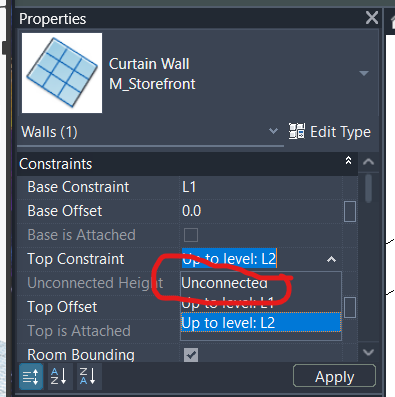

Appreciate someone guidance about this
Not quite sure I understand your question. Unconnected Height is only modifiable if Top Constraint is Unconnected. You would have to change Top Constraint to Unconnected if it isn’t already.
Sorry, I was going off of the above example. The Top Constraint parameter is an ElementId parameter, which means if you want to do this in Dynamo you’d either have to feed it the InvalidElementId via the API or use something like Element.SetParameterToNone from Springs package to reset the parameter value.
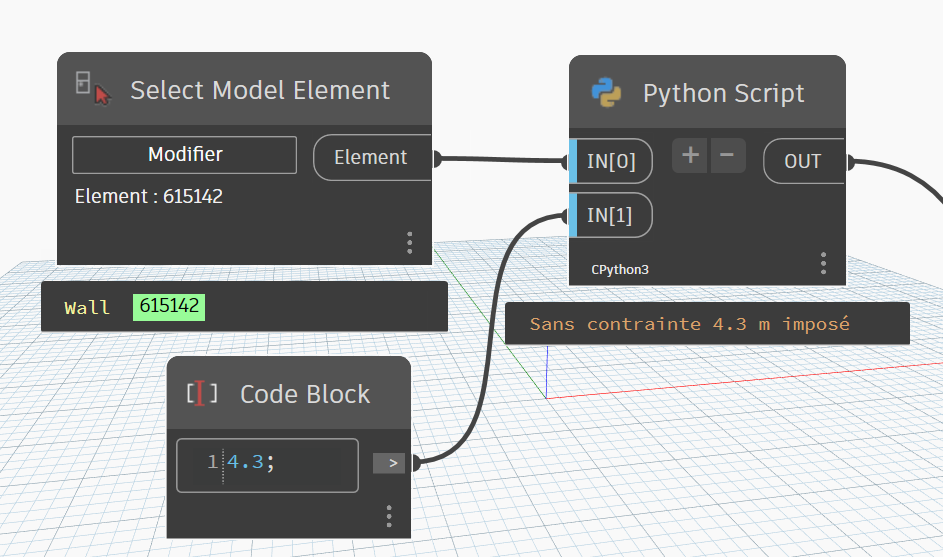
Hi, I succeeded with your advice, thank you.
import sys
import clr
clr.AddReference("RevitServices")
import RevitServices
from RevitServices.Persistence import DocumentManager
from RevitServices.Transactions import TransactionManager

clr.AddReference("RevitAPI")

import Autodesk
from Autodesk.Revit.DB import *

doc = DocumentManager.Instance.CurrentDBDocument


w=UnwrapElement(IN[0])
paramcs=w.get_Parameter(BuiltInParameter.WALL_HEIGHT_TYPE)
paramht=w.get_Parameter(BuiltInParameter.WALL_USER_HEIGHT_PARAM)
TransactionManager.Instance.EnsureInTransaction(doc)
paramcs.Set(ElementId.InvalidElementId)
paramht.Set(IN[1]/0.3048)
TransactionManager.Instance.TransactionTaskDone()
OUT =paramcs.AsValueString()+" "+str(IN[1])+" m imposé"
cordially
christian.stan
 But, is this still a series method or parallel? and any other way to do this?