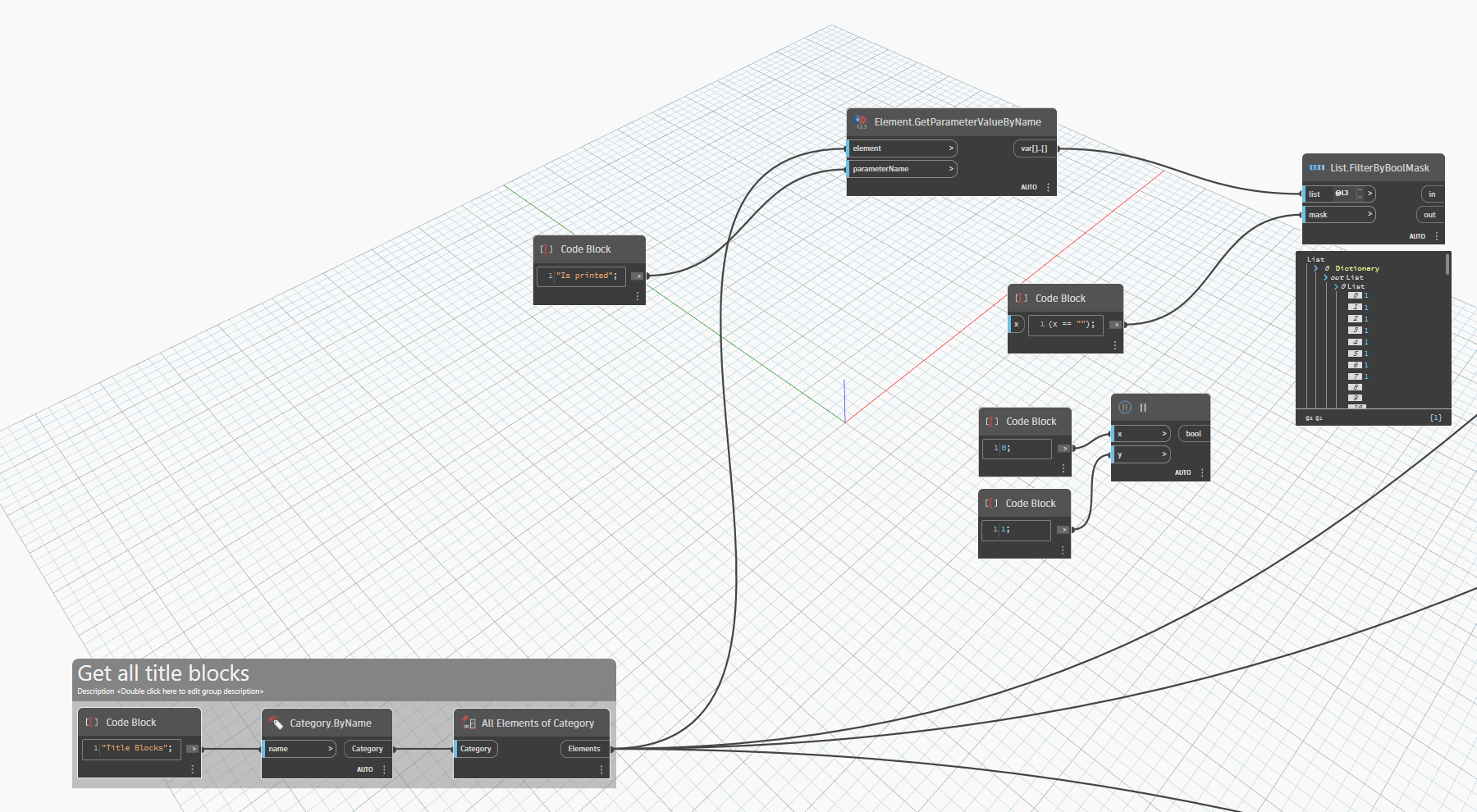
I really hope someone could help me out! I am not pro at Dynamo, and I got stuck.
I have this list I created which is composing of 2 parameters which title blocks in my project have.
The parameter is yes/no, so the result is either 0 or 1
There is a few of the title blocks which do not contain this parameter, therefor the index is empty.
I would like to filter out only the title blocks (so elements) together with the index which contains either 0 or 1 as a value and remove the empty values.
I think you’re better off not transposing the data. If you want to filter the elements based on their values then you’re better off with two separate lists. Then you can check for 0 or 1 and use FilterByBoolMask to filter the elements directly based on the results.
I wanted to transpose because I wanted to see which title block has the parameter and which doesn’t.
But I agree, it would probably be easier just to do it in separate sheets
Since I have all 1,0 and empty value, how would you create a mask for List.FilterByBoolMask? So I would get only 1s and 0s?
I will when i get behind a PC again.
But i had different result using similar nodes
from packages.
Maybe the input had something to do
with it…
Also i might need to find a script where
the OOTB node didn’t work for me.
Don’t know if i can replicate an issue
with the OOTB one.
Also not sure what the OOTB is supposed to do?
Or what the difference is with the ones from packages? Why are there custom List.Clean nodes if the OOTB (should) work(s)?
Why doesn’t the node work for OP?
Looks like the circled items are empty strings, not null values.
My recollection is that originally without the ability to use ListLevels it was difficult to manage removing content without removing list structure. That was… 7 years ago now? (side note: I am old now). There were also some which allowed replacing empty strings and null data with an alternative data type, which in my opinion is t cleaning the list but replacing data.
There’s a lot of misunderstanding around what the List.Clean node does and how it works (i.e. preserveIndices). Most people try to use List.Clean to remove bad data or structure that they don’t understand. They end up using a custom node that does what they want without understanding what they’re actually doing.
In this case, there’s nothing in the original list to clean. There are no null values and there are no empty lists out of alignment. List.Clean doesn’t just remove empty strings or sublists containing unwanted values.
Different nodes for different tasks with these two nodes. I am not sure when I would want to remove empty strings from a list of data though - perhaps the original poster has a use case though.
values = IN[0]

collection = []

for i in values:
    if i == None:
        collection.append(false)
    elif i == "":
        collection.append(false)
    elif i == Null:
        collection.append(false)
    else:
        collection.append(true)


OUT = collection


 , and this randomly worked