I’m trying to extract the vertices of a flex pipe using Revit Dynamo. But I couldn’t find the appropriate node for that.
FYI - There are seven vertices in the flex pipe
Pls. help me solve this issue
off the top of my head, Element.Geometry → Solid.Explode → Faces/Edges/Vertices
but that also depends on what Element.Geometry actually gives.
edit: it doesn’t feel like 7. even if duplicates are removed. and tbh, getting vertices at triangle level should be more reliable. u are saying 7, so i feel like we are not on the same page.


this is my flex pipe. As it is shown, it has seven points which includes 2 start and end points and 5 vertices. I need the coordinates of these points
interesting. i’d like to see an answer to this as well.
If you use Location rather than Geometry you’ll get the actual centerline. You should then be able to get those nodes based on the simplified (arc, line, and curve) geometry.
The better option would be to go through the API to get them. I believe they can be found under the Location property as well, but I’m not at my computer to confirm.
EDIT: You can get the control points from the location but you can actually get them directly from the Points property.
Thank u all for your response
There is a package called OPENMEP which has a node called FlexPipe.Points. This node extract the vertices coordinates. After that, I was able to manipulate the XYZ values.
3 Likes
whats weird on my machine is the Points property only contains start and end. 
You wanna show how you got that? My test in 2024 returned the start, end, and all vertices in between.
@bimambit According to what I gather, you have modelled the flex pipe, but it will not have any vertices. You must run the script after inserting some vertices for this node to function.
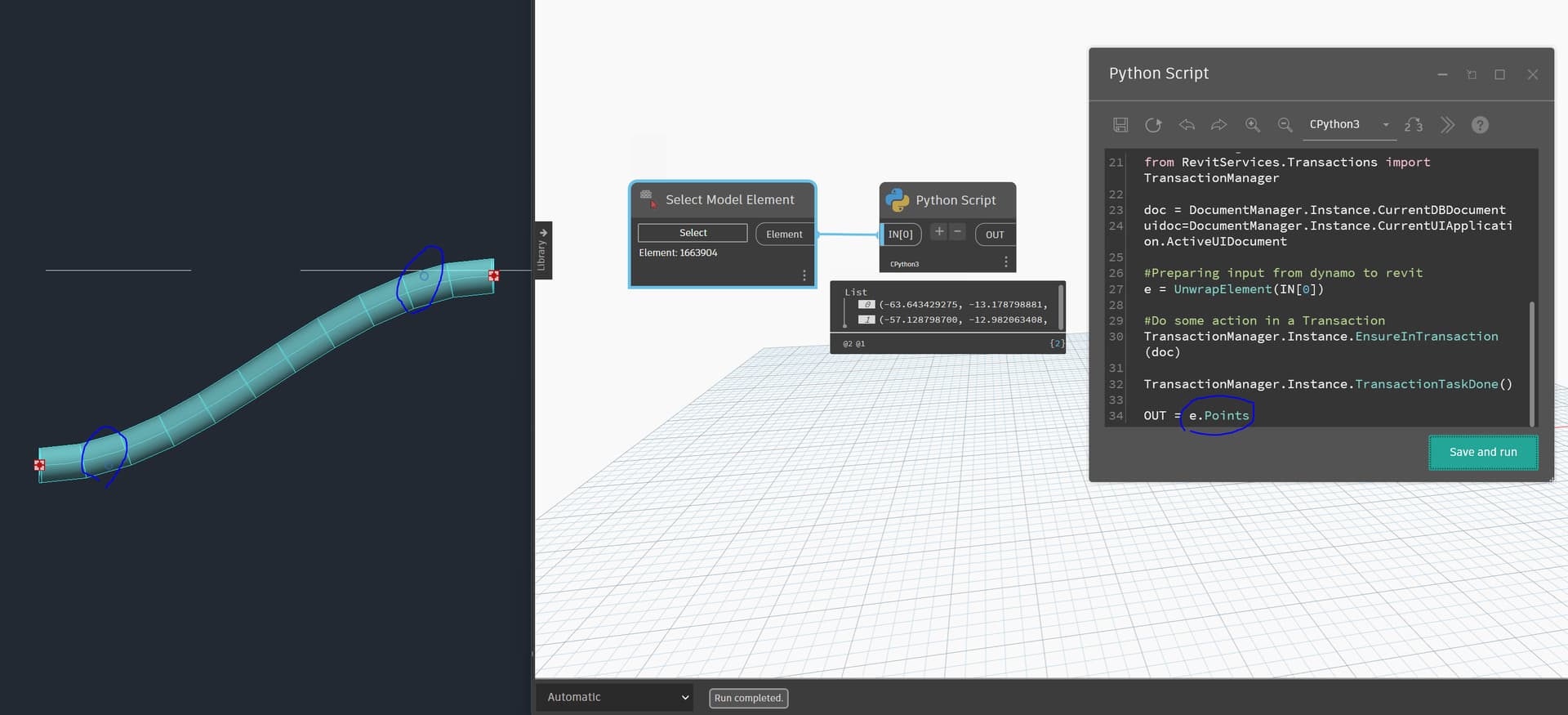
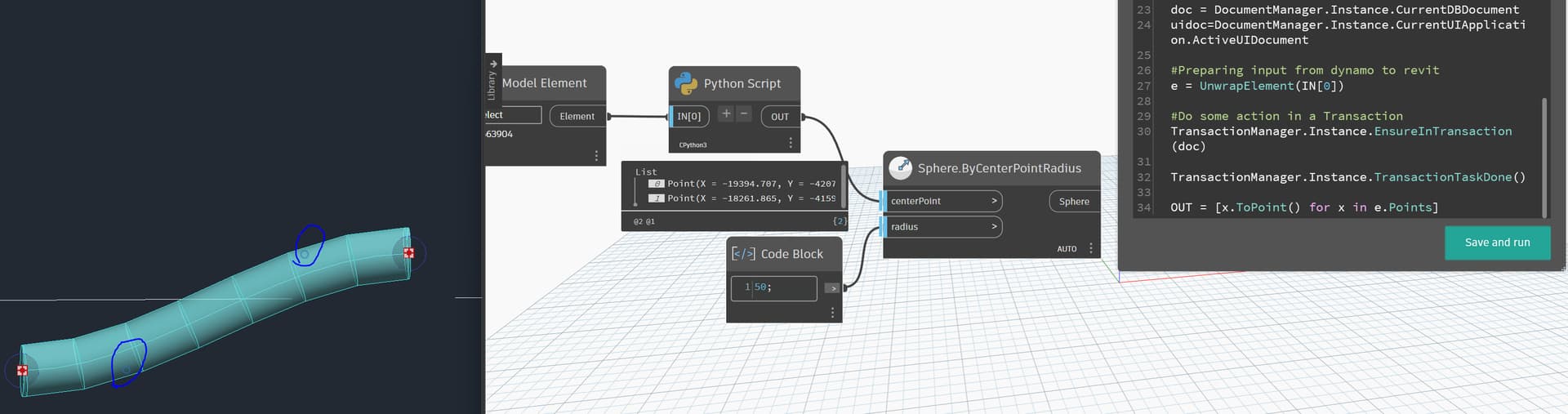
i just created a flex pipe on the fly. when i saw this property the first time, i was thinking the same thing. it supposes to return them all. (rvt 2026)
…after inserting some vertices for this node to function.
that makes sense. but what do u think about the one i posted above? are the blues dots considered as part of the collection?
ah that property returns the points along the location curve. the one i created is fairly short where 2 control points are not on the curve. this should be one of those nurbscurve situation.
The above two points are not vertices, they are to control the tangents.
yeah i should’ve made a longer pipe, more turns and etc.

surprisingly enough that flex pipe has so many interesting aspects. when getting its geometry through Options, it shows nurbs this, nurbs that. then it has a hermite as location curve.
1 Like
hahaha yessss ;))