Hi, possibly one for Gavin, but open to input from everyone.
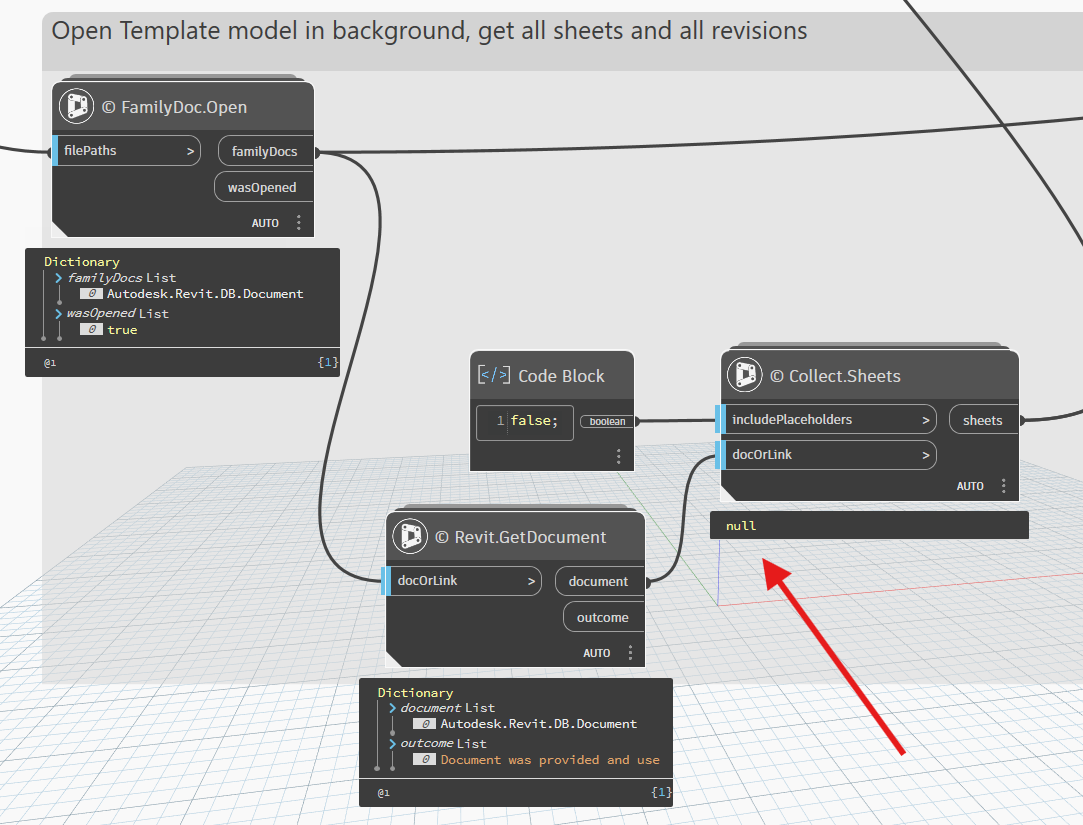
In Revit 2026.3 (Dynamo 3.6.0.2194) I’m trying to open a Revit file in the background and collect all the sheet information. The graph worked in R2023, but not following the upgrade to R2026. I’ve updated a few packages for R2026, including Crumple (2026.8.1 now installed).
As you can see, the Collect.Sheets node doesn’t appear to be working, and consequently everything downstream from here… any ideas?
Hmm, you might be onto something there. Now you mention it, I do now remember ignoring (oops) the message given in the FamilyDoc.Open node when I was doing the initial testing of the graph in R2023, which does work (despite the advice) - see below
You’re correct in that the open document node is not intended for non-family documents, but it should technically be able to handle non-workshared documents of any type as the API it uses for open/save/close is of the Document/Application classes. It will have issues if you try to open a workshared document as there are different options that expectes to be given.
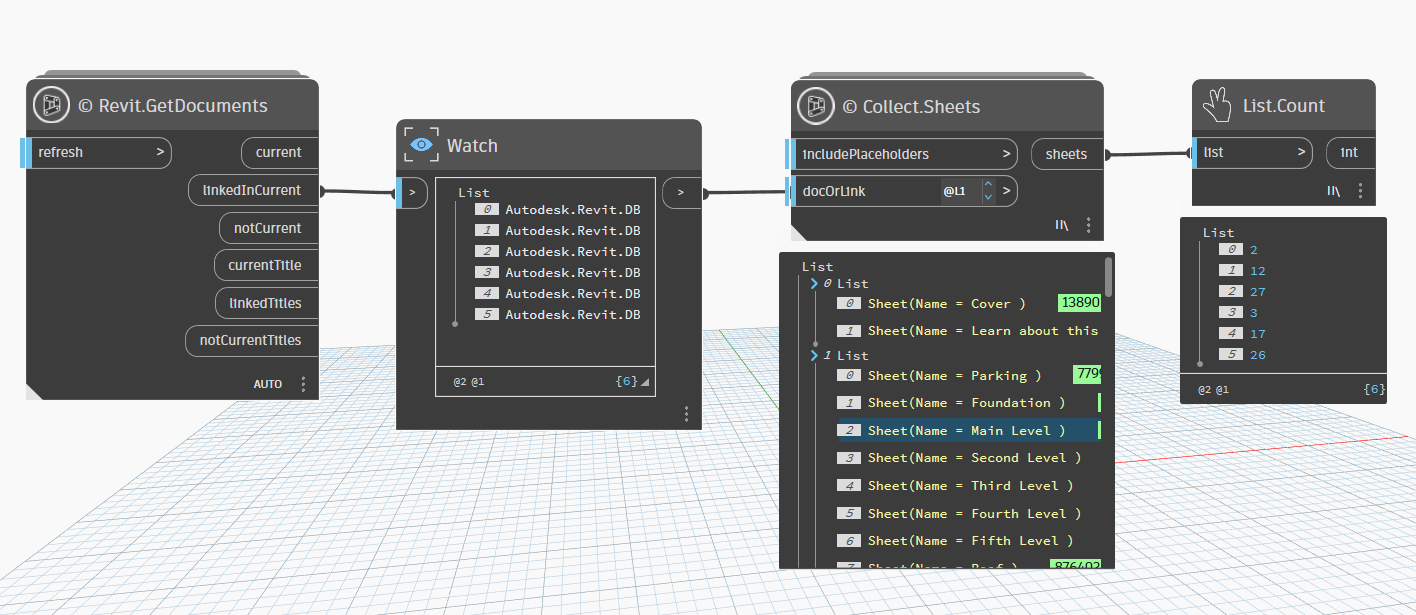
I think the problem is you are feeding a list of documents into the docOrLink input, whereas it just wants one document. Either take the first document out of the list of documents (even if it’s just a list of one), or work with list levels like I have in example 2.
My familydoc nodes are designed with bulk processing and very particular list structures in mind, so they don’t return a single document vs a list if only one is opened.