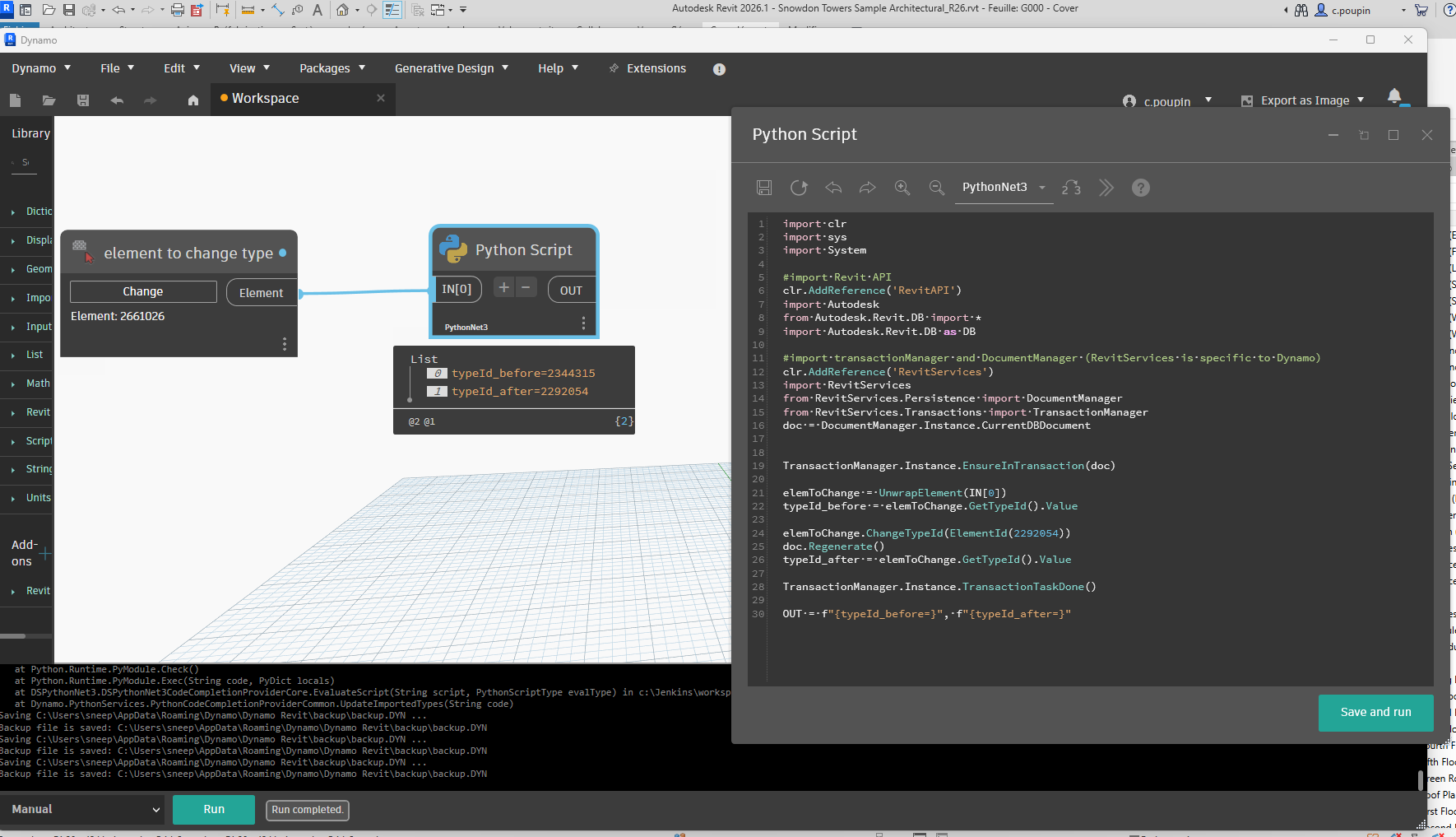
And at the same time if i change the engine it’ll execute perfectly, Weird??
so finally here if someone also bumped into the same, even found a unresolved thread as well seem quite old.
This method worked like charm but @c.poupin still curious why the other overload isn’t working the one u mentioned in previous thread, here’s an implementation of it
I know this has been “solved” for a while, but I could not get this to work for me in R25 and the solution I found was to slightly modify the following line:
I am working in Revit2025 and downloaded PythonNet3.
I have the following problem.
The model element of upper node is the element to change. And the lower node is elem which Viewport Type have to be used for the upper node element. How could I fix it?
import clr

# Revit API
clr.AddReference('RevitAPI')
import Autodesk
from Autodesk.Revit.DB import *

# Revit Services
clr.AddReference('RevitServices')
from RevitServices.Persistence import DocumentManager
from RevitServices.Transactions import TransactionManager

# Dynamo / Revit wrapper helpers
clr.AddReference("RevitNodes")
import Revit
clr.ImportExtensions(Revit.Elements)

# Document
doc = DocumentManager.Instance.CurrentDBDocument

# Unwrap input element (Dynamo wrapper → Revit API)
elemToChange = UnwrapElement(IN[0])
elemFromChange = UnwrapElement(IN[1])
elemID_new = elemFromChange.GetTypeId()

# Begin transaction
TransactionManager.Instance.EnsureInTransaction(doc)

# Get type before
elemToChange.ChangeTypeId(elemID_new)

# Regenerate document
doc.Regenerate()

# End transaction
TransactionManager.Instance.TransactionTaskDone()

# Output
OUT = typeId_after
Here u go as u could see above i have replaces one line that’ll work as there’s a static method for this u need to provide ICollection of element ids u want to change