your wonderful example is referring to inserting walls and doors together (which works great) , I would like to try more to simulate a situation of having walls already modeled and inserting only doors and windows (eventually) from a dwg file that I link level by level. however as always very complimentary
allright then try play around as shown in post #30 and set it up in player…


CAD TO RVT - solo porte.dyn (115.6 KB)
I thank you, if you can take a look at it I would appreciate it
Hi @Jack22 select as here and run it in player as here…and again i have only tried on your sample dwg


Thanks, I’ll follow your chart and practice. thanks again for your availability
good morning, I’m practicing on the indications given, in your opinion could it be feasible to give the choice of the type of door as input in order to make the script usable not only for this model?
Yeah sure thats possible  try set these nodes as input, but again you probably need to modify it a bit on other models…depends on how the acad is draw…
I tried to insert “family type” as input and it appears in the dynamo player, but obviously in the drop-down menu all family types appear, not just doors for example

would datashapes then appear in the player?
yes it will work this way here

There are two situations.
1,the dwg file has door block but the wall layer breaks at door block.In this scenario,the scripts must create wall first and then create door on this wall.
This is not I recommend but you don’t have to deal with dwg file.I mean you have to extend wall lines in dwg.I have this script.Here’s the video.
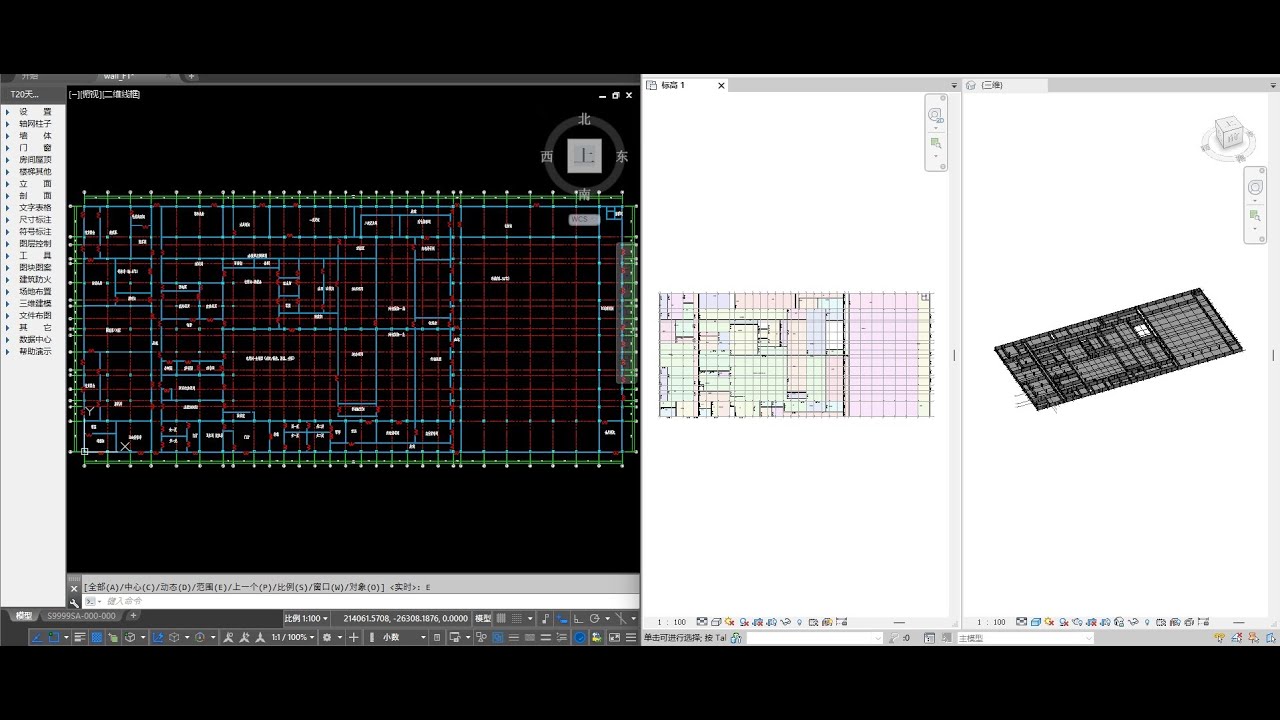
2.you deal with the dwg file first,you have the dwg file which has walls without doors.Create wall first.then import another dwg file which has doors on walls.Then create doors.This needs two steps.But I recommend it.I have this script as well.

I also use it for my latest video as well.

Whatever the method this.The purpose is get the point for placing the door.match the wall and door and place the door on wall.
The block location node from Genius_Loci package doesn’t work the way to me at least.So I manually get the middle point of door block.and filter which wall is for which door to place on.
Regarding the placement of the windows, how do you get the height of the windows from the level? Sill Height I mean
anyway congratulations and thank you for all that said
Do you mean the height of window or the window sill height?
If it’s height of windows,for example windows has a name C2412,C means 窗 in Chinese which means windows in English,24 means 2400 mm wide,12 means 1200mm high.
But is that a problem?You will select the family type of windows when using in both dynamo and dynamo player,you can get the information of dwg file the size of windows.
If it’s window sill height,I make an input parameter for them,usually it’s 900 mm or 1000mm base on your project.
yes sorry I didn’t express myself correctly I mean the window sill, the node I could use to give the value of the sill height

I am trying to practice with your script but some nodes I don’t know in which packages to find them. thanks
Excuse me for the trouble, but in this case where do I find the wall height parameter? meaning in this case I have walls of height 3000, but in case I have walls of different height? grazie mille