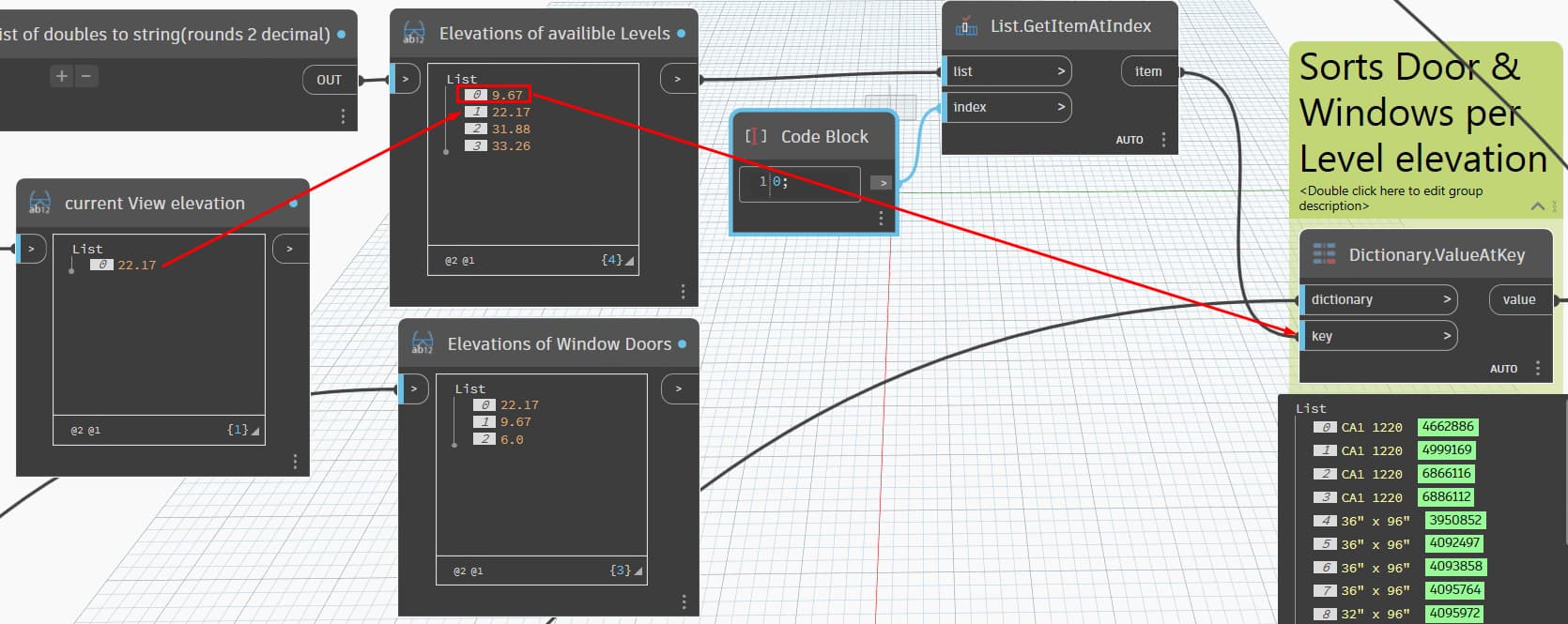
i think im aproching this incorrect. i am creating a script to place a header family in the locations of the windows/doors from the arch link. i got it to work placing the headers that have the same level elevation. But i need the windows/doors from the level below. i have a list showing elevations of the levels below but i cant seem to figure out how to sort for what i need. any sugestions?
the other challenge is that this building is 2 stories so 0 to 19.67 is 1st floor and everything above is 2nd. if there was anouther floor below how would i limit the selection to windows just hosted at that floor
python list are elevations of levels
watch list are elevations of windows
What node are you using to place your headers? Is it a family instance by point? Structural Framing member node? Or some other node? My thought is that if it’s a family instance by point node, then the level is not something you need, and collecting the door and windows location via a “GetElement.Location” node will give you that.
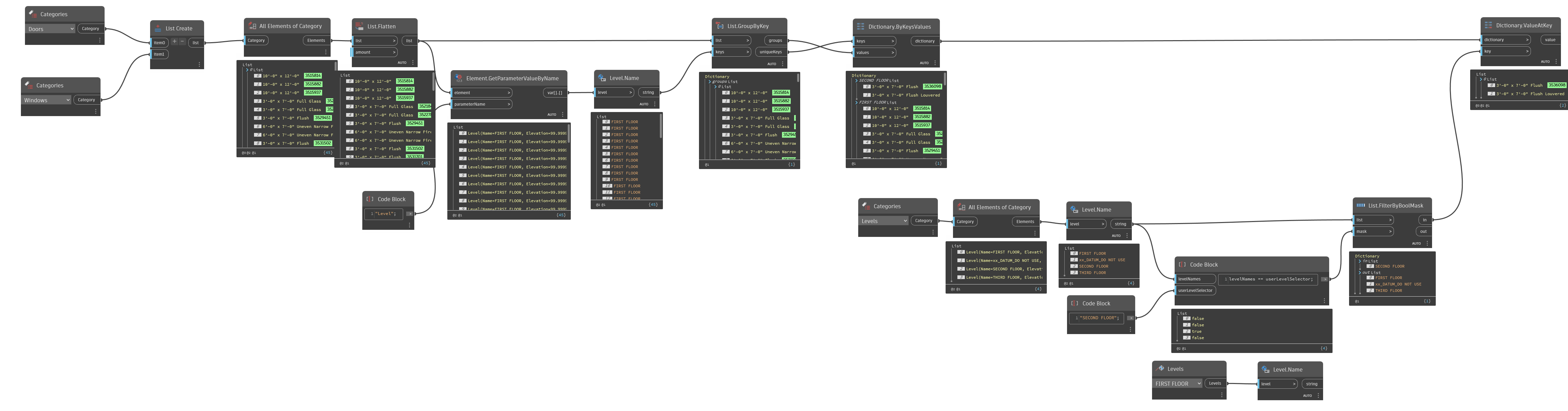
For your second question, here’s what I would do to find what you’re looking for.
Hope this helps!
I’m placing a line based detail component family using the clockwork DetailComponent.bycurve node. intent is to filter the windows by floor then it gets the width rotation and base point of the arch windows and passes that to the detail component and place them in the active plan
Hello again. Was the image I posted helpful in filtering the elements per level?
yes and no, i already have the dictionary setup to use elevations. i can’t guarantee the arch model has the same name for the levels. also i can sort the list by the elevations.
Right now, the script uses the active view to grab the elevation and automatically place things based on that view’s level. I’ve sorted the list of levels to leave out building story levels, so I can filter out stuff like canopies, parapets, and so on. After that, I use
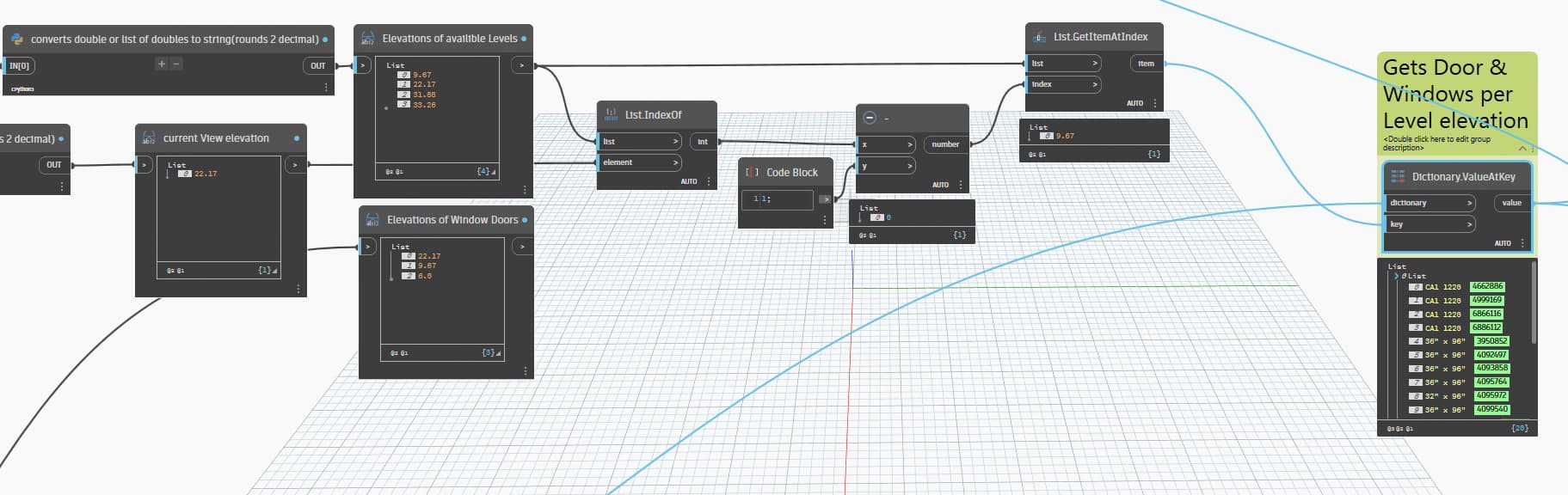
list.sort to arrange the elevations in order. Now I just need to figure out how to grab the item that comes right before the current level in the list, so I can use that value as the key.
i think i figured it out.
This would be what I would try if you want to get the level before the current level. The if prevents you from passing a negative value.
Same idea to what I posted.