Hi,
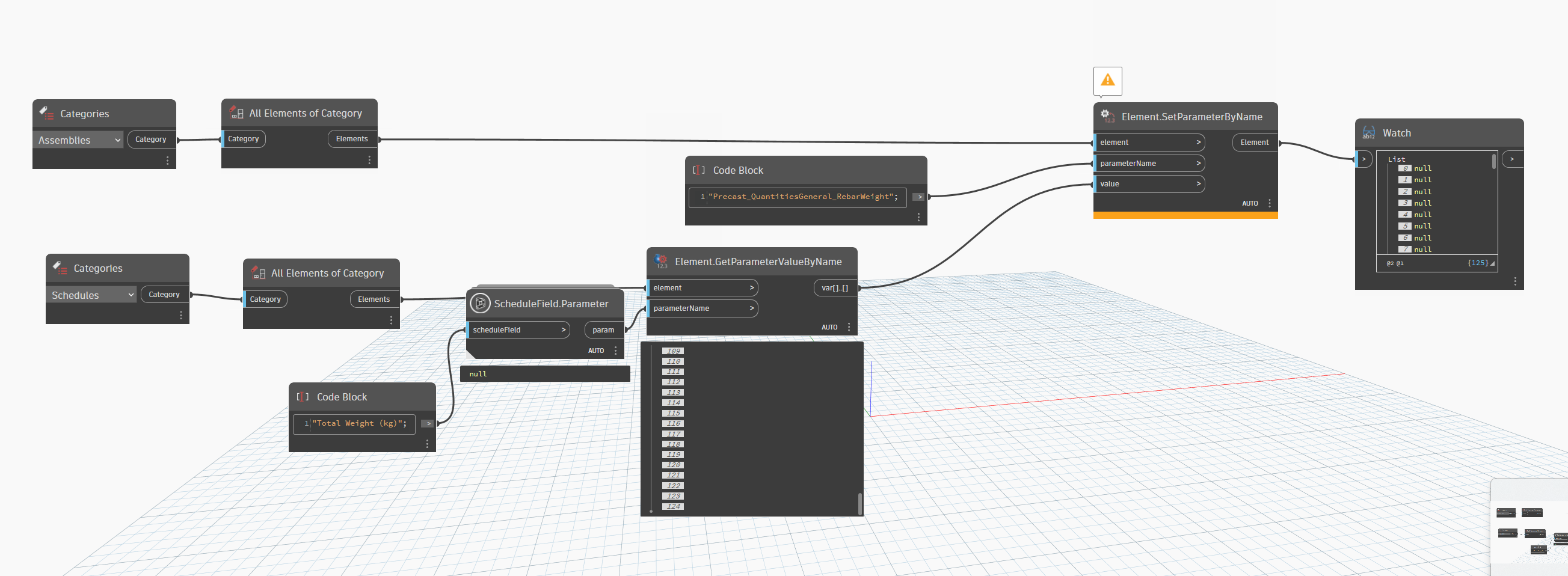
I want to retrieve a field/parameter/value from a schedule and put the value of said field in a shared parameter thats linked to an element.
i need the “Total Weight (kg)” to copy its value in the parameter “Precast_QuantitiiesGeneral_…” so the schedule value becomes visible in my assembly tag.
Thanks in advance
@niels.van.hove
seems to be your header (parameter) is renamed. check this first.
And reset the header to the parameter name… than it should run.
A couple of things. “ScheduleField.Parameter” takes a schedule field and not a string name (see clip). Secondly, the parameter that you are wanting to get the value of is associated to a model element and not the schedule. The schedule field is just a text field that’s reporting the value from the associated model element parameter.
Looking at what you are trying to do, I would suggest getting all subcomponents of the assembly and filtering down to the element that has the parameter. Pull the value and write it back to the assembly parameter.
If it’s just one parameter, you can skip Dynamo and set it directly in Revit by selecting the category of elements you need. This might be quicker and easier unless you’re dealing with a large number of elements or need to automate the process.
try this… I am currently doing the same exercise. Check first if you can see your parameter.
its a model with about 100-200 assemblies  . i’d prefer if it was automated.
Assigning the parameter to an entire category can be done through Project Parameters → shared parameter.
Getting the value from one parameter to another is then very easy. BUT it depends on how the Schedule Parameter is created.
Is it a formula mixed from other parameters?
Is it a project parameter?
Assigning the parameter is easy and that’s a 3 min process. But first we have to discover how what kind of parameter it is. because Schedulefields parameters is weird to get.
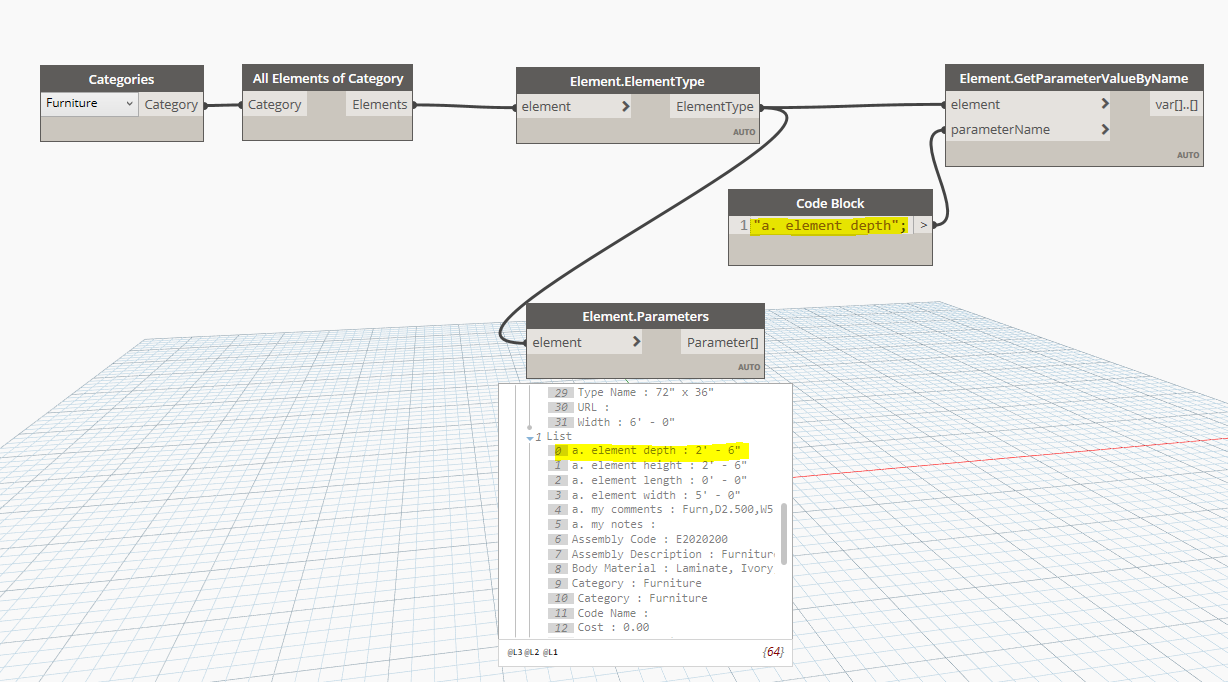
So I propose an alternative route of seeing the schedules as a view (which they are) and getting all the elements in the view.
For this example I did it with rooms because we don’t use Assemblies in our models
Then you can get the parameters that way. Pretty sure you can then also get the custom schedule parameters
so the schedule parameter is a project parameter named “total weight (kg)” found in structural rebar schedules. what i want to do is put that value in a shared parameter linked to the assembly,
I understood your original question.
If it’s a project parameter, it is already linked to the element and you don’t need to go through any schedules.
All you have to do then is this:
I’ve added the dynamo script:
Copy Parameter value.dyn (10.5 KB)
thanks! when i can access my laptop ill try it out.
looks more simple then expected . seems like i made it complicated for myself
That’s what I’ve been saying. 
Schedules are views too, just without the geometry. In a way geometry is just another ‘Information’. (of BIM)
An element has parameters attached to it. A schedule just shows you filtered ways or can calculate parameters for you.
But with Dynamo you can read the entire element for parameters 
good to know!
do you know any good courses/youtube videos/… for dynamo that focus more on data extraction and parameter values and whatnot? ive seen a fair few of tutorials but all have a focus on geometry and modelling. however our BIM departement currently has a focus on process automatisation and data extraction.
thanks for the help 
We’re getting off topic. I’ve sent a DM