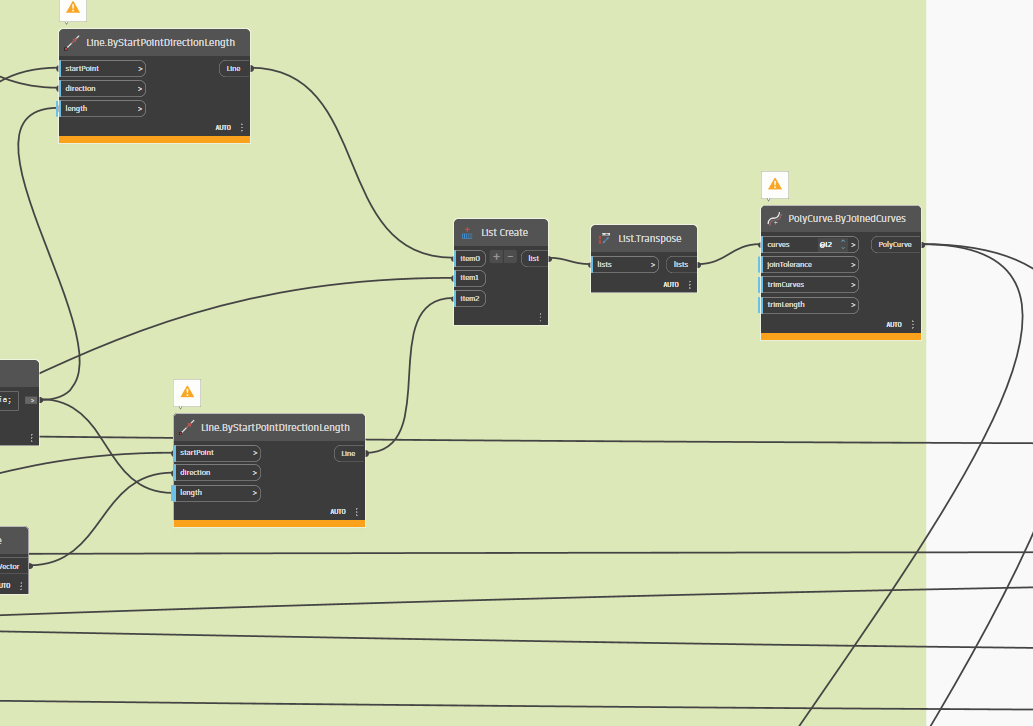
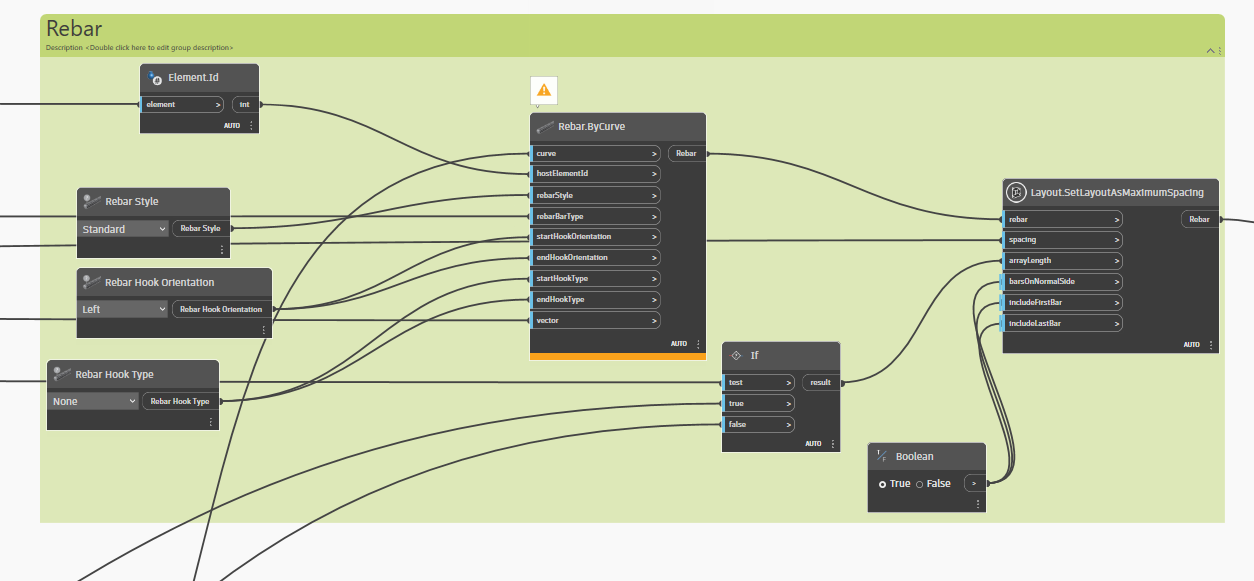
hello everyone
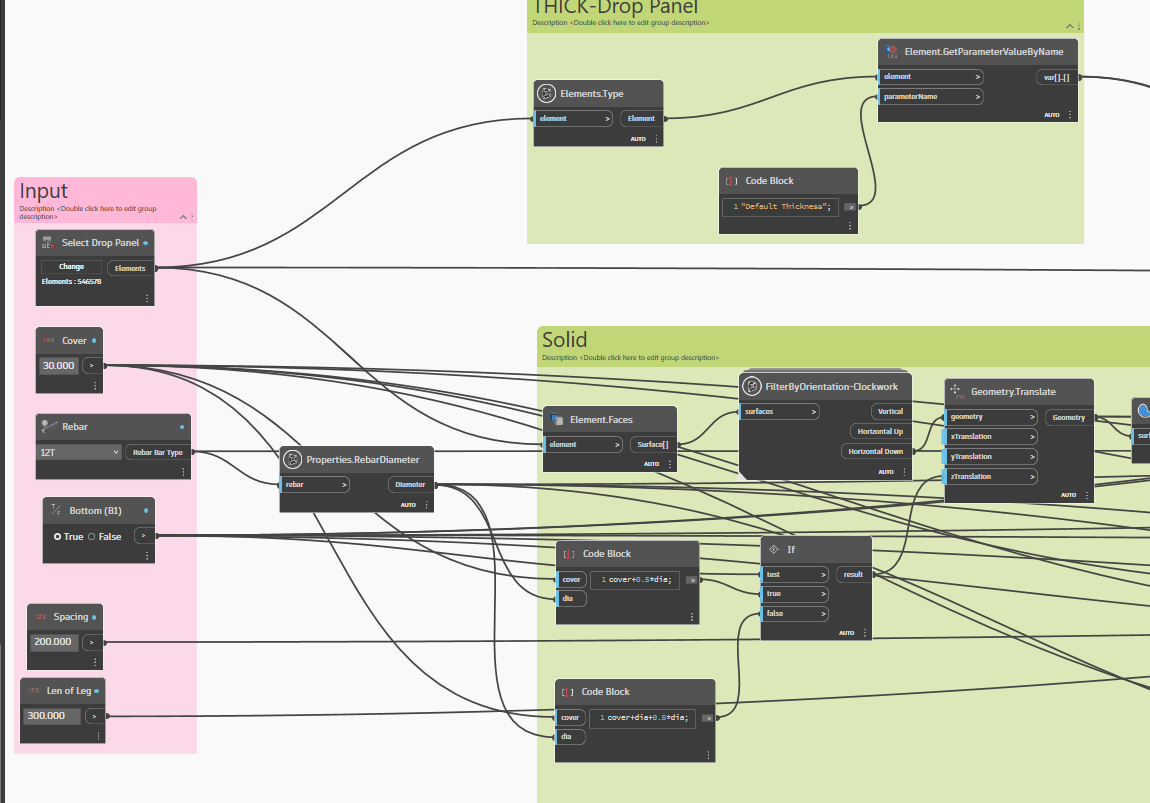
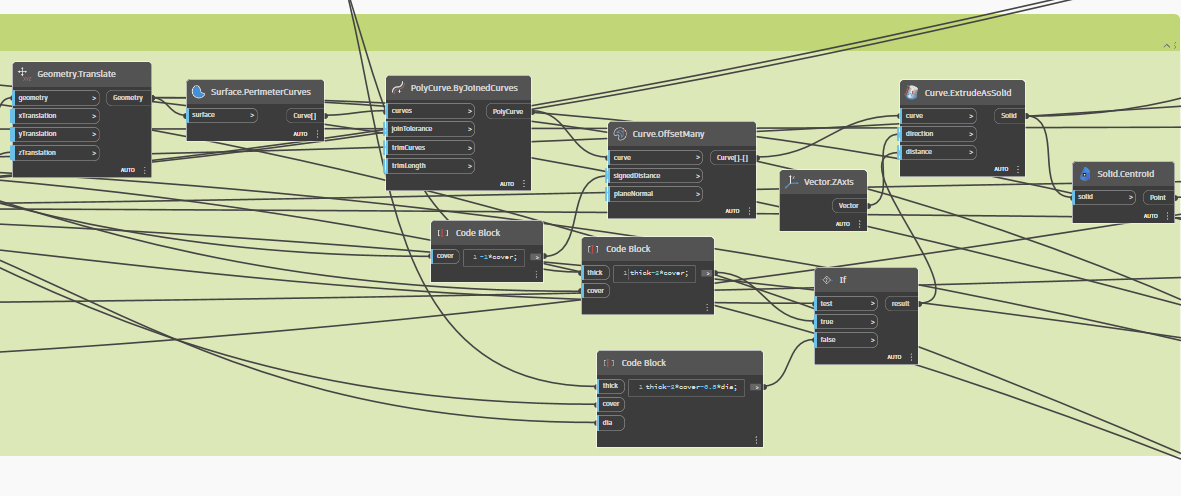
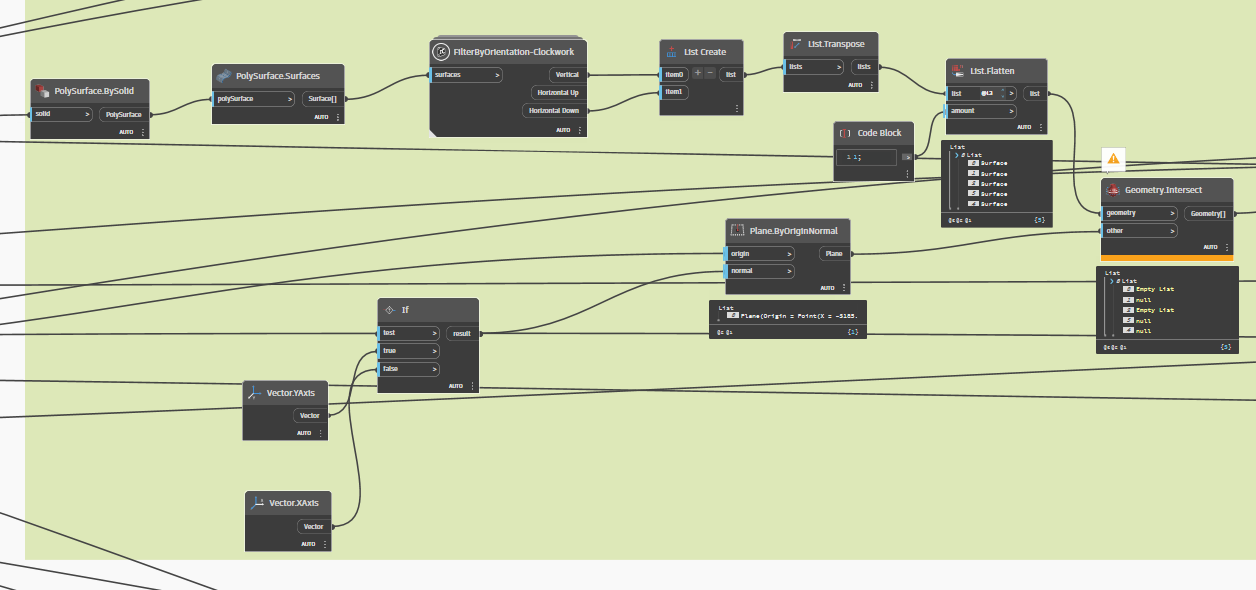
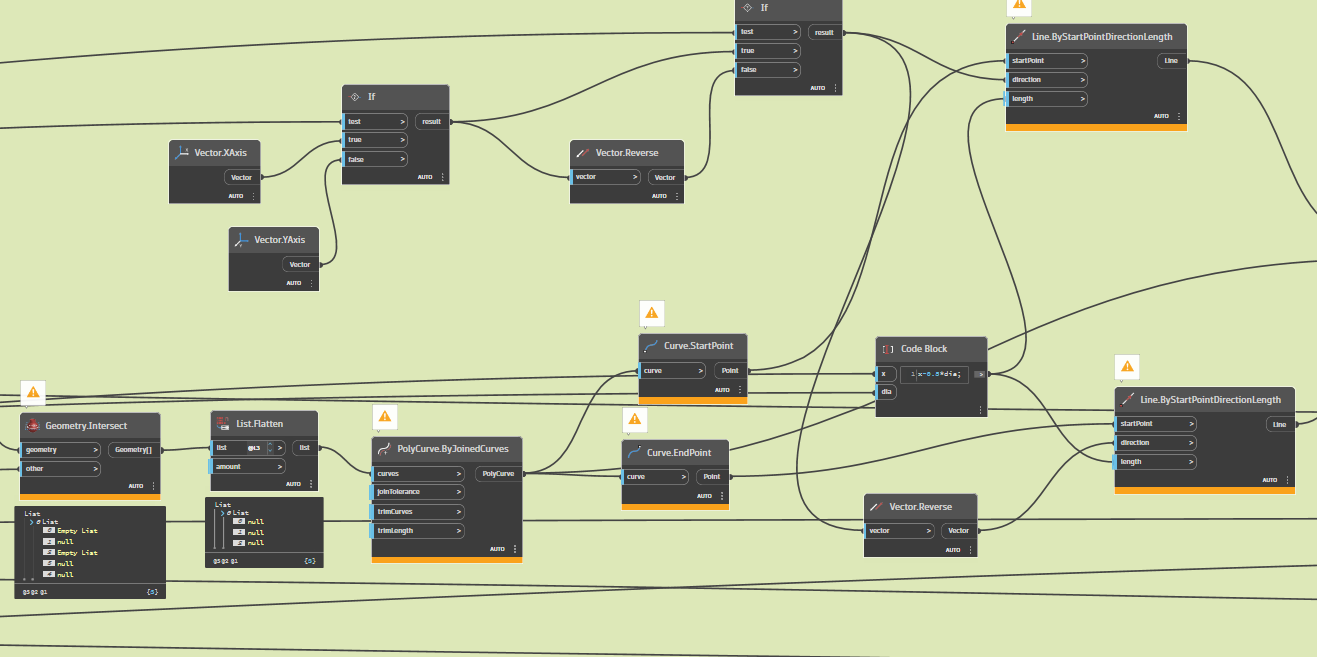
i hope someone help me i don’t know node (geometry.intersect ) always error
i need solve this problem if anyone can help me
dynamo file
Drop Panel 2024.dyn (175.3 KB)
hello everyone
i hope someone help me i don’t know node (geometry.intersect ) always error
i need solve this problem if anyone can help me
dynamo file
Drop Panel 2024.dyn (175.3 KB)
how can i get intersect between surfaces and plane
if i solve this problem
script will be active
Can you show us what you’ve tried so far? A plane is not a geometry in Dynamo, so you won’t be able to intersect with it. You’ll probably either need to convert it to a surface (approximate representation) or mathematically calculate the intersection.
script is above i sent it and i cant send photo it more than 40 megapixel and refused it
Drop Panel 2024.dyn (175.3 KB)
the script revit 2024.2
The intersection between a surface and a plane (as a large surface) will generally return a curve/line. Is this the goal of what you are trying to achieve? This is assuming those surfaces actually go through the plane as well.
Maybe show us in a diagram the geometric condition you are trying to detect.
I am trying to achieve that the plane intersects the surfaces parallel to it, so that it then forms lines that then represent the shape of the reinforcement skewer. I hope you understand me
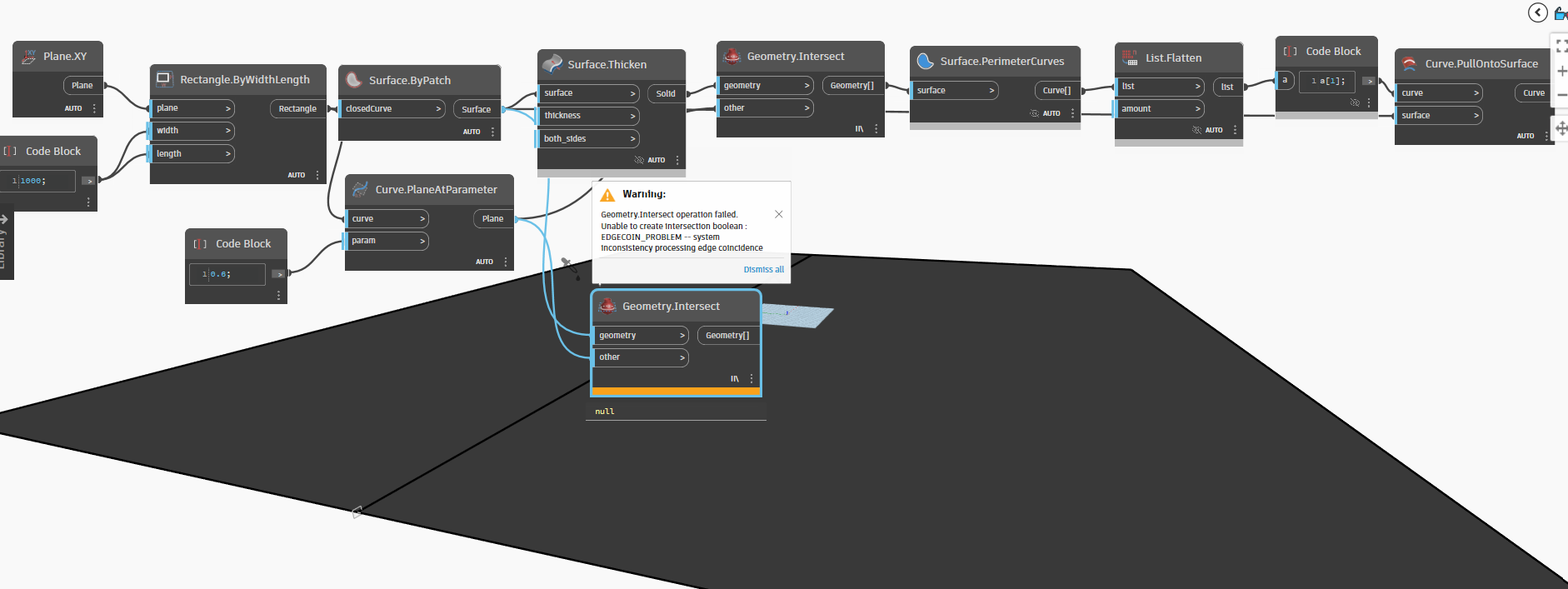
Hi @mahmoudelsayedsayed1 yes guess you have a point, i have trouble with intersect plane / surface as well in 2024, in 2022 it works great, not sure with 23…but here is a dirty workaround, can probably be done other ways as well
2022 
2024 ;
Exactly, my friend The lecturer was explaining about Revit 2022 The script was working But when I tried with Revit 2024 it didn’t work Is there a way to do the same solution in another way? What I want to do is get the surfaces that intersect this plane
not sure, you could try something as the last image…maybe or probably some isolines depends on which situation and goal…
There is a problem with this (geometry.intersect)in Revit 2024. I will try to find a solution in another way
yeah try that  but could probably work with thicken the surface to solid and intersect and pull on surface
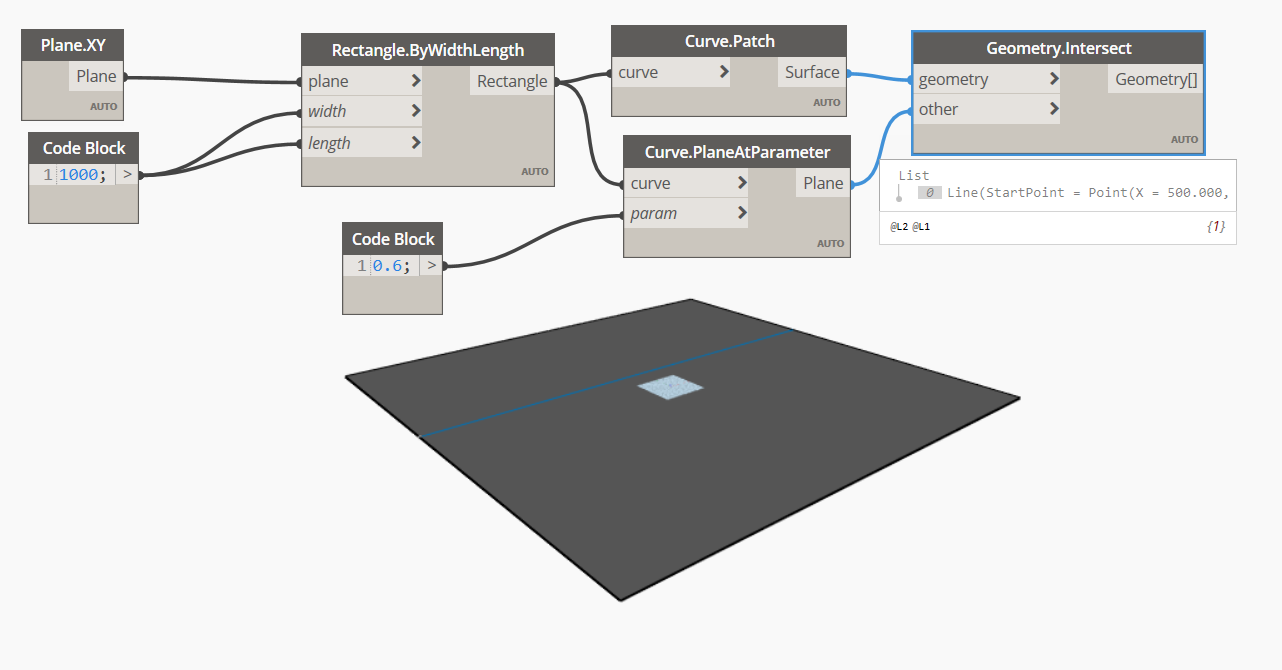
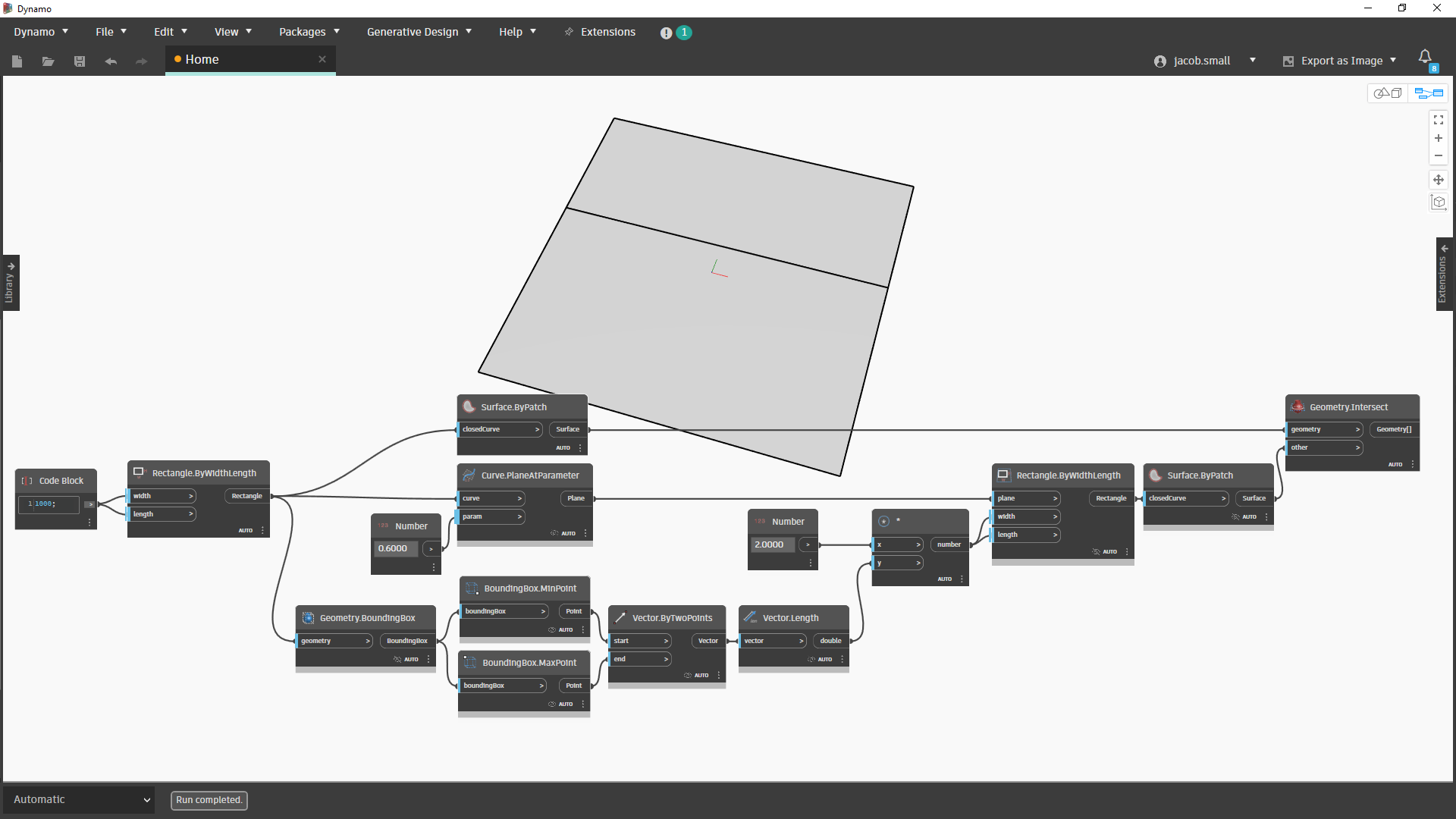
Try placing a rectangle on the plane and you should be able to intersect that for now.
Dimension would want to be 2x the bounding box of all geometry. Origin of the would want to start as the plane’s origin, but shift it to the min point of the bounding box projected on the plane. Use Geometry.ClosestPointTo to get the min point on the plane.
Not working 
I take it back - you don’t need the shift.
Or if you’d prefer a design script version:
def IntersectClosedCurveWithPlaneAtParameter(curve: Curve, parameter: double)
{
	boundBox = curve.BoundingBox;
	length = 2* boundBox.MinPoint.DistanceTo(boundBox.MaxPoint);
	plane = curve.PlaneAtParameter(parameter);
	rect = Rectangle.ByWidthLength(plane,length,length).Patch();
	surface = curve.Patch();
	intersection = surface.Intersect(rect);
	return = intersection;
};
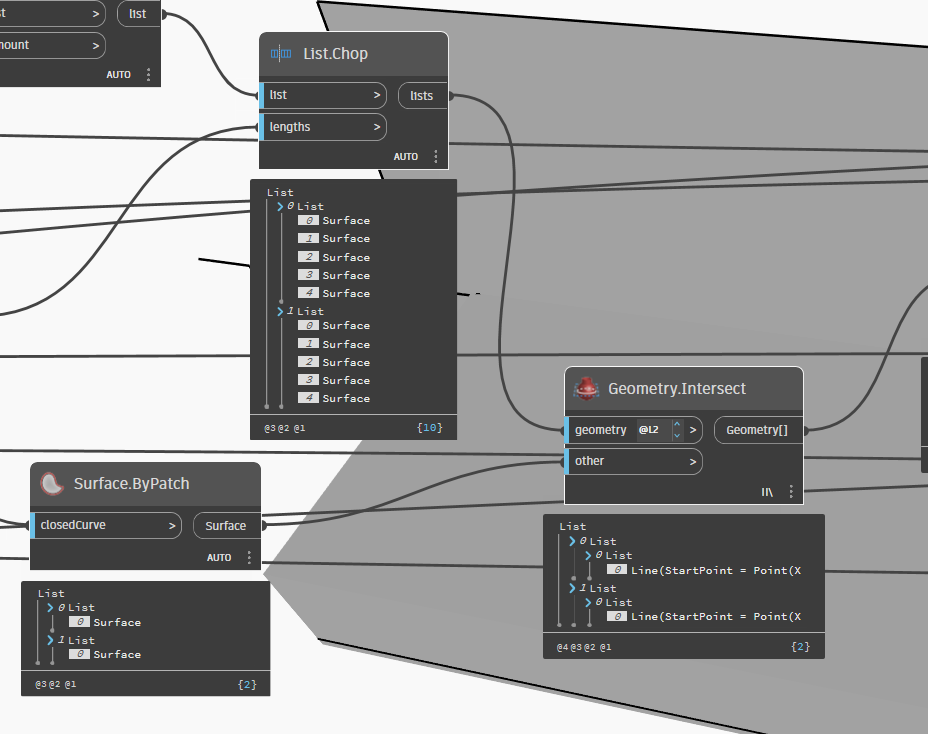
i do geometry level 2 and lacing long and not work i dont know why
Not sure I do.
I think you want to flatten the list of single surfaces and so it’s only @L2, and then use @L1 for the other input of Geometry.Intersect.
If that isn’t want you’re after, please post a sketch and data set in a new thread as we’ve transitioned into a new topic.