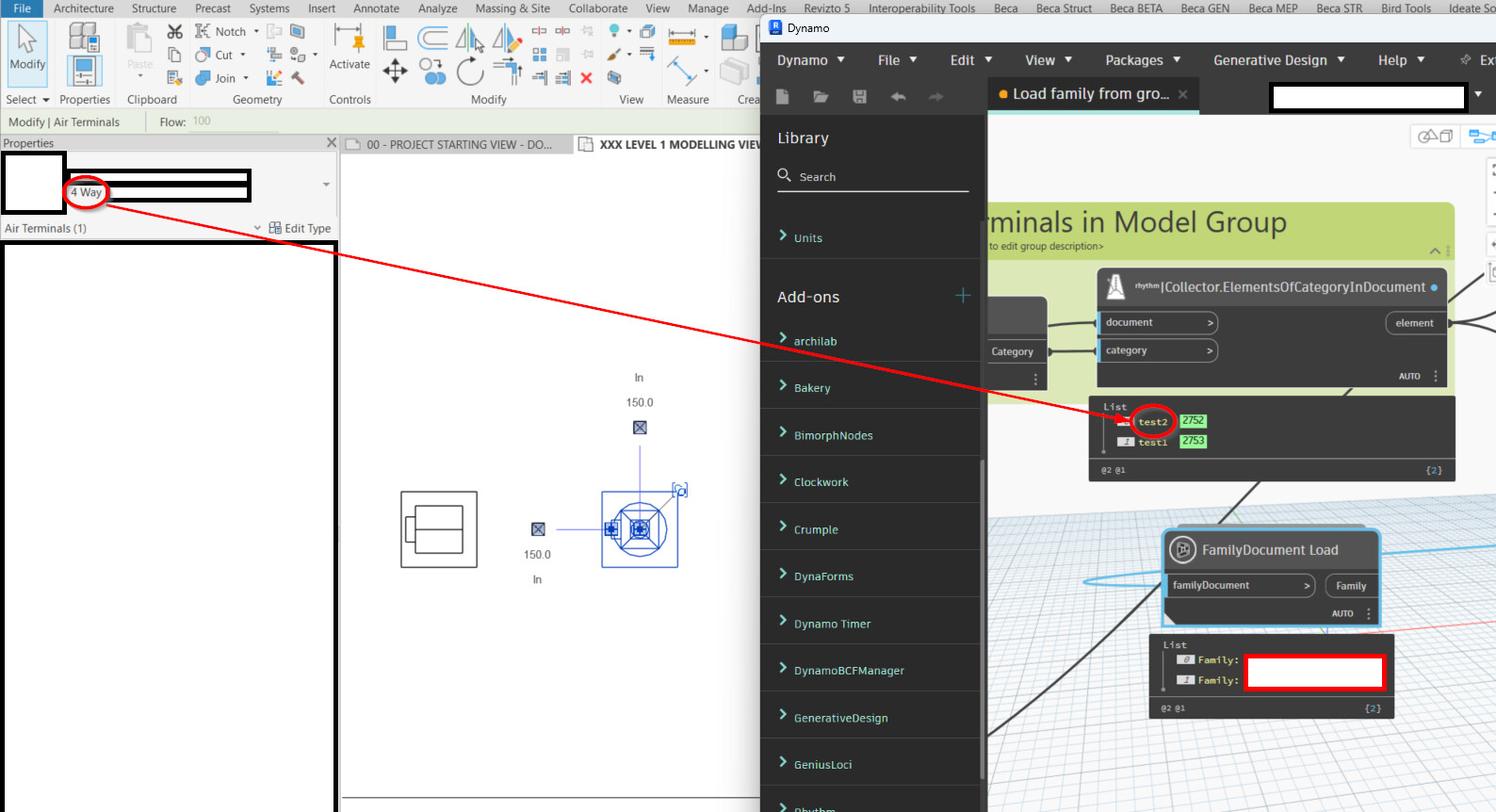
In order for Revit to not duplicate the families within placed model groups the following process needs to happen:
Open the live model
Open Dynamo
Open the model group document
Edit the family document you want to reload
Reload the family to the live model
The script I’ve made is claiming that the families are being loaded to the live model, but it does not seem to actually be loading them into the live model as they’re not updated, and instead loading them into the model group, as when I check the undo history it’s claiming the families are being loaded each time.
Within the same instance of Revit, the model group needs to be opened (which the Dynamo node is opening in the background as it’s own ‘Revit.DB.document’) in order to edit the family within that model group.
It’s slightly more nuanced than that, yes I’m trying to load in a family to a model (thanks for your script if it was a family not included in a group) but there is a specific process that Revit requires when you are re-loading a family that’s already in a group with multiple instances placed in the model to prevent family duplication.
So from Model B, the script opens the group (Document A), then edit the family inside the group (Document A), then reload the family into Model B (Document B) which is the actual ‘live’ model with the groups.
The specific bit I’m stuck at is step 4, where I need to load the family into a different document than what it exists in, which the Crumple node seems like it should be doing as I’m inputting the ‘current’ document but it doesn’t load it into the live model.
I checked the current document is correct, and the transaction history shows two families were loaded, but the families were not overridden with the new types. Not sure if there’s any other custom node that allows for loading families into specific documents though.
You don’t need to worry if a family instance for importing is inside a model group as opening the document and importing into another will transfer the family and types (FamilySymbol) with instance parameters set to default values (as far as I can tell), you are not importing the instance.
If the family name and type name(s) are not identical a new family and family types will be created and not overridden. The Family Load Options in the Genius Loci FamilyDocument Load node are set to overwrite any existing families.
For this specific process it would need to edit the family from within a model group as this is the exact behavior that Revit needs to not trigger family duplication for the model groups that already exist in the model with the same family.
There are updates to the Type Parameter values within the family
I’ve ran the script using the Genus Loci but it appears to be loading the families back into the model group and not overwriting the families in the ‘live’ model.
i’ve just read through the support link and got the jist. im thinkin one safe bet is to break the groups to ensure replacement happens then regroup. tedious but workable i think.
Ahh, I see where you’re coming from now…
Based on the workflow method in the link, the loading in of the family is working as expected - however the final part of the workflow - reloading the group from a file is not there. Luckily there are Rhythm nodes to the rescue.
Untested graph
Very nice! This is working to load in the new type & group, including the group reload as well makes sense. Interestingly the family is not being loaded into the live model (as the new type doesn’t appear) until the group is reloaded.
After some testing there was one scenario that it didn’t update:
Diffuser 1 - New Type (Test 1) was updated
Diffuser 2 - Updated Type 12" x 12" parameter value (NC was 15, updated to 20) was not updated
I think this can be managed separately though as comparing type parameters is a bit easier.
The solution was similar to how my script was set up, but your sequencing is better than mine as this correctly loaded in the new type while my script did not, although I didn’t try reloading the group as I expected the existing family to have the new type included before reloading the group.
I made one edit to your script to get the Group name from the name of the file since this process would use a save-as of the group from the original model.
I’m going to build on this where I have a script that collects all the families within groups on the project, models them in a grid pattern, and then makes that into a “master family” group, which I can save-as and process through this script to update all of the families in the other model with groups, then I can bulk reload 50+ group types without any family duplication.
There’s one issue which doesn’t seem solvable which is bulk saving all of the group types from Revit, as exporting the group ‘library’ can only do one group at a time.