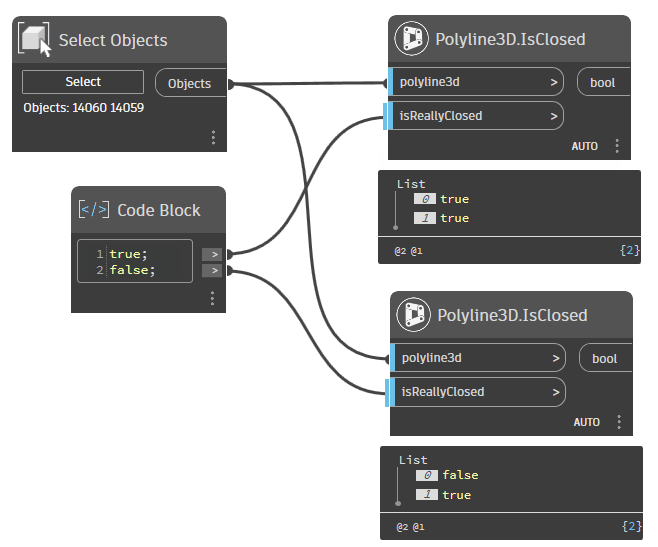
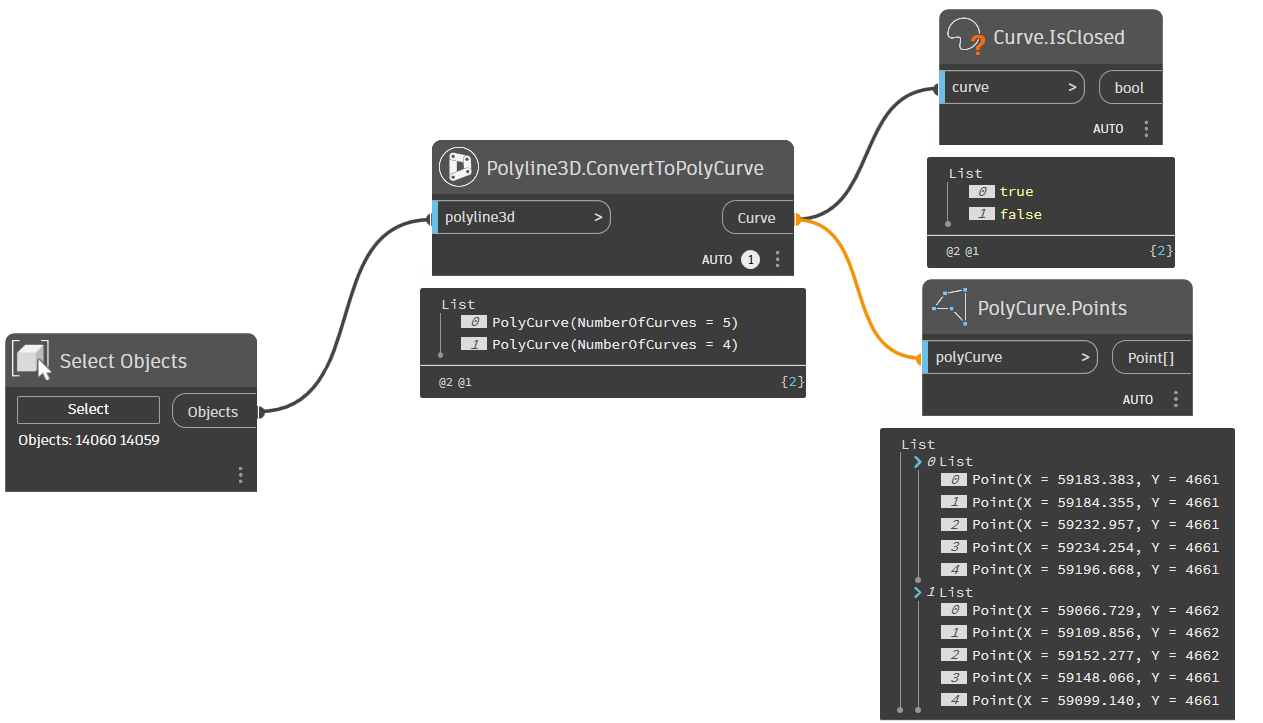
Hello,
my confusion startet last week, when I was working on a script that imports (3d)polyline-geometry from a textfile and I noticed that AutoCAD would draw an additional point that is not really needed.
I still think it’s confusing and somewhat inconcise but it got the job done so all is good.
Now I’m working on the next script that should do the opposite and write out AutoCAD-geometry to a textfile. I’m facing the same issue again but this time I can’t really shrug it off because the geometry in this textfile needs to be precise and I can’t have one Schroedingers point that might or might not exist. 
Let’s take Civil3d surface boundaries as an example:
You can click on a surface and let Civil3d export the surface boundary as a 3d polylinie. This polyline should be closed by its very nature as it is a boundary - the Is-closed-flag however is set to false. This might not be the cleanest implementation but it shouldn’t be a problem because I can just loop through the points (in my example AutoCAD tells me there are 10 points), figure out that the start- and endpoint are identical and export it as a closed polyline to my textfile.
PolyCurve.Points however doesn’t recognize the duplicate start- and endpoint (and only shows me 9 points in my example). My assumption is that it does some data sanitization and since the polyline isn’t set to “closed” it can’t have an identical start- and endpoint and therefore deletes it.
This leaves me with the situation that I can’t really identify closed polylines.
I can’t just look at the Is-Closed?-flag as it might be set wrong (as in the surface-boundary example) but I can’t also just look at the points as they arn’t all showing up in PolyCurve.Points.
This also results in the funny situation that Dynamo, Camber (@zachri.jensen) and The Civil Nodes (@Anton_Huizinga) are in disagreement wether a surface boundary is closed or not:
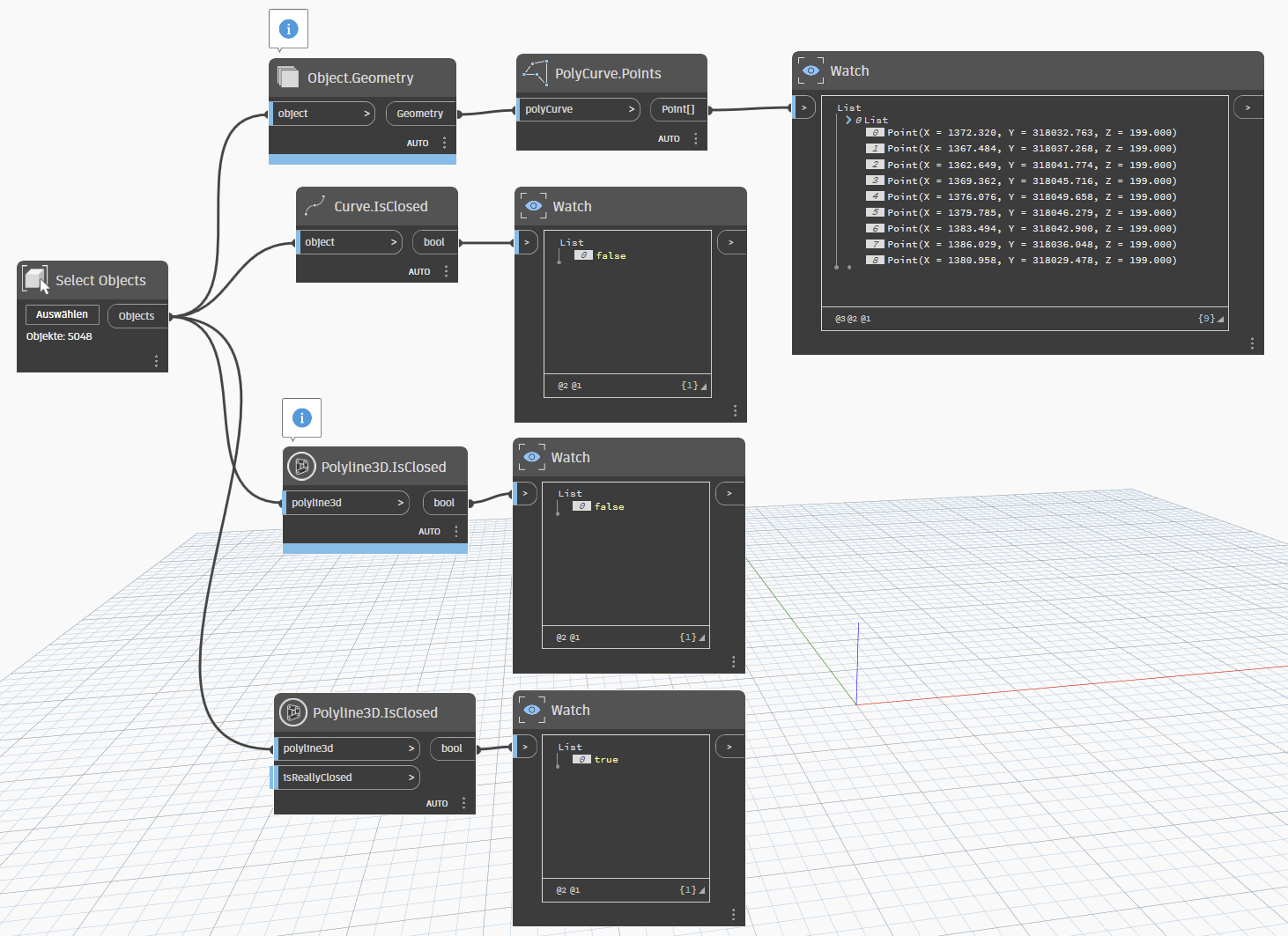
They are all right, depending on how you look at it - the polyline isn’t closed, as the Is-Closed flag is Set to false. It is closed however, as its start- and endpoint are identical.
My solution for now has been to just stick with the “The Civil Nodes”-node, as it does seem to look at the points and not just the flag. Another approach would be to loop through the curves of the polycurve and check this way, if start- and endpoint are identical.
PolyCurve.Points is much easier though and I think it would be better if it was consistent with what we see in AutoCAD. Maybe it could be improved by adding a flag like “Filter out duplicates” or something like that.
Edit:
I just now realized that the Civil-Nodes-Node has this flag “IsReallyClosed”.
This is exactly what I’m talking about and even the solution I suggested for the PolyCurve.Points-Node.
So consider this post a live-feed of an old man slowly realizing things and thank you for the Civil-Nodes! 
ClosedPolys.dyn (16.1 KB)
SampleDrawing.dwg (1.1 MB)