Hi everyone.
Can anyone point me what I’m doing grong?
I’m trying to get the value of a shared parameters base on it’s GUID.
The Revit API, says that the method get_Parameter() is the safest ways to do that, but when I’m trying o got an error saying that get_Parameter is not a valid method for Family Instance.
import clr
clr.AddReference('RevitAPI')
clr.AddReference('RevitServices')

from RevitServices.Persistence import DocumentManager
from System import Guid
import Autodesk.Revit.DB as DB

doc = DocumentManager.Instance.CurrentDBDocument

elements= UnwrapElement(IN[0])

guids = [Guid(g) for g in IN[1]]

result = []
for el in elements:
    values = []
    for g in guids:
        p = el.get_Parameter(guids)
        values.append(p.AsString())
    result.append(values)

OUT = result
Exactly, the problem here is that no matter which categories are applied the parameter, the point here is get the values of the parameter of the selected elements, in this case the elements are Family Instances.
According to the Revit API, should be possible to get the values. but don’t known what I’m doing wrong.
You’re looking at the documentation that exists to direct you to the recommended alternative there, but you want the API call itself.
Note that the call is element.Parameter[guid], and that syntax isn’t valid in Python. As such the method you use to access it will have to change based on your selected Python engine. That python engine will change further based on your Revit release. All of this paragraph is exactly why C# has become so much more valuable while Python so much less than it was from 2015 to 2021(ish).
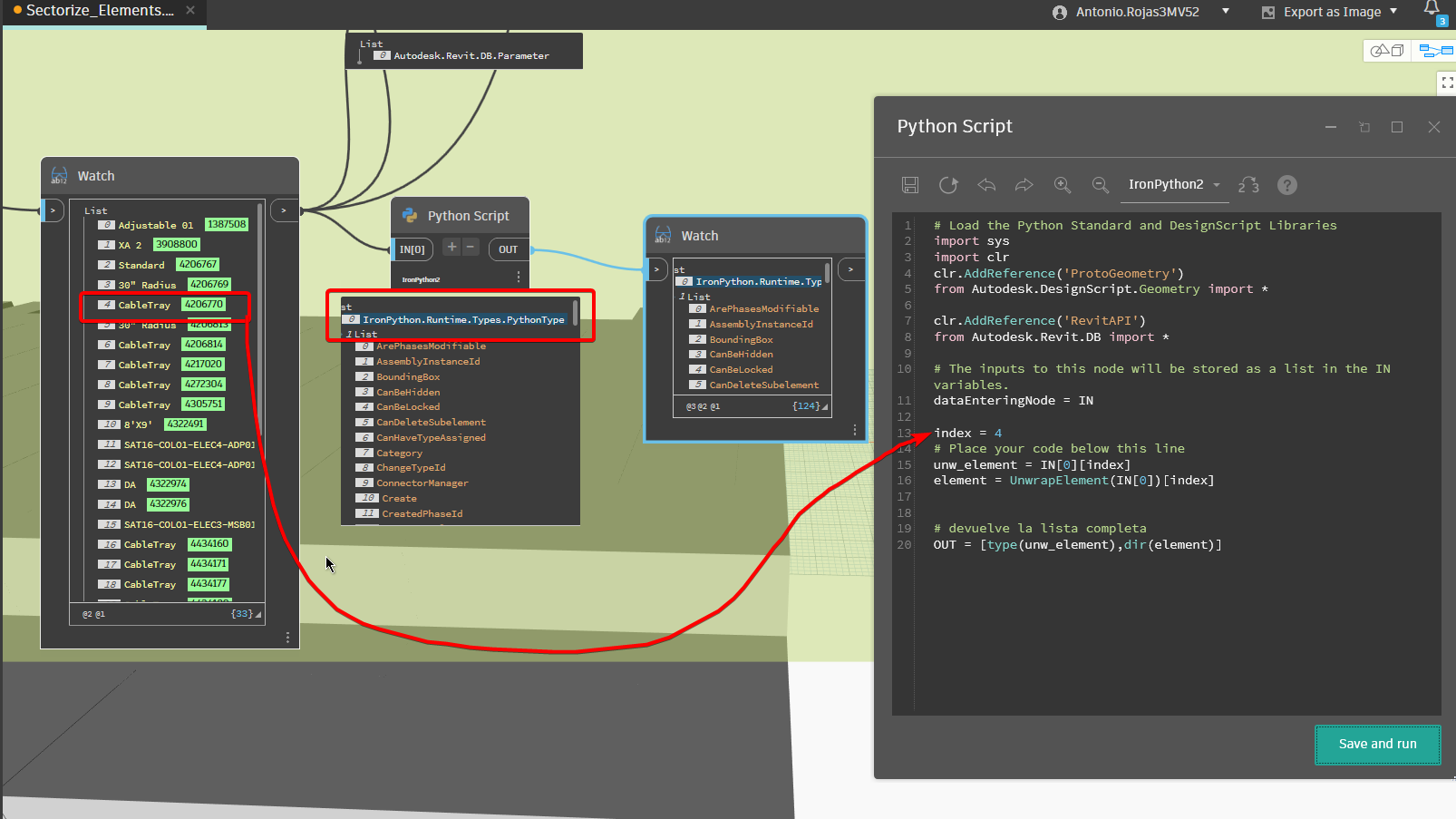
For now you can parse your options to get what you are after from the element using OUT = dir(element), then you can explore one of those options using OUT = element.MethodYouAreInteresterIn.__doc__
There are a few posts on the topic, but to understand ‘why’ you have to dig very deep into how computers process code.
Basically things are processed as machine code - 1s and 0s. A step above that is assembly which some humans can work with readily, but not many. A step or two above that is C which humans can use but it requires a good bit of extra work as you have to manually do stuff like clean up your memory. And a step or two above that is C# which does a lot of the stuff which C required you manually do. Before you run code it has to be compiled into content which can be passed though a series of interpreters to get down to machine code so that it can be executed.
Scripting languages (Python, Dynamo, anything which doesn’t have to be compiled before you run it) pass what we write though a virtual machine which does the interpretation at one of the levels of code noted above.
Dynamo works in C#. Revit’s API is also C#. Python’s main implementation works in C natively (CPython).
As a result of those changes in level each Revit object you want to use in the default Python environment needs to be translated from C# to C to so Python can use it, then translated a few times down to machine code to be processed, then the results are translated back up to C for use in Python, then they have to be translated to C# for you to get them.
Imagine sitting in a room with 3 people who want to have a conversation. Person 1 speaks English only, person 2 speaks English and Swedish, and person 3 speaks only Swedish. Person one says something and person 2 can translate to Swedish without much issue, and then person 3 can understand most of what was said. But if this game of translation telephone were to continue in a loop over five or six people… things would get lost in translation. That is likely what is happening here with your CPython.
But by changing to IronPython you trade off security (IronPython2 is unsupported and will cease to run in a future release of Dynamo) for reduced translation efforts thereby keeping more of the components working through the loop.
The model itself may be different causing the issue, there may be an environment configuration (i.e. what Revit/Dynamo customizations) breaking things, or something as crazy as an infosec policies could be at play… Really hard tos ay without the source model and more direct troubleshooting.


 and if i remember the same guid no matter instance or type parameter…probably wrong
 but don’t known what I’m doing wrong.